
The Telco Cloud conversation has moved past “can we run CNFs?”. Most operators running 5G workloads are now managing Kubernetes at scale, across multiple vendors, multiple versions, and multiple regulatory jurisdictions. The operational questions today are more specific: How do we keep Kubernetes close to upstream without destabilizing production? How do we enforce policy across a fleet without blocking network function teams? How do we reduce the attack surface on infrastructure that carries critical traffic?
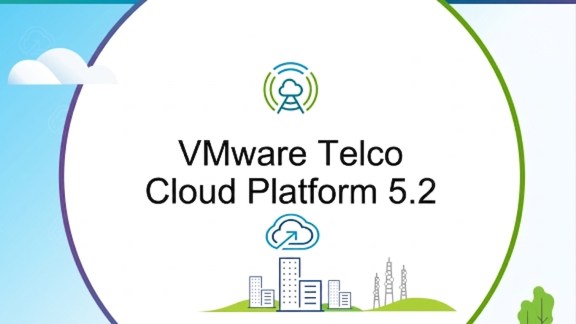
VMware Telco Cloud Platform (TCP) 5.2 is generally available as of today. This release focuses on those questions directly, with improvements to Kubernetes lifecycle management, policy enforcement, security posture, and container registry operations. Here is what is new.
Kubernetes Support and a Narrower Upstream Gap
Keeping Kubernetes up to date on Telco infrastructure has historically meant accepting a significant lag between what the upstream community releases and what is validated and available within the platform. With TCP 5.2, we are introducing support for Kubernetes 1.36, reducing that gap to three months from upstream availability. This brings telco infrastructure closer to the release cadence that the broader cloud-native ecosystem expects.
Kubernetes 1.36 carries a 24-month support window in this release. That duration gives operators the runway they need to coordinate upgrades across network functions, vendors, and regional deployments without being forced into accelerated timelines. Extended support versions in TCP 5.2 span Kubernetes 1.30, 1.33, and 1.36, covering the range of dependencies that exist across cloud-native network function (CNF) portfolios.
All lifecycle management and Create, Read, Update, and Delete (CRUD) operations on clusters running Kubernetes 1.33 and 1.30 continue to be fully supported through their respective end-of-support dates, protecting existing Telco CNF deployments.
Operators can also rehome CaaS workload clusters between management clusters to reduce disruption during maintenance windows, targeted upgrades, and allow operational continuity during planned events.
Policy Governance
TCP 5.1 introduced the Kubernetes Policy Manager built on Open Policy Agent (OPA), enabling operators to enforce security governance policies aligned with NSA, CISA, and UK TSA Kubernetes hardening guidance across a fleet of clusters.
TCP 5.2 adds “warn” mode to that framework.
Where “deny” mode blocks non-conforming workloads outright, “warn” mode surfaces violations in real time without stopping deployment. This gives platform and security teams a way to evaluate policy impact across a fleet before moving to enforcement, and gives network function teams time to remediate workload configurations without disruption to service rollout timelines. The two modes work together to support a graduated compliance posture that fits operator workflows rather than forcing a binary choice between agility and governance.
Policy configurations are preserved through cluster upgrades and node lifecycle events. Any policy drift caused by unauthorized changes is automatically reconciled. Raw policy templates written in Rego are viewable directly within the platform for full auditability across internal compliance mandates and external regulatory frameworks.
Security Enhancements
Packet capture via Antrea for east-west visibility
Understanding pod-to-pod traffic within a Kubernetes cluster is a routine requirement for operators managing 5G user plane and control plane functions, and for teams doing fault isolation across CNF workloads. TCP 5.2 enables packet capture for pod-to-pod communications when using the Antrea CNI. Operators can capture east-west traffic at the pod level and feed that data directly into probing and monitoring systems, providing visibility into CNF traffic flows without additional tooling or infrastructure changes.
Least-privileged vCenter access for vSphere CPI
TCP 5.2 implements least-privileged credentials by default when the vSphere Cloud Provider Interface (CPI) interacts with vCenter. The attack surface is reduced without requiring any operator configuration. These scoped credentials are maintained automatically across all lifecycle operations, including upgrades and horizontal scaling, so the security posture is preserved throughout the platform lifecycle without adding operational overhead.
TCP 5.2 also addresses several security issues, we recommend reviewing the release notes for the full list of resolved issues.
Single-Click Harbor CNF Upgrades
Harbor serves as the container registry CNF within the TCP ecosystem, and keeping it current is a practical requirement for maintaining a secure artifact supply chain. TCP 5.2 adds single-click upgrade support for Harbor. This removes the manual steps that were previously involved in Harbor lifecycle management and aligns the Harbor upgrade experience with the broader CNF lifecycle automation..
Operational Insight
Operators running 4G VNF-based workloads alongside 5G cloud-native workloads on a shared horizontal platform face a specific class of operational challenge. The infrastructure layers multiply, the vendor ecosystem expands, and the policies and security controls that apply at each layer all need to be managed and audited consistently. The risk is not just technical debt but compliance exposure and increased mean time to resolution when something goes wrong.
TCP 5.2 addresses this directly and these capabilities give operators more operational confidence across a larger, more heterogeneous fleet, which is the practical requirement for any operator running both generations of network architecture on a single platform.
Resources
We encourage you to explore the full details through the following resources:
· VMware Telco Cloud Platform 5.2 Release Notes
· VMware Telco Cloud Platform 5.2 Reference Architecture
· VMware Telco Cloud Platform 5.2 Upgrade Guide
· VMware Telco Cloud Automation 3.5 Release Notes
· VMware Telco Cloud Platform 5.2 Landing Page
· VMware Telco Cloud Automation 3.5 Landing Page
To learn more or to connect with our team, contact your Broadcom account representative or visit the VMware Telco Cloud Platform page.
Discover more from VMware Telco Cloud Blog
Subscribe to get the latest posts sent to your email.