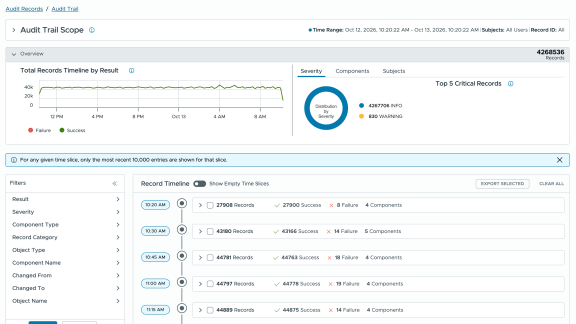

Modern enterprise environments demand uncompromising visibility across management boundaries. In VMware Cloud Foundation (VCF) 9.1, audit logging undergoes a major evolution with standardized Audit Records and the Audit Trail framework. Together, these capabilities bring unified logging standards, centralized analysis, and deep cross-component traceability to combat unauthorized changes, lateral movement, and insider threats.
The Enterprise Challenge: Fragmented Visibility
In multi-component cloud stacks, diagnosing unexpected behavior or investigating security incidents traditionally required piecing together disparate logs across management planes. Varied timestamp formats, inconsistent severity tags, and missing component identifiers added friction to root-cause analysis.
VCF 9.1 addresses these challenges by introducing unified log standardization across all native VCF component teams:
- Standardized Log Schema: Establishes consistent date-time formats (ISO 8601 timestamps), explicit severity levels, process IDs (PIDs), and subsystem labels.
- Structured Data Blocks: Embeds key-value query parameters in square brackets
[...]to enable precise, high-performance filtering in operational logs. - SD ID Integration: Includes a unified system definition ID combining the specific component identifier with the Broadcom INA number to simplify source tracking.
Centralized Governance: The Audit Records Interface
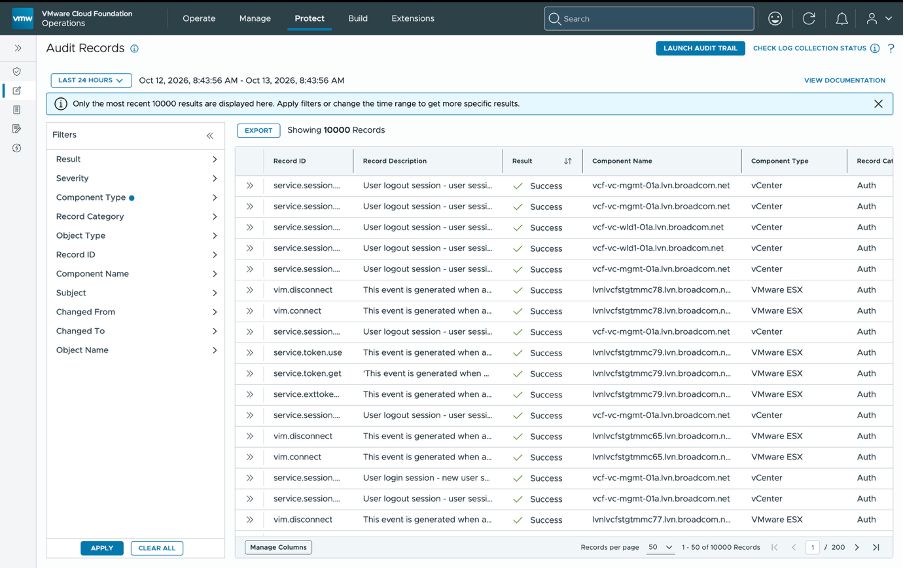
Located directly under Protect > Audit Records, the unified interface consolidates user actions across all supported VCF stack components into a single management console.
Key Filtering Dimensions
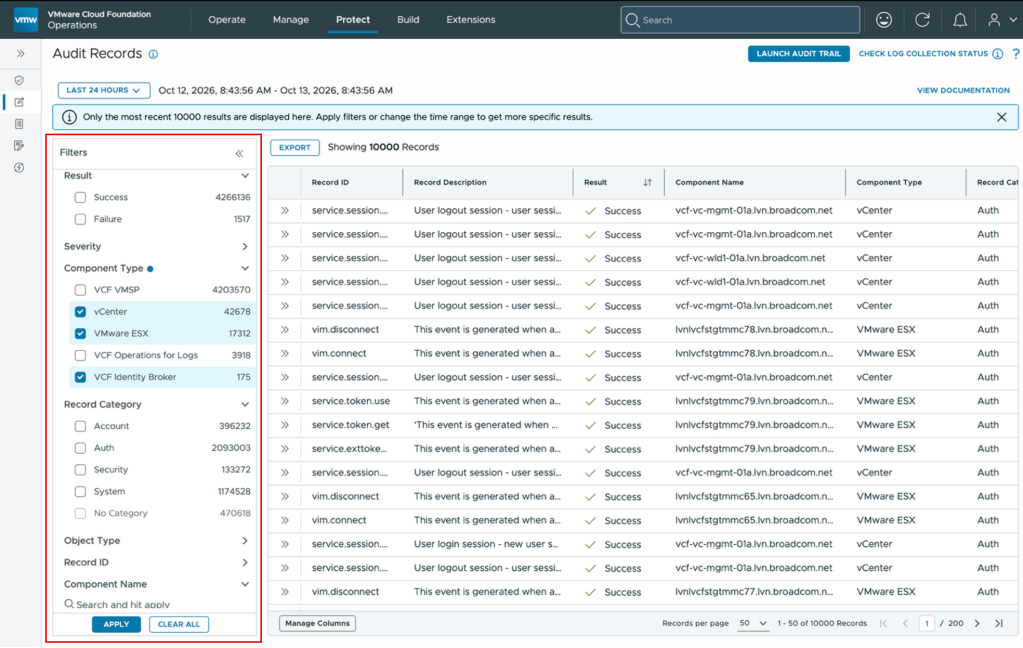
The Audit Records console allows security teams to rapidly isolate events across five core dimensions:
- Result: Filter explicitly by
SuccessorFailureoutcome (e.g., pinpointingsso.login.failure). - Severity: Isolate events based on impact level (
Info,Warning,Critical). - Component Type: Target specific infrastructure components such as vCenter, NSX, or ESXi hosts.
- Record Category: Categorize by functional areas including
Account,Auth,Certificate,Security, andSystem. - Object Type: Refine results based on impacted inventory objects.
End-to-End Forensics: The Audit Trail Framework
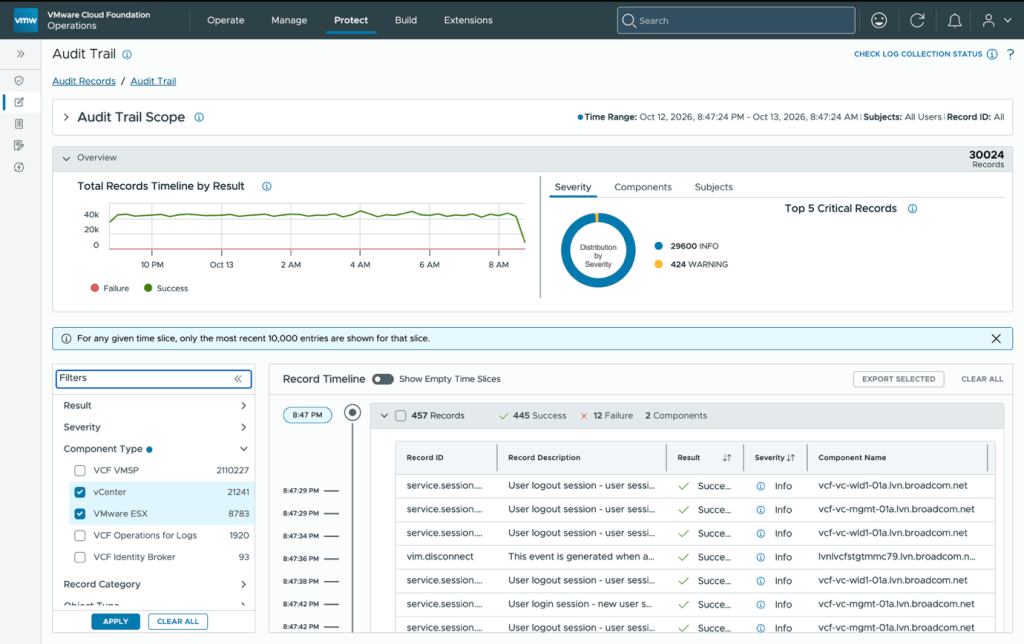
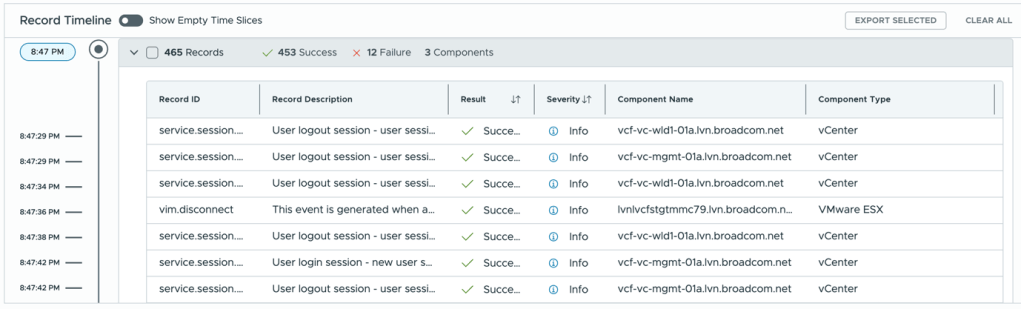
While Audit Records provide granular event analysis, Audit Trail solves the challenge of contextual sequence mapping. It builds a chronological, cross-component timeline of user activity across time slices as granular as 5 to 15 minutes.
Core Analytics Highlights
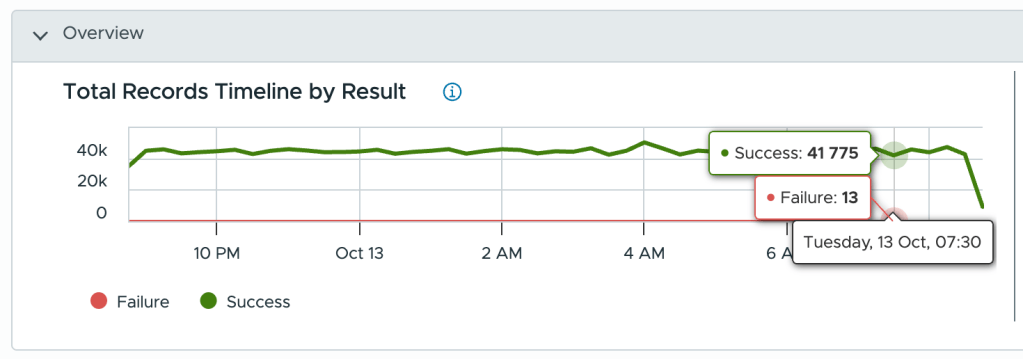
- Success vs. Failure Trend Charts: Aggregates event volumes in 15-minute intervals to highlight unexpected spikes in authentication or authorization failures.
- Lateral Movement Detection: Maps activity across distinct management planes (e.g., jumping from vCenter to NSX via SSH or API) to reveal unauthorized privilege escalation.
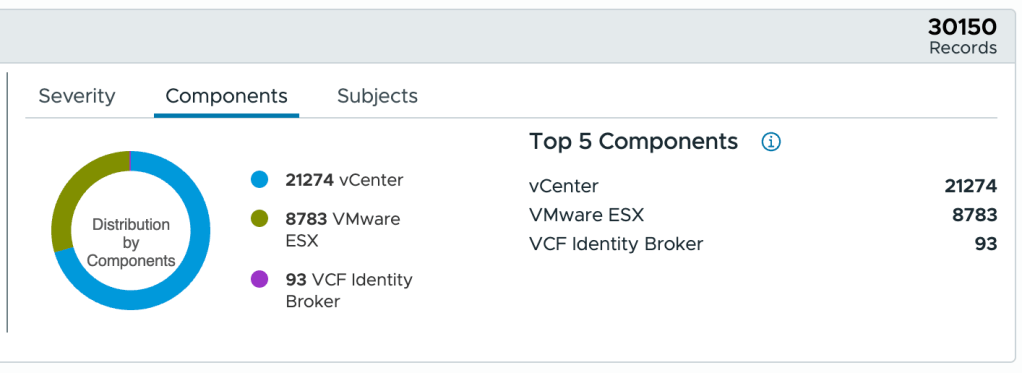
- Component Touchpoints: Summarizes exactly which accounts interacted with which management endpoints during a targeted time window.
Forensic Case Study: Uncovering a Privilege Escalation and Deletion Attack
To illustrate the power of Audit Trail during a critical incident response, consider a scenario where production AI workload VMs suffered sudden downtime and deletion.
Incident Overview and Initial Query
- Symptom: Business-critical AI workload VMs powered off and deleted within a narrow time window.
- Time Window: May 13, 11:02 a.m. – 11:15 a.m. IST.
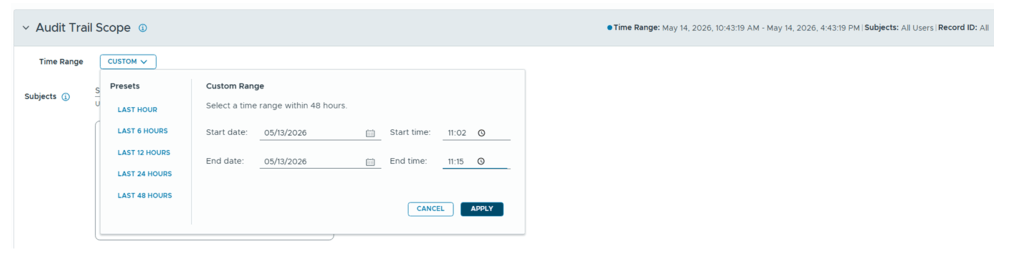
- Initial Audit Scope: Auth and session events (
sso.login,sso.login.failure,sso.logout,ssh.connect,ssh.disconnect,ssh.session.begin,ssh.session.end).
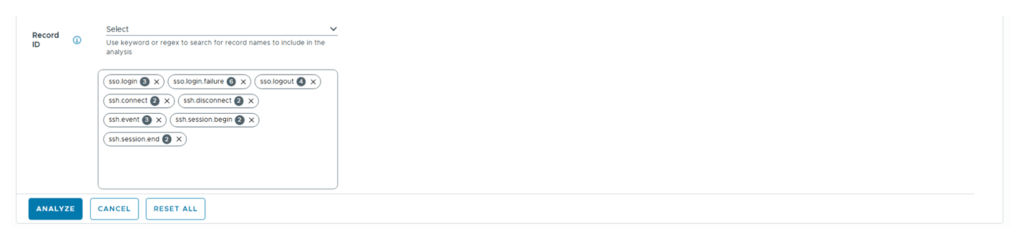
The initial query revealed 18 successes, 6 failures, across 2 components (vCenter and NSX).
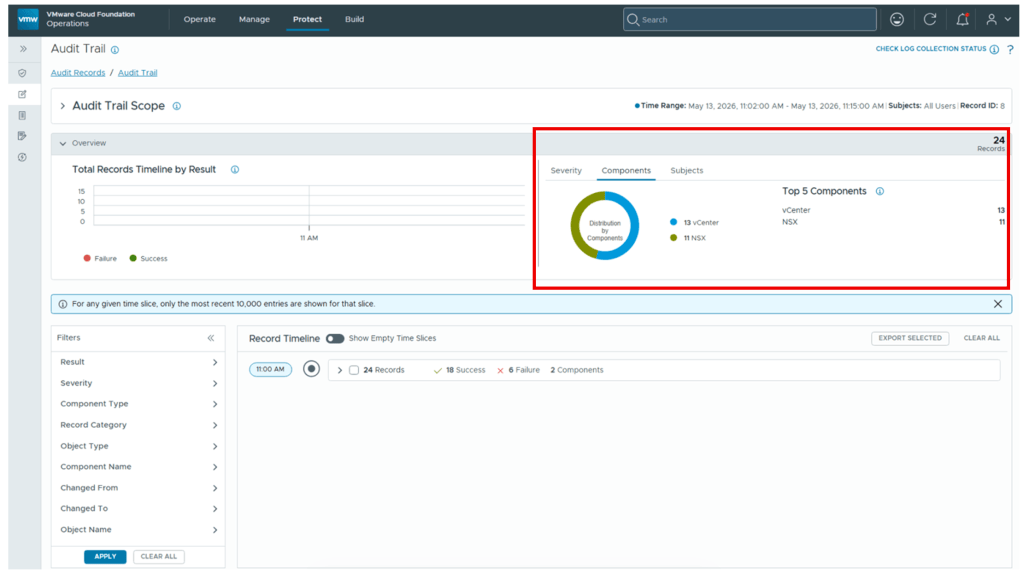
A suspicious burst of 13 login/logout attempts occurred on vCenter and 11 on NSX within a 5-minute slice.
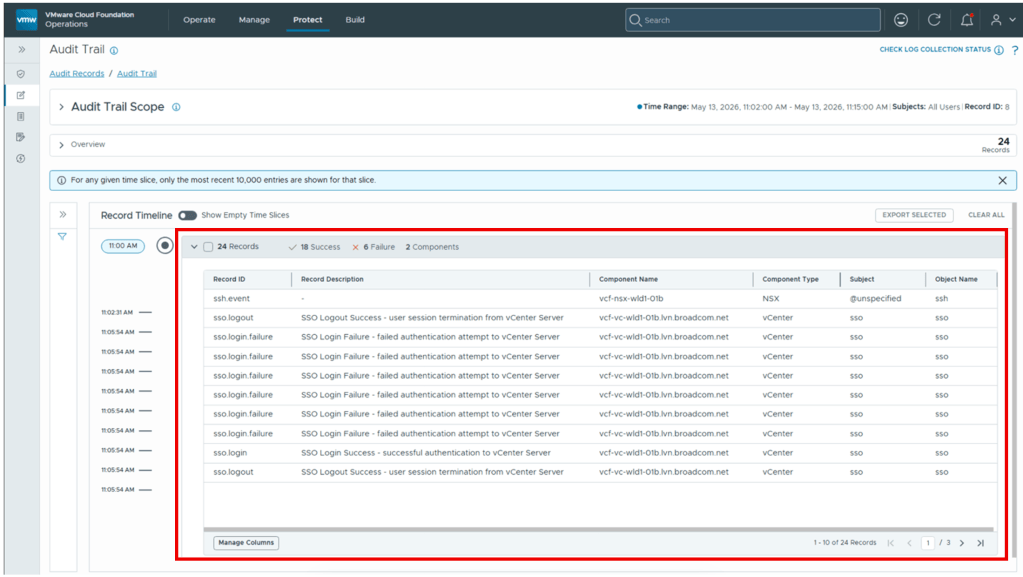
Expanding the Investigation
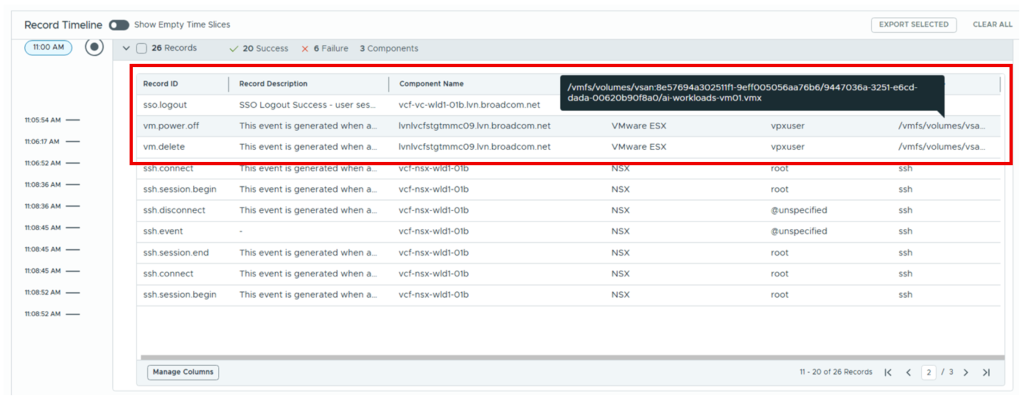
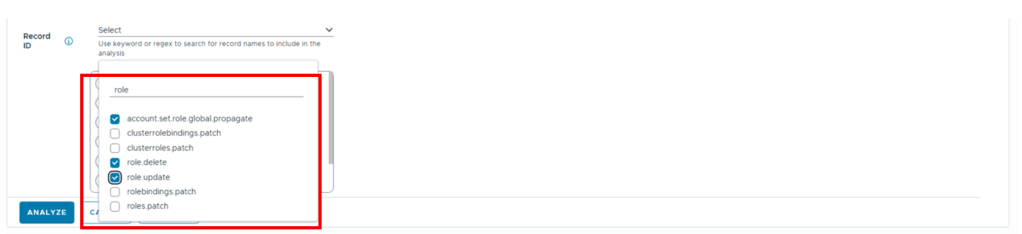
To uncover how production VMs were deleted, the investigation expanded to track VM lifecycles (vm.delete) and privilege modifications (role.delete, role.update, account.set.role.global.propagate).
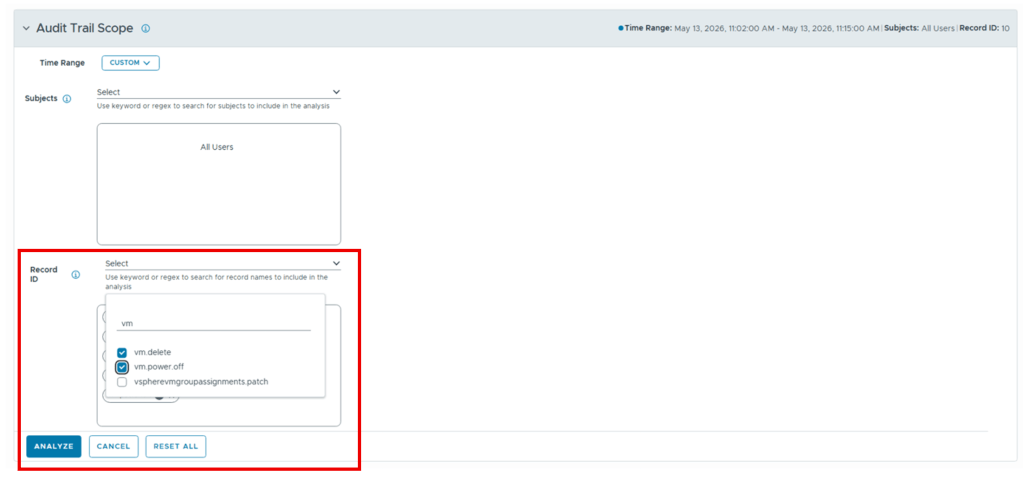
Record Timeline showing vm power off and vm delete operation
Privilege modifications (role.delete, role.update, account.set.role.global.propagate)
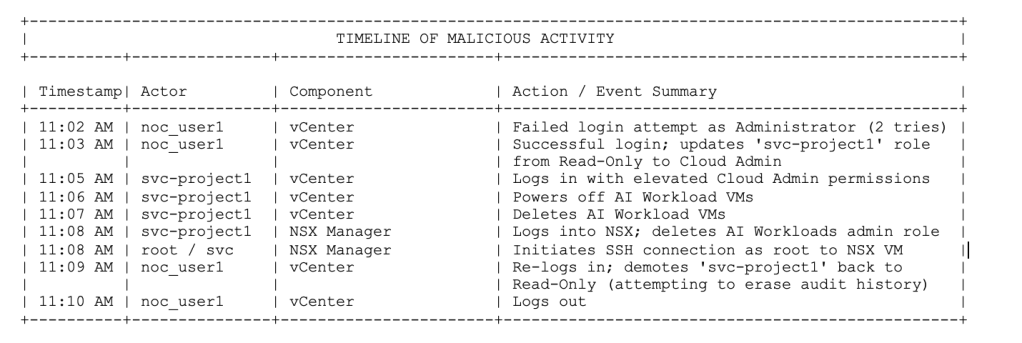
Timeline of Malicious Activity covering complete Audit Trail
Overview showing Subjects (User accounts) involved in the outage

Record Timeline showing login and logout attempts, role updates, vm power off and deletion operation
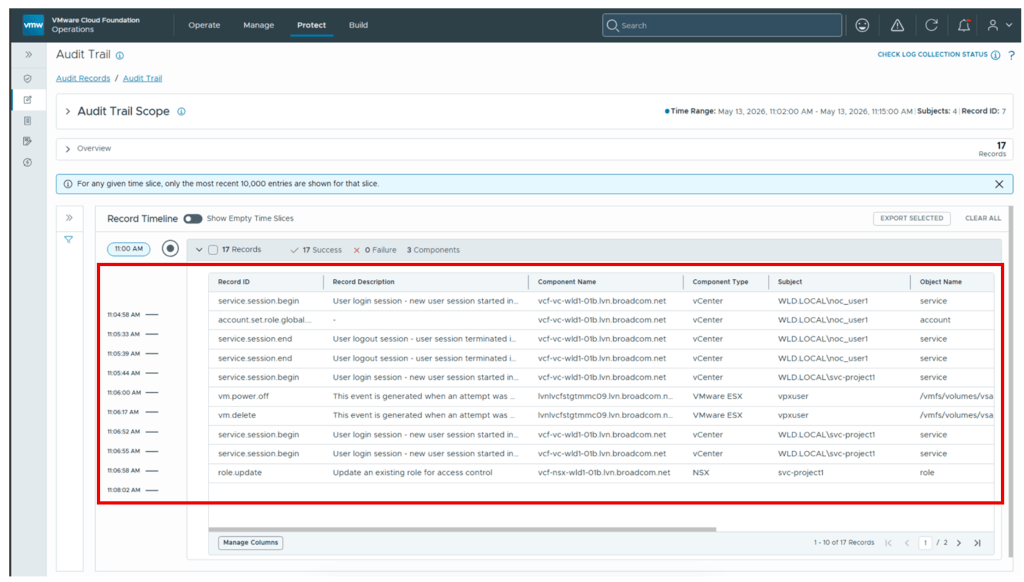
Record Timeline showing role deletion on NSX Manager, role restoration on vCenter server
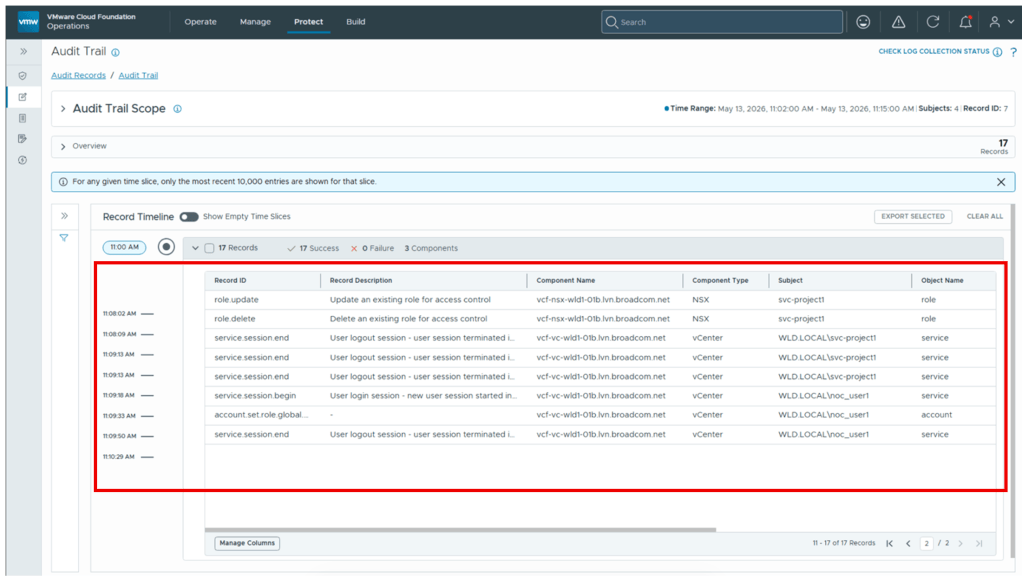
Anatomy of the Attack Pattern
This investigation highlights a classic malicious insider pattern:
- Privilege Staging: An attacker account (
noc_user1) temporarily elevates a dormant read-only service account (svc-project1).
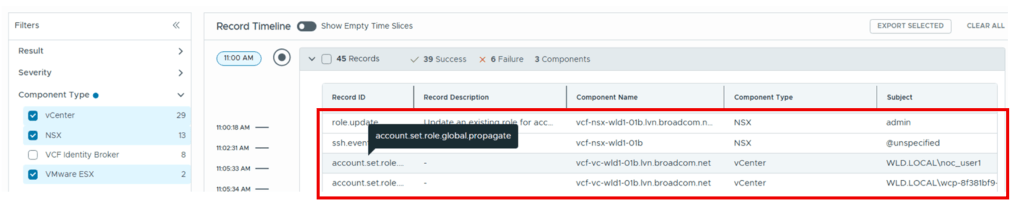
- Destructive Execution: The service account is leveraged to execute destructive actions (VM powering off, VM deletion, NSX role deletion, root SSH connection).
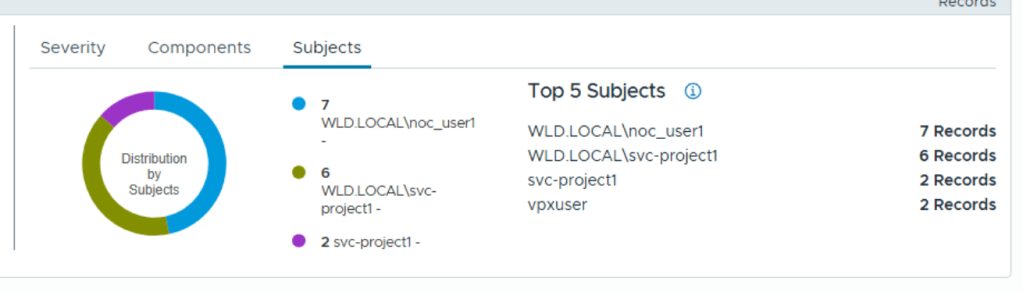
- Covering Tracks:
noc_user1reverts the service account privileges back to read-only before logging out, attempting to hide the footprint.
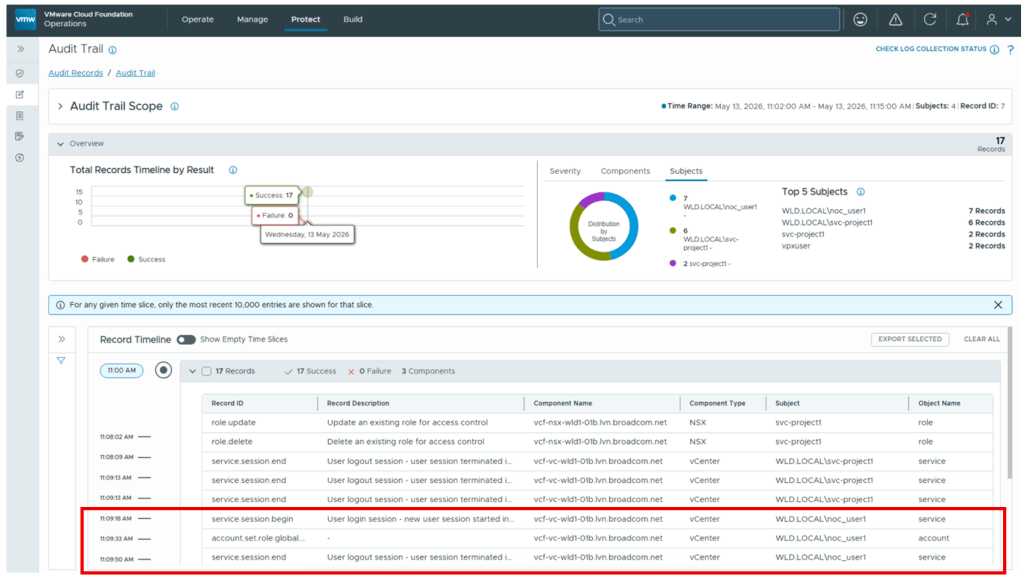
Without unified cross-component correlation, identifying this multi-step manipulation across vCenter and NSX would require manual log aggregation. VCF 9.1 Audit Trail automatically connects these events into an actionable narrative.
Check out the YouTube video below, where we demo the Forensic Case study!
Conclusion
VCF 9.1 Audit Records and Audit Trail transform security operations from reactive log parsing to proactive threat analysis. By standardizing log schemas and enabling time-sliced cross-component correlation, enterprise administrators can rapidly detect, investigate, and remediate unauthorized activity across the entire cloud infrastructure.
Discover more from VMware Cloud Foundation (VCF) Blog
Subscribe to get the latest posts sent to your email.