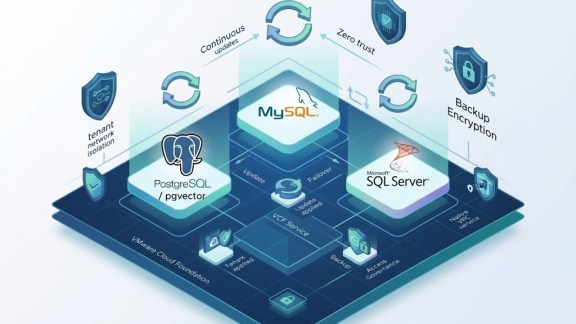

VMware Data Services Manager (DSM) 9.1 delivers a significant milestone: Microsoft SQL Server is now fully supported on the platform. First shipped as a Technical Preview in DSM 9.0, SQL Server joins Postgres and MySQL as a production-ready database engine in the VMware portfolio’s database-as-a-service solution for VMware Cloud Foundation (VCF) private clouds. For vSphere administrators and DBAs managing enterprise workloads, this release closes a critical gap.
What’s New in DSM 9.1 SQL Server Support
DSM 9.1 brings SQL Server to the same policy-driven provisioning model that governs Postgres and MySQL on the platform, with additional capabilities specific to Windows and SQL Server environments.
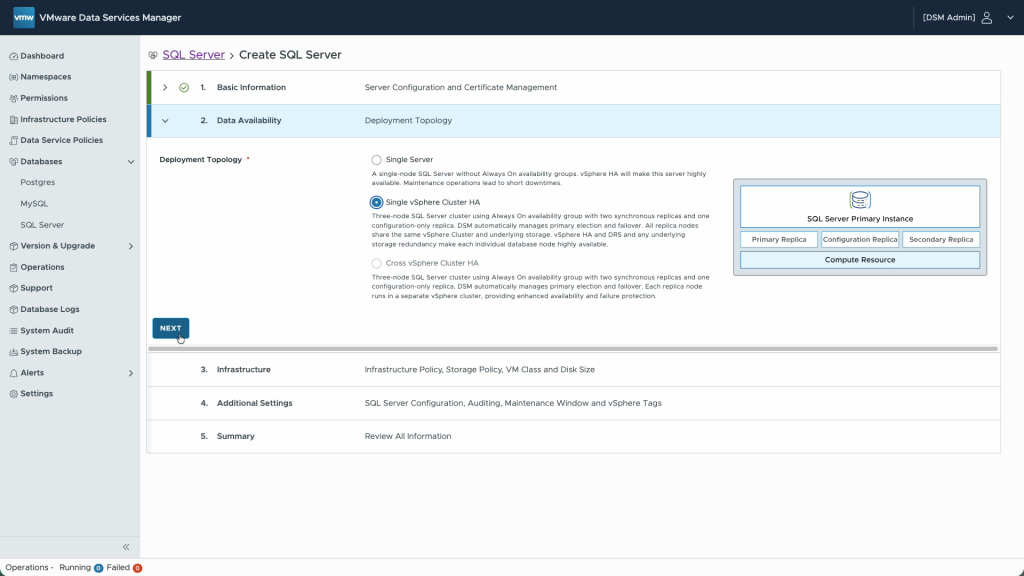
Instance-based provisioning with HA support: SQL Server deployments in DSM begin with an instance, which hosts one or more user databases. This aligns with standard enterprise SQL Server architecture. For production workloads, administrators can deploy a three-node Always On availability group. Test and development environments are typically well served by a single-VM configuration. Both options are available at provisioning time with no manual cluster setup required.
Active Directory integration and DNS registration: DSM 9.1 integrates with Microsoft Active Directory for user authentication, enabling Windows-native access controls across the database environment. SQL Server instances can be registered in DNS automatically at deployment time, so DBAs connect by name rather than IP address from day one.
Policy-driven governance: Compute resources follow administrator-defined size classes. Storage is governed by vSphere storage policies. Data service policies control which database engine, SQL Server instance, backup location, and authentication method are available to each group of users. Policies can target specific DSM namespaces or flexible label-based groups, giving infrastructure teams precise control without adding provisioning friction for DBAs.
SQL Server Agent included: The SQL Server Agent is available, giving DBAs the scheduling capabilities they depend on for routine maintenance tasks such as index rebuilds.
Integrated monitoring with optional VCF Operations forwarding: DSM provides built-in visibility into key resource metrics for running instances. Environments requiring deeper observability can forward metrics to VCF Operations for enhanced monitoring within the broader VMware software stack.
The Value for VCF Admins and DBAs
For infrastructure teams, DSM 9.1 extends consistent, policy-based database lifecycle management to one of the most widely deployed database platforms in the enterprise. SQL Server environments that previously required manual processes or standalone tooling can now be provisioned, governed, and monitored through the same platform that manages other databases on VCF.
For DBAs, the experience is operationally familiar. SQL Server Management Studio, PowerShell, SQLCMD, Windows authentication, Active Directory, and the SQL Server Agent all work as expected. DSM handles the infrastructure layer without requiring DBAs to engage with vSphere directly. The result is a cleaner boundary between platform and workload, with faster provisioning and less cross-team coordination.
See It in Action
Watch the end-to-end SQL Server workflow in this DSM 9.1 SQL Server demo, covering everything from initial instance setup and database provisioning to a live session using SQL Server Management Studio. Discover how VMware Data Services Manager 9.1 enables seamless database-as-a-service for SQL Server within the VCF private cloud.
Discover more from VMware Cloud Foundation (VCF) Blog
Subscribe to get the latest posts sent to your email.