
Introduction
While artificial intelligence offers transformative potential, enterprise deployment remains constrained. At the forefront, privacy, IP protection, and compliance present severe existential threats. Foundational issues however are infrastructural demands—such as GPU bottlenecks, network I/O, and compute expenses—forcing a delicate trade-off between high-performance execution and sustainable spending. Every AI project starts in the same place: Day-0. Before a single workload runs, IT teams have to line up compute, storage, networking, and Kubernetes runtimes. It is complex, it takes time, and it is where good AI plans often stall.
Per IDC:
- Complexity slows production. 73% of respondents agree that AI infrastructure complexity delays moving from proof-of-concept to production. *
- Performance is next. 42% believe AI inference and performance will be a top operational challenge over the next two years.*
Announcement – AI infrastructure quickstart
To solve the challenges of infrastructure complexity, Broadcom announces general availability of the AI infrastructure quickstart in VMware Cloud Foundation (VCF) 9.1.2. This feature automates Day-0 setup, replacing a time-consuming, multi-step process with a streamlined guided workflow delivered through a VMware vCenter plugin.
AI infrastructure quickstart is built for enterprise environments, including air-gapped and connected AI workloads. It brings together three steps that teams have historically handled separately: vCenter cluster configuration, VMware vSphere® Supervisor activation, and VMware vSphere® Kubernetes Service cluster setup.
Key Benefits
The AI infrastructure quickstart offers several benefits to enterprises:
- Streamline AI infrastructure deployment: The quickstart replaces complex, multi-step manual configuration across compute, storage, networking, and Kubernetes with a single, coordinated workflow.
- Accelerate time-to-value: Faster deployment helps move AI workloads from POC to production sooner, by eliminating setup delays and operational bottlenecks.
Real-World Impact: What Our Customers Are Saying
Enterprises across industries are already deploying AI services in VCF solving the challenges of infrastructure complexity of their AI workloads:
“Private AI was an accelerator for discovery for us. From the very first deployment of AI services in VCF, we had a basic proof of concept of a chatbot running within a couple of hours, the same day. That let us put experimentation in the hands of the whole team. Today, our teams are building their own agents with AI Services in VCF. One of them handles Level 1 triage on incoming alerts, correlating context and proposing next steps, so the team can keep up with the volume without adding headcount. Our #1 driver for embracing VCF 9 was the vision of a truly unified private cloud platform that could handle all our workloads. “
– Mark Fournier, CIO/CTO, United States Senate Federal Credit Union
Feature Details
Let’s get into the details.
- Software Defined Data Center (SDDC) Cluster Bring-Up: This step creates the clusters with GPU-enabled hosts.
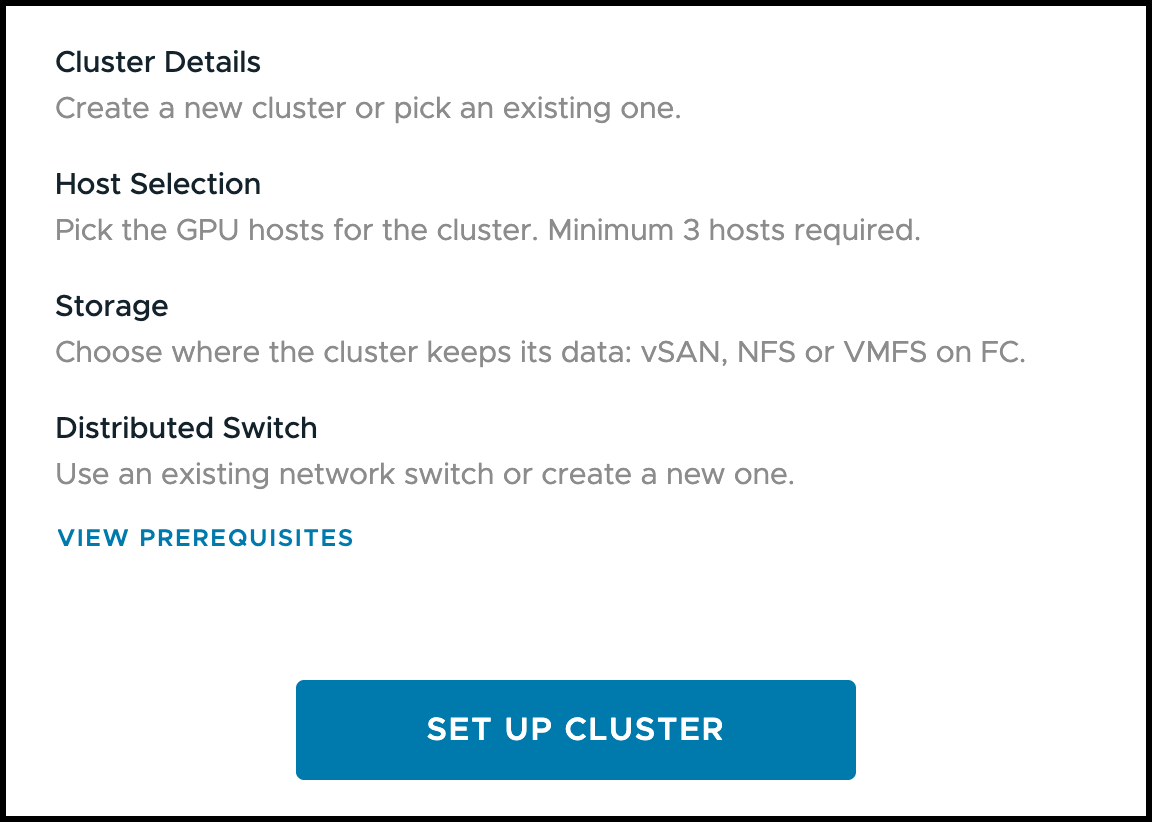
- VMware components automatically enabled: VMware vSphere High Availability (HA) and VMware Distributed Resource Scheduler (DRS) are automatically enabled.
- Host Selection: Compatible hosts are automatically selected and presented.
- Distributed Switch and Storage Setup are streamlined in this step.
- Supervisor Activation: This step gets the VMware vSphere Supervisor deployed on the vCenter cluster and the namespace ready.
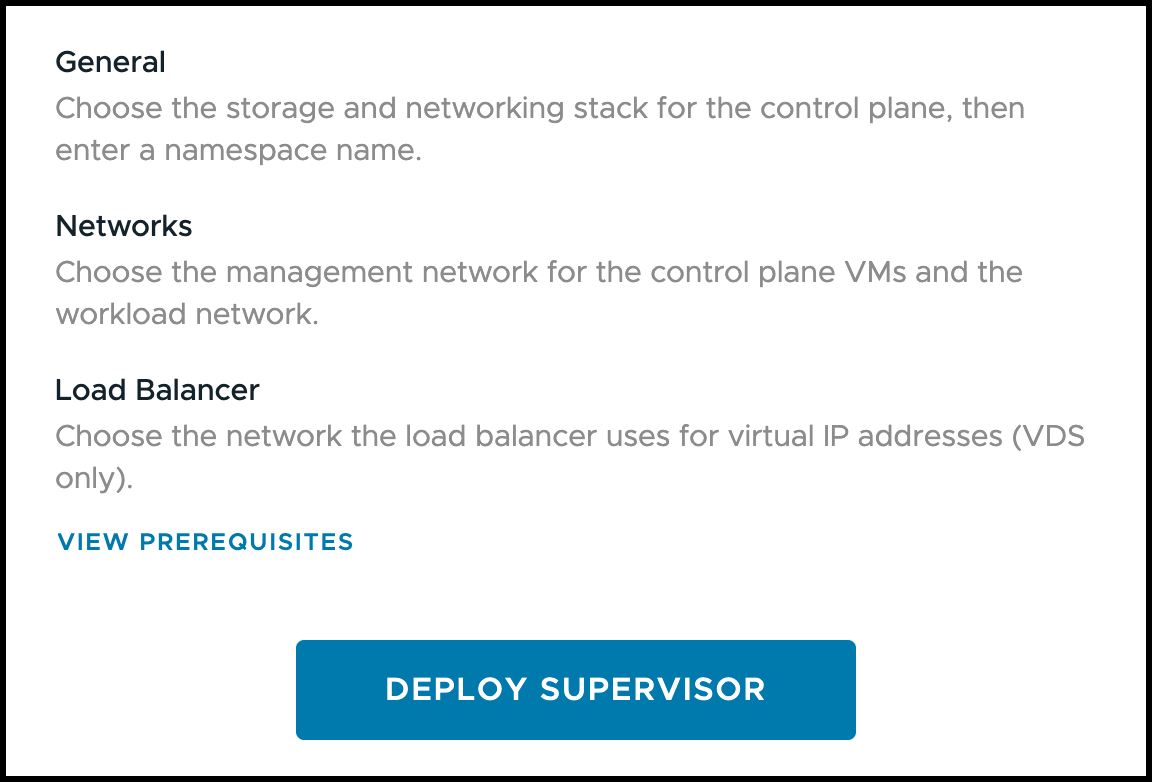
- Air-gapped or connected AI workload selection: Selection can be made here by admin for air-gapped or connected workloads.
- vSphere zone Setup: Automatic creation of a single zone if an existing zone is not detected.
- GPU VM Classes: Ready-to-use GPU VM classes scaling up to 128 vCPUs are automatically created.
- Network setup: Management network for the control plane VMs and the network your workloads run on are easily created.
- Load Balancer Integration: FLB (Foundation Load Balancer) or Avi (NSX Advanced Load Balancer) options are provided.
- Container Registry Deployment: Bring your own container registry selection for air-gapped AI workloads.
- VMware vSphere Kubernetes Service (VKS) Cluster Deployment
In this final step, a VKS cluster is set up and NVIDIA tools and drivers are installed.
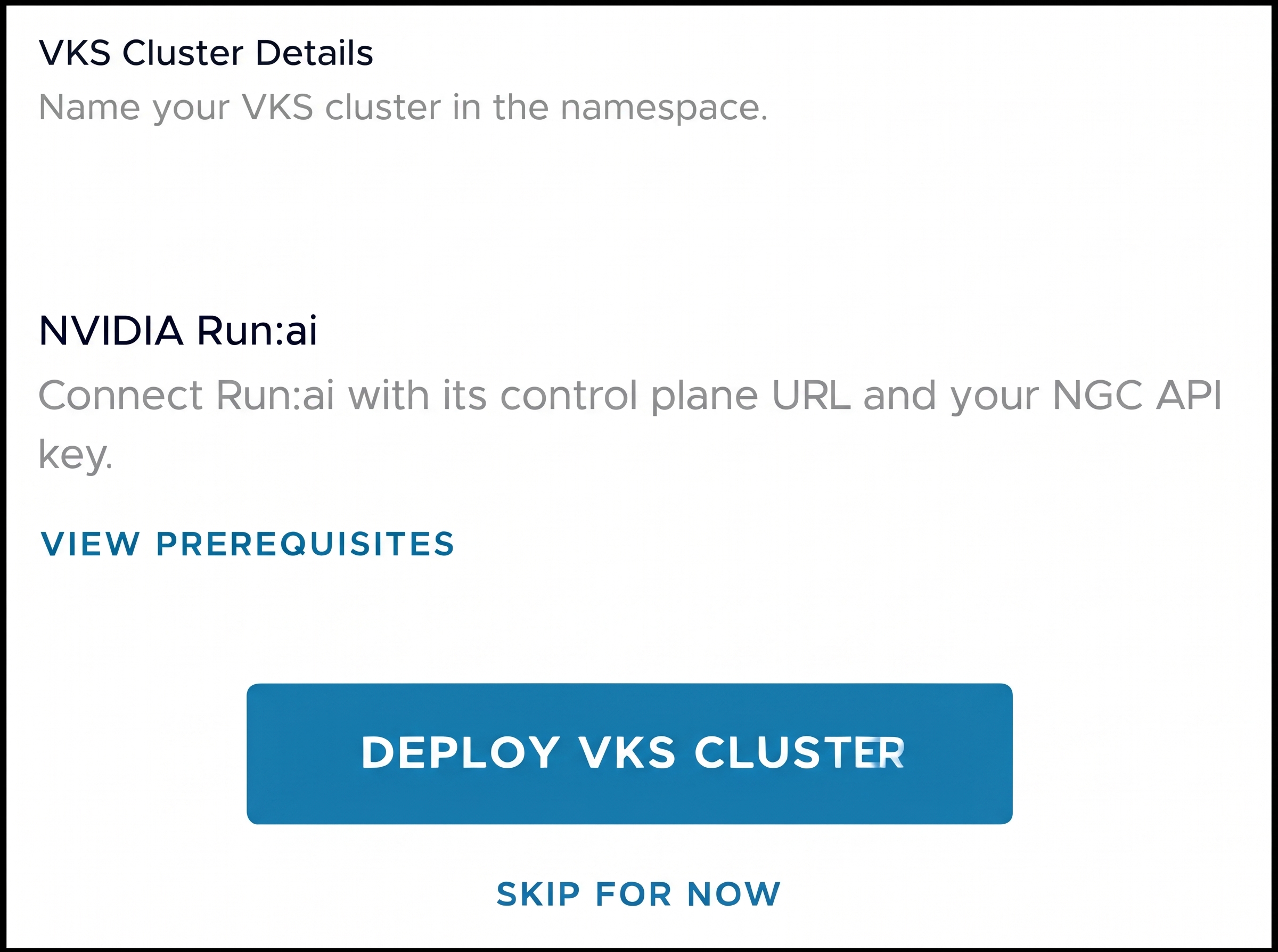
- Dynamic Resource Allocation (DRA) Framework: Automatically installed.
- NVIDIA tools and drivers:
- NVIDIA Network Operator, NVIDIA Data Center GPU Manager (DCGM) and NVIDIA GPU Operator are required and installed by default.
- NVIDIA Run:ai is optional and can also be deployed through the same workflow.
Want to know more?
- Visit VMware.com/AIML for more information.
- Connect with us on Twitter at @VMwareVCF and on LinkedIn at VMware VCF.
*Source: IDC Tech Buyer, C-Suite Strategies to Maximize AI Factory Business Benefits, #US54819826, August 2026.
Discover more from VMware Cloud Foundation (VCF) Blog
Subscribe to get the latest posts sent to your email.