Private cloud was sold on a promise: the agility of public cloud with the economics of owned infrastructure. But for most enterprises, that promise remains half-kept. Business units can provision workloads in minutes, yet financial accountability trails weeks behind actual consumption. By the time CFOs and CIOs see a chargeback report, the spend has already happened—and the budget has already been breached. In multi-tenant environments hosting dozens of business units, this fiscal latency is not just an operational annoyance; it is a material risk to operating margins and board-level commitments.
For executives evaluating their cloud financial posture, the question is whether their current tools can actually govern spend. Cloud Financial Operations (FinOps) must evolve from passive, backward-looking reporting into active, automated financial guardrails that act before budgets are breached, not after. This guide shows how to deliver that continuous, proactive control with VMware Cloud Foundation.
The Challenge: Strategic Friction in Private Cloud Financial Governance
For C-level leaders evaluating FinOps across multi-tenant private cloud environments, the gap between what they need to govern and what their platforms actually expose typically falls into three strategic blind spots.
- The Fiscal Visibility Gap (Infrastructure Costs vs. Billed Business Value): Most private cloud tooling reports raw infrastructure expenditure: power, compute, storage hardware costs. But C-level leaders do not manage business units by server overhead; they manage by tenant-billed consumption against fiscal allocations. When platforms fail to tie live consumption rates to business-unit budgets, executives govern blind until month-end invoices arrive—by which point remediation is impossible and the variance is already realized.
- Static Metadata vs. Dynamic Enterprise Structure: Organizational structures, cost centers, and tenant budgets shift constantly through reorgs, M&A, and quarterly planning. Platforms that lock business-unit definitions into fixed infrastructure hierarchies prevent finance leaders from attaching dynamic metadata—such as monthly fiscal caps—directly to the organizational containers they actually govern. Without that flexibility, automated budget enforcement breaks down the moment the org chart changes.
- Fragmented Governance Policies across Multi-Tenant Fleets: In enterprises hosting dozens or hundreds of tenant organizations, uniform financial governance is the only way to protect margins at scale. Yet financial tracking and threshold guardrails frequently fail to evaluate consistently across multi-tenant policy boundaries. As a result, unmonitored “shadow” tenant consumption quietly bypasses corporate financial controls until it surfaces as a budget overrun.
The Solution: End-to-End Implementation Workflow
To eliminate fiscal latency and deliver proactive governance, enterprise cloud architectures must unify organizational metadata, accrued billing metrics, and automated threshold alert engines into a dynamically updating monitoring loop. This approach gives executives continuous, forward-looking visibility into spend against budget rather than a backward-looking snapshot at month-end.
- Business Unit Alignment and Metadata: Map tenant organizations to dynamic financial containers holding fiscal budget caps (Monthly_Budget), so every business unit carries a live, adjustable financial envelope rather than a static infrastructure label.
- Dynamic Consumption Engine: Continuously aggregate accrued tenant-billed consumption against fiscal caps to calculate dynamic budget utilization percentages.
- Automated Financial Guardrails: Trigger automated warning notifications at defined variance thresholds (e.g., 80% budget utilization) to enable proactive remediation, so finance and operations teams intervene before a cap is breached, not after.
This guide outlines a framework for implementing Automated Budget Threshold Monitoring in VMware Cloud Foundation (VCF). By establishing dynamic fiscal guardrails across multi-tenant environments, executive leadership can protect operating margins, eliminate fiscal surprises, and foster organizational financial accountability—without impeding the self-service agility that justified the private cloud investment in the first place.
The Scenario
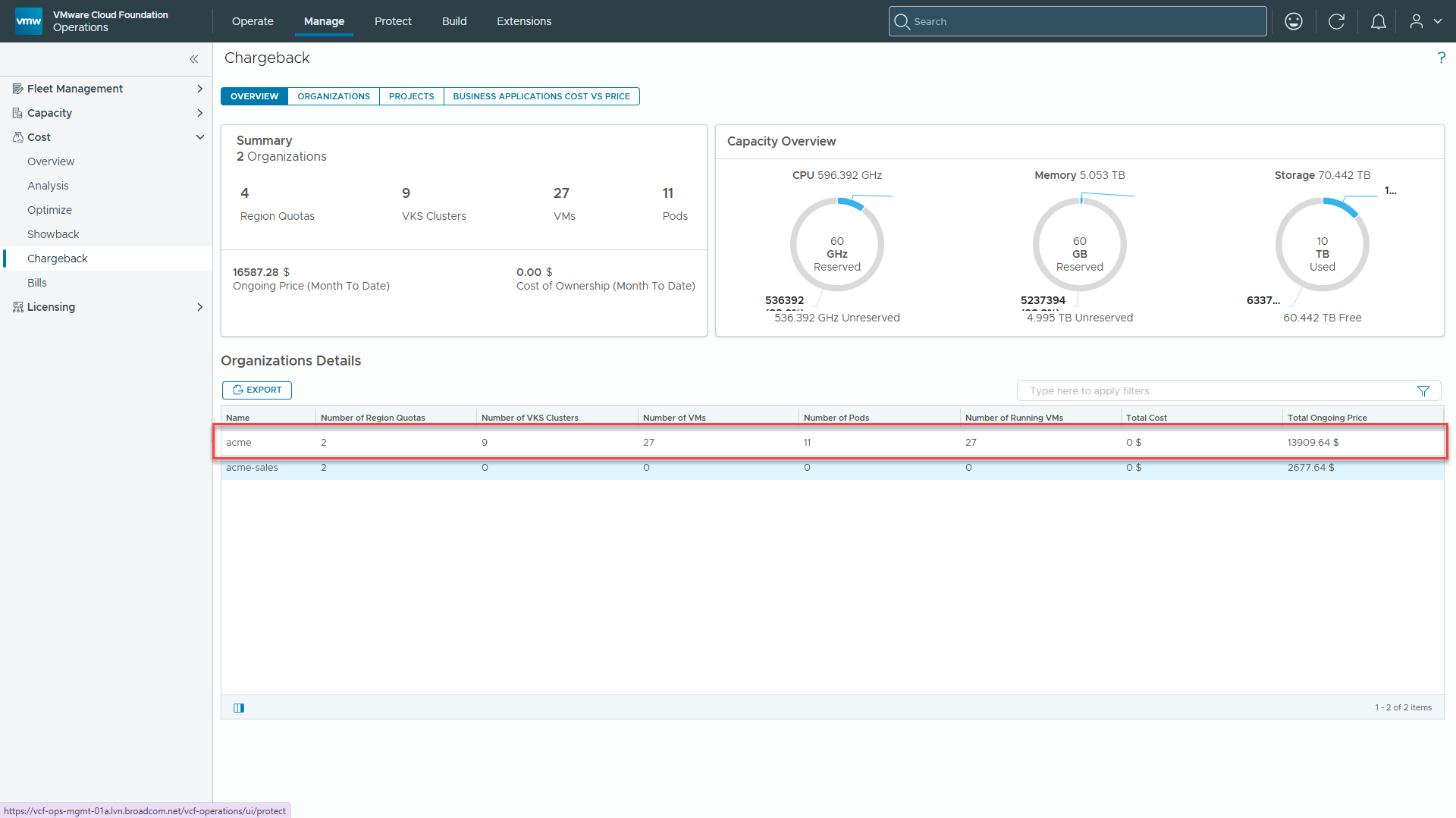
We have a multi-tenant environment consisting of Acme and Acme Sales. VMware Cloud Foundation is currently tracking the total ongoing costs for both tenant organizations. We are going to walk through the complete process of configuring VCF Operations to evaluate an automated financial guardrail for the Acme Organization when its spend exceeds 80% of its monthly budget ($15,000.00). As displayed in the Chargeback view below, Acme is already at $13,909.64, making this live environment an ideal baseline to test and validate our alert trigger.
Step 1: Wrap Tenant Organization in a Custom Group and Assign Metadata
First, we’ll create a Custom Group of type Department to wrap the target tenant organization (acme) and attach the Monthly_Budget property.
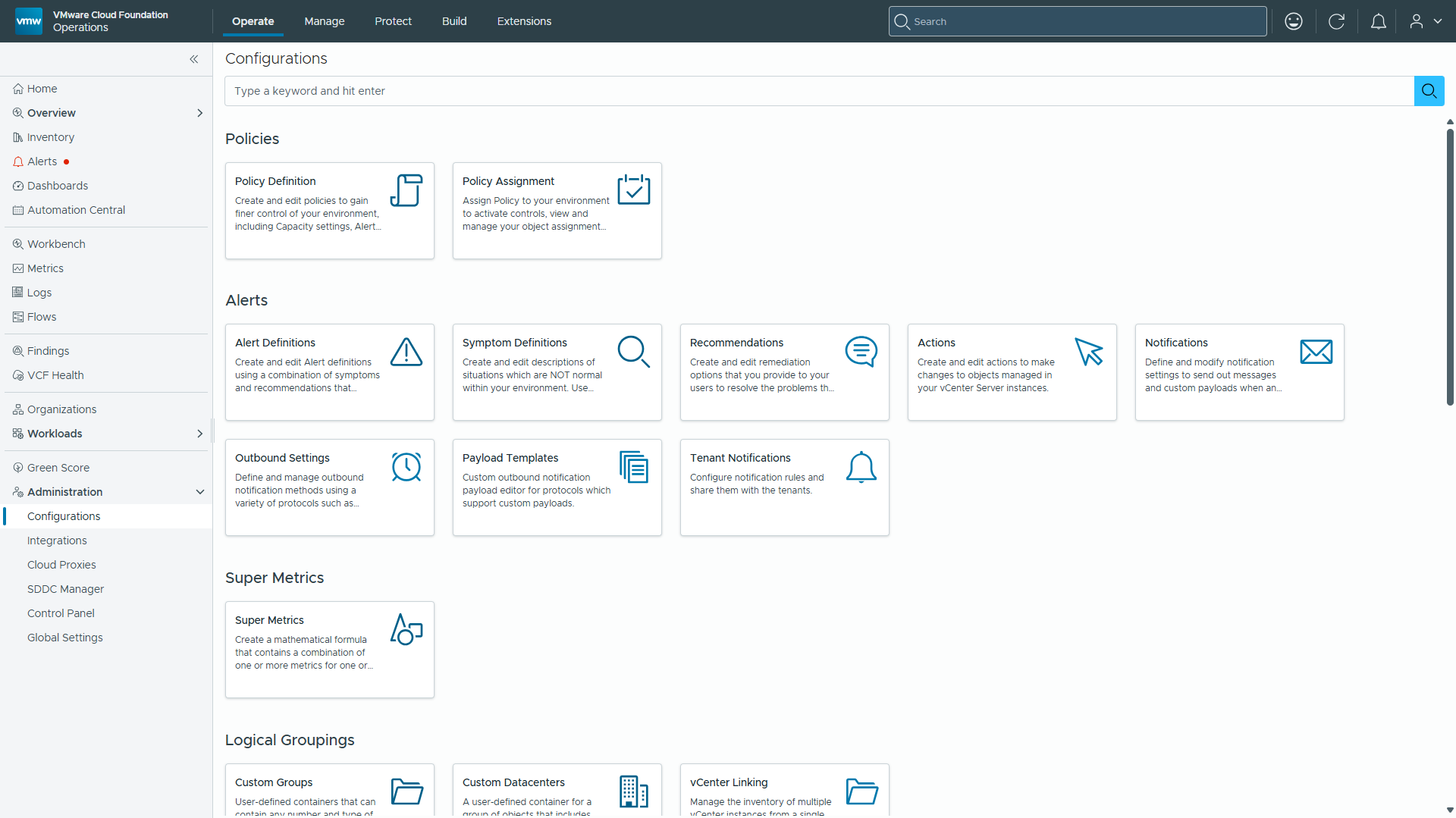
- Navigate to Administration -> Configurations -> Logical Groupings -> Custom Groups and click ADD.
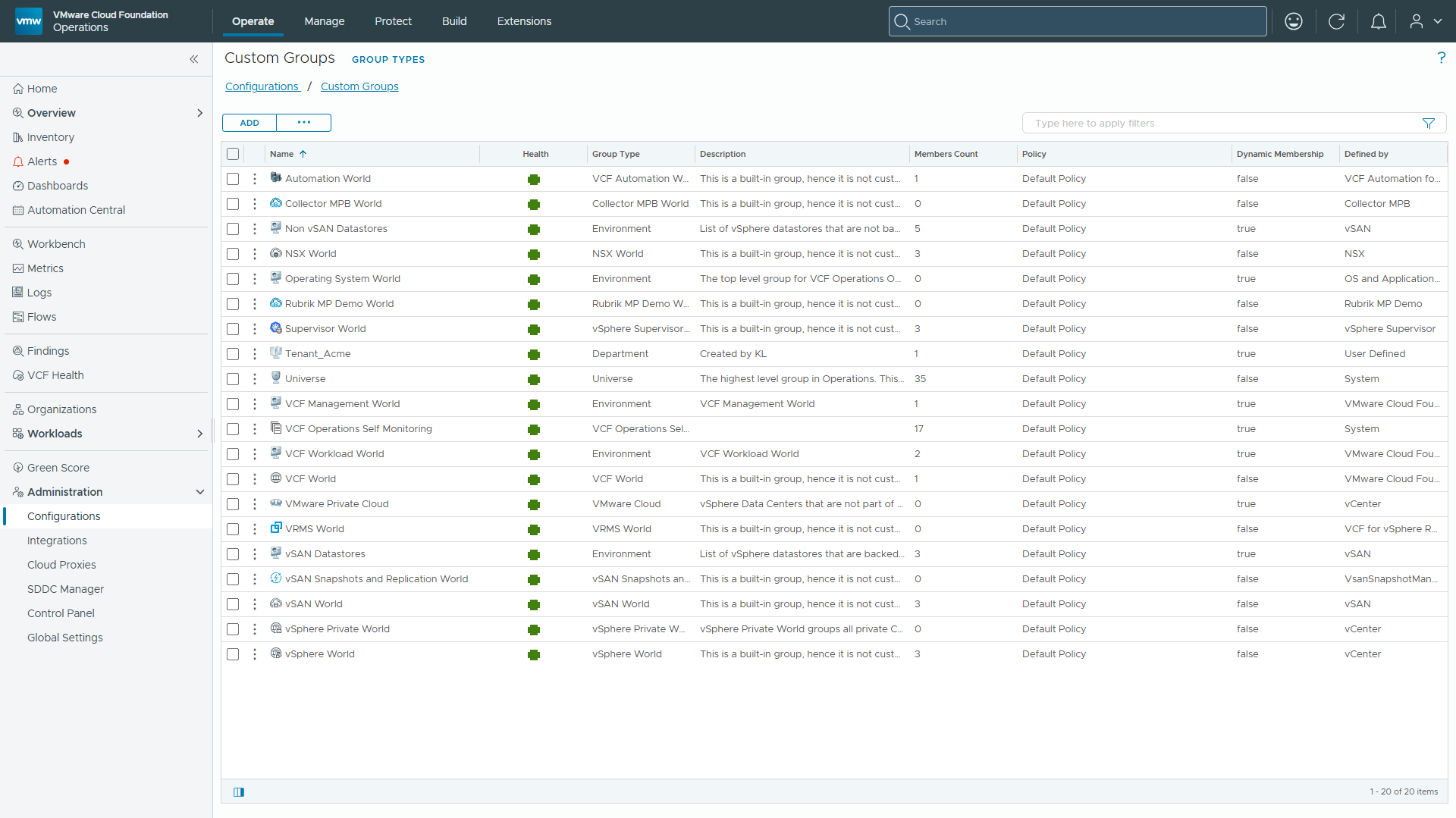
2. Set Group Name to Tenant_Acme and Group Type to Department.
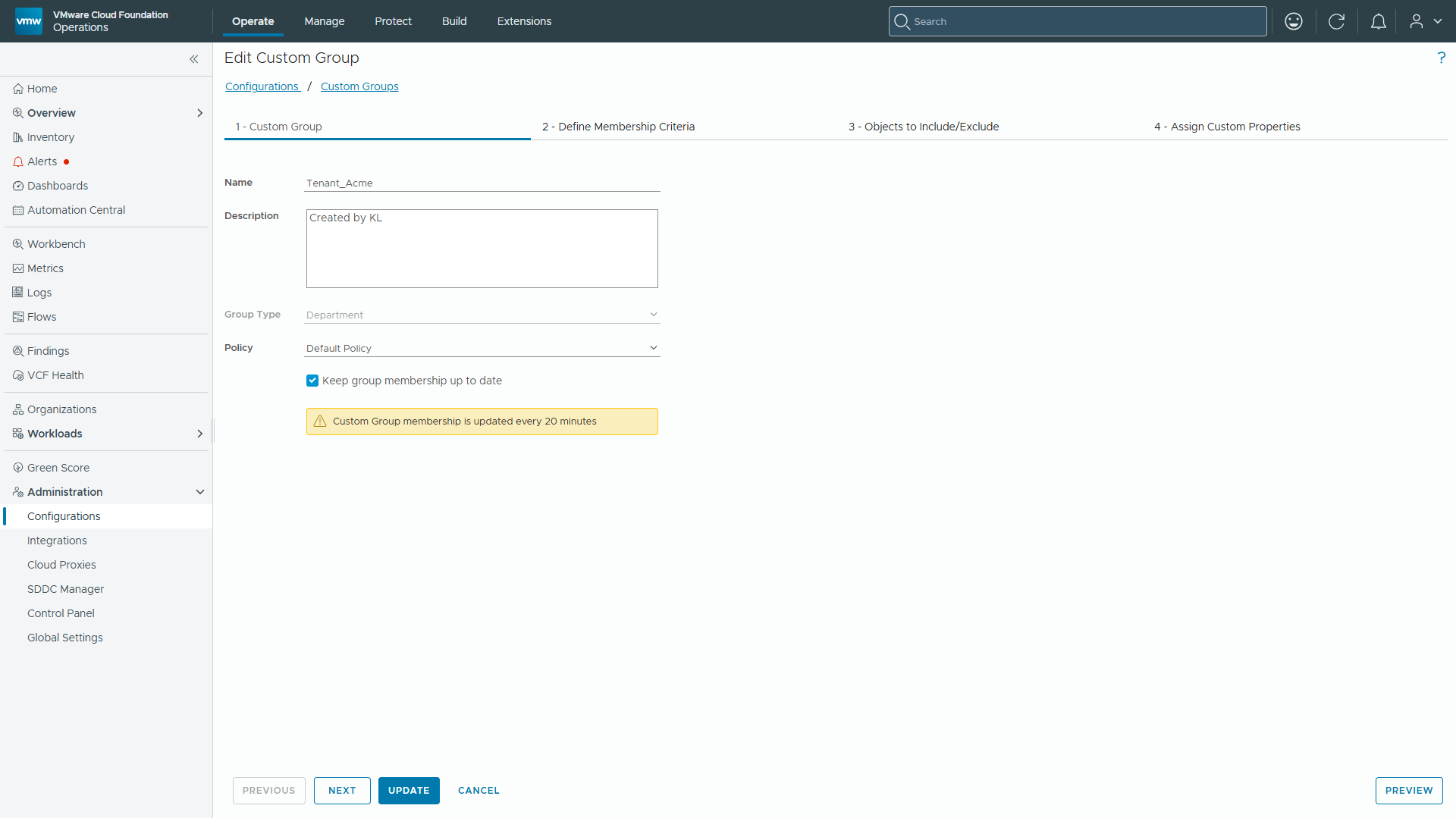
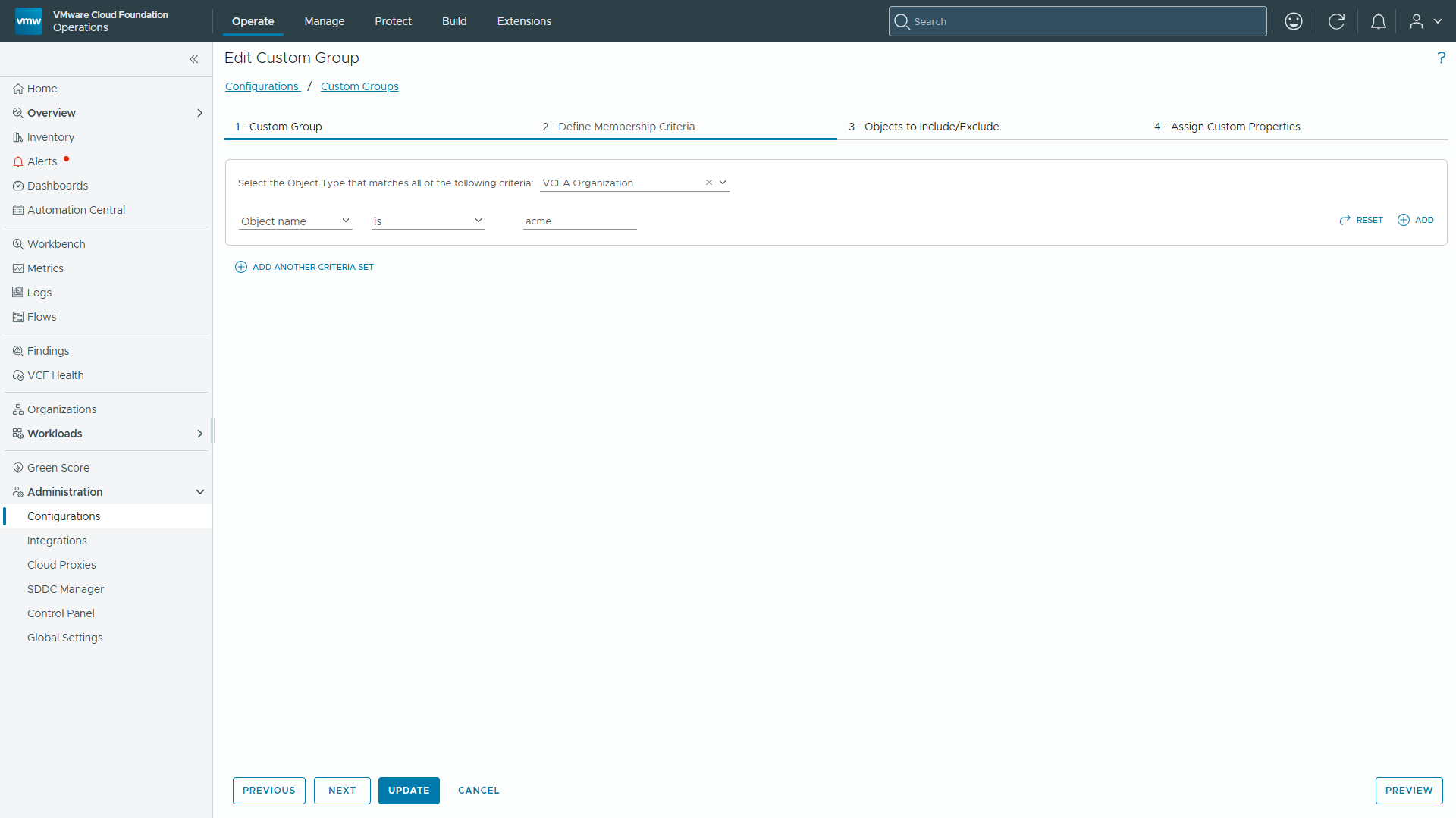
3. Define the Membership Rule: Object Type = VCFA Organization, Criteria = Object Name is acme.
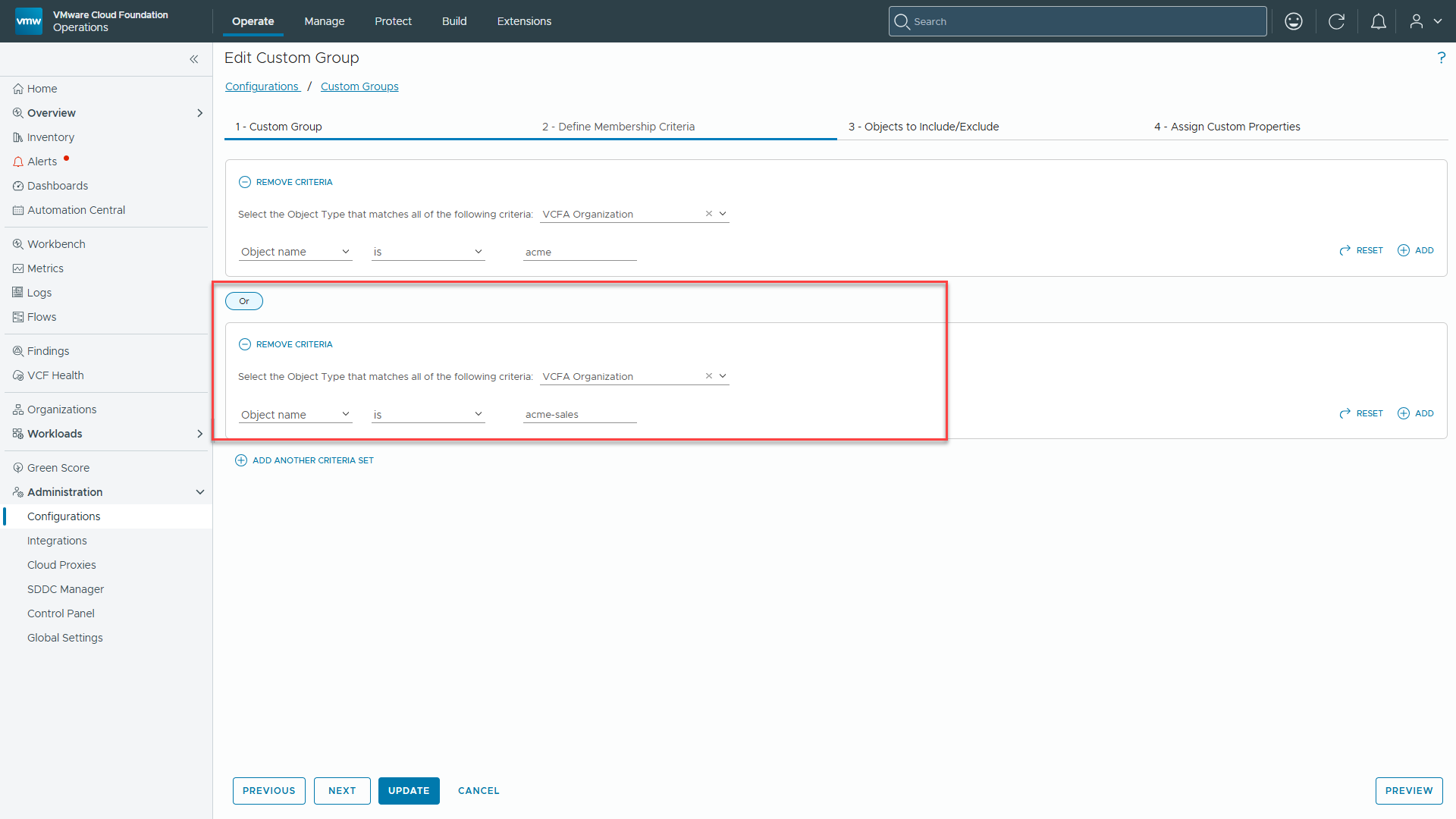
Operational Note: If multiple tenant organizations share identical financial governance models (e.g., identical monthly budget allocations of $15,000.00), you can scale this rule gracefully within the same Custom Group. By adding an OR criteria set for Object name is acme-sales (Object Type: VCFA Organization), all tagged tenants instantly inherit the financial metadata container without requiring redundant policy configurations.
4. Advance to Step 4 (Assign Custom Properties) and define:
-
- Property Name: Monthly_Budget
- Data Type: Numeric
- Value: 15000
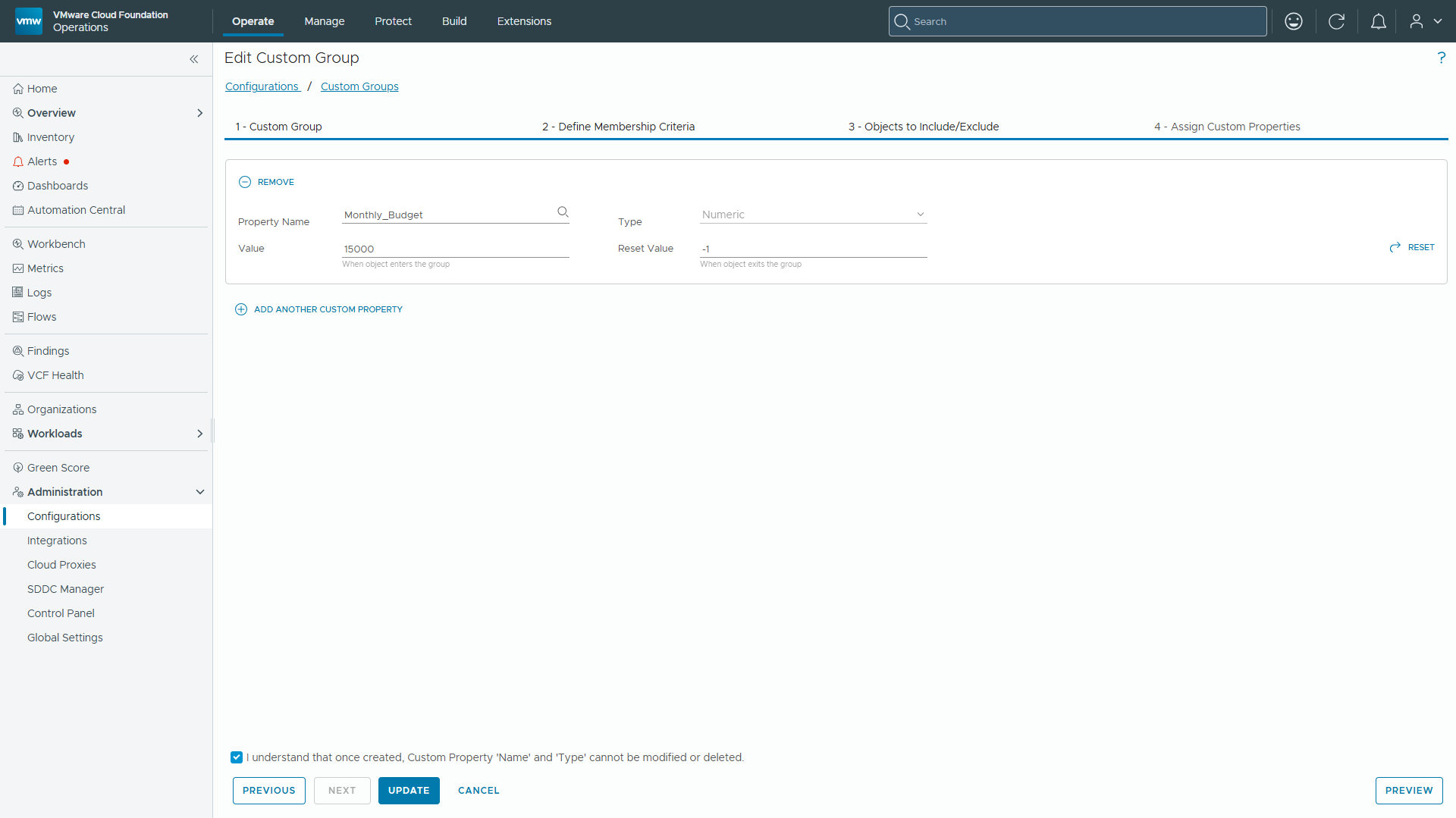
Operational Note: Custom Groups for Metadata: Formal inventory object summary pages for VCFA Organization in VCF Operations 9.1.1 do not expose inline custom property editing actions. Wrapping the tenant object in a Custom Group (Department type) provides a policy-driven container to hold custom metadata properties reliably.
Step 2: Construct and Activate the Budget Utilization Super Metric
With the Monthly_Budget custom property attached, we construct a Super Metric that dynamically calculates budget utilization percentage.
Metric Discovery Rationale: Why Summary|Metering|MTD Total Price?
A common trap when configuring FinOps alerts in VCF Operations is selecting either Cost|MTD Total Cost ($) or searching for standard Price| metrics:
- Cost metrics evaluate to $0: The Cost Engine measures underlying infrastructure execution expenses. Top-level tenant organization objects do not roll up internal hardware costs, evaluating Cost|MTD Total Cost ($) to $0.
- Price Rate Cards vs. Accrued Chargeback: Standard Price| metrics reflect static rate card definitions. VCF Operations Chargeback integrates the Chargeback/Metering engine, which stores true accrued tenant billing under the Summary|Metering| metric path.
- Exact Target Metric: Selecting ${THIS: Summary|Metering|MTD Total Price} captures the accrued tenant Chargeback spend ($574.57 MTD accrued or $13,312.84 ongoing) displayed on the Chargeback dashboard.
Super Metric Configuration:
- Navigate to Administration -> Configurations -> Super Metrics -> Super Metrics and click ADD
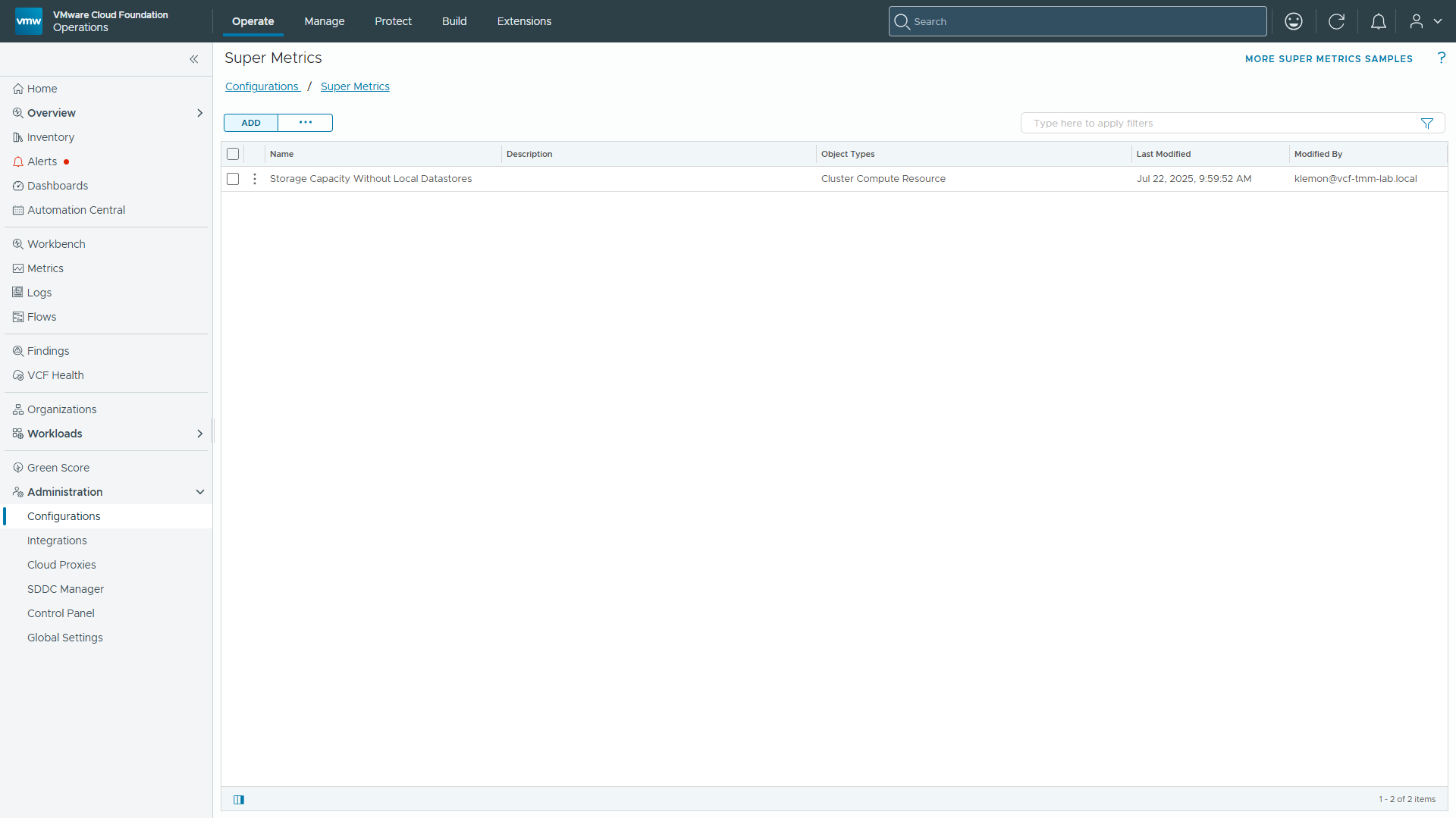
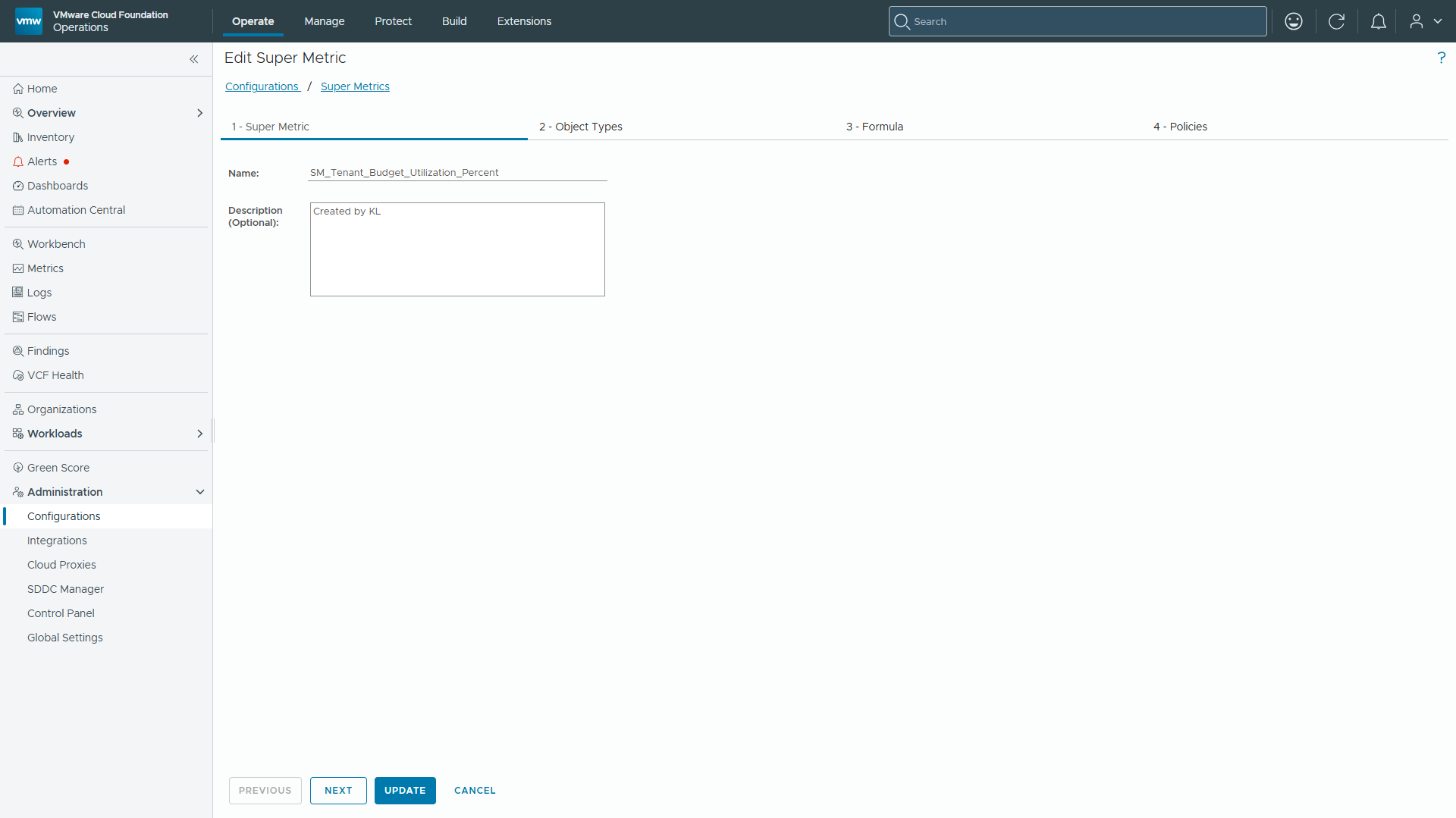
2. Set Name to SM_Tenant_Budget_Utilization_Percent.
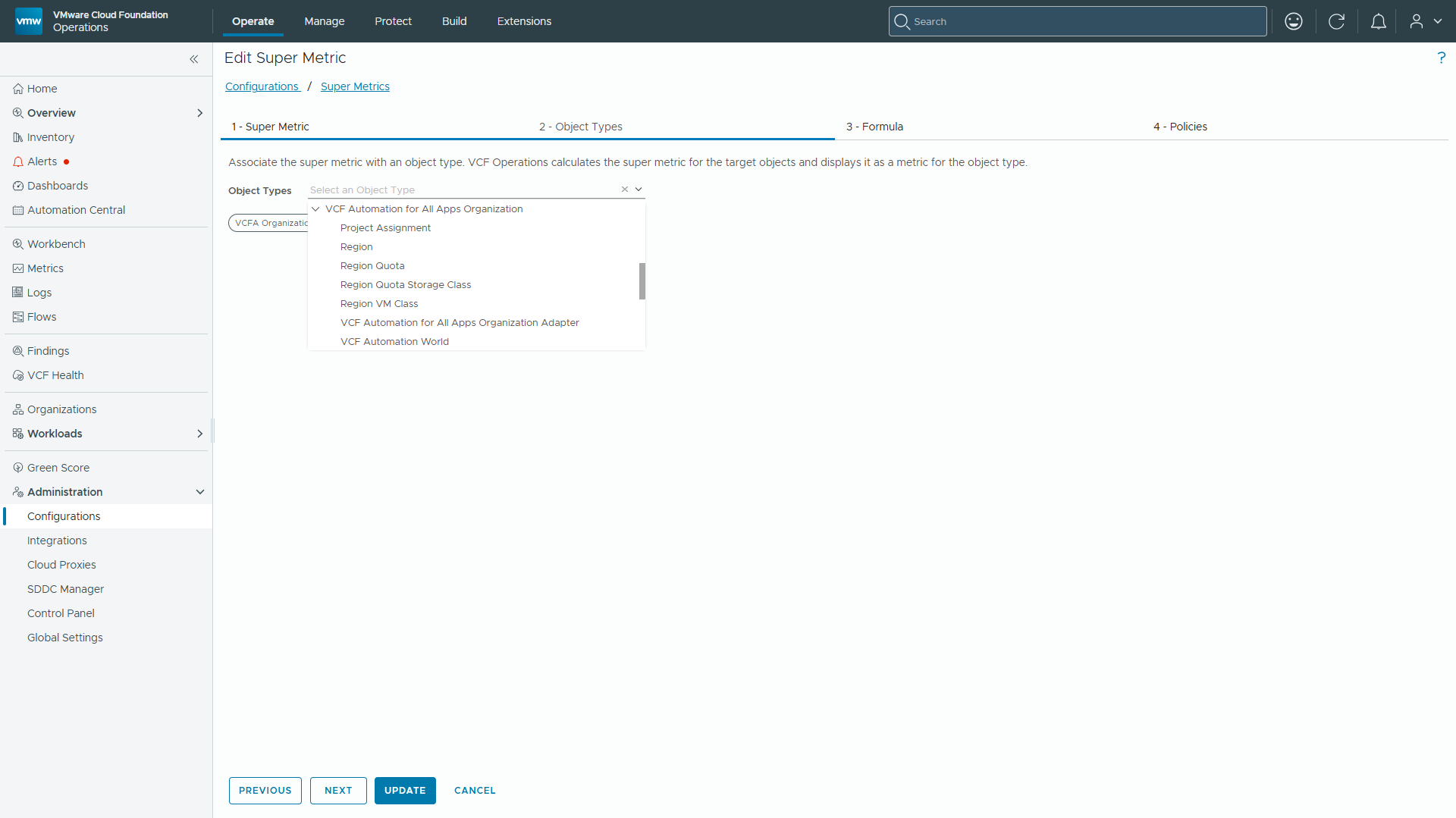
3. Under Step 2 (Object Types), select VCF Automation for All Apps Organization -> VCFA Organization.
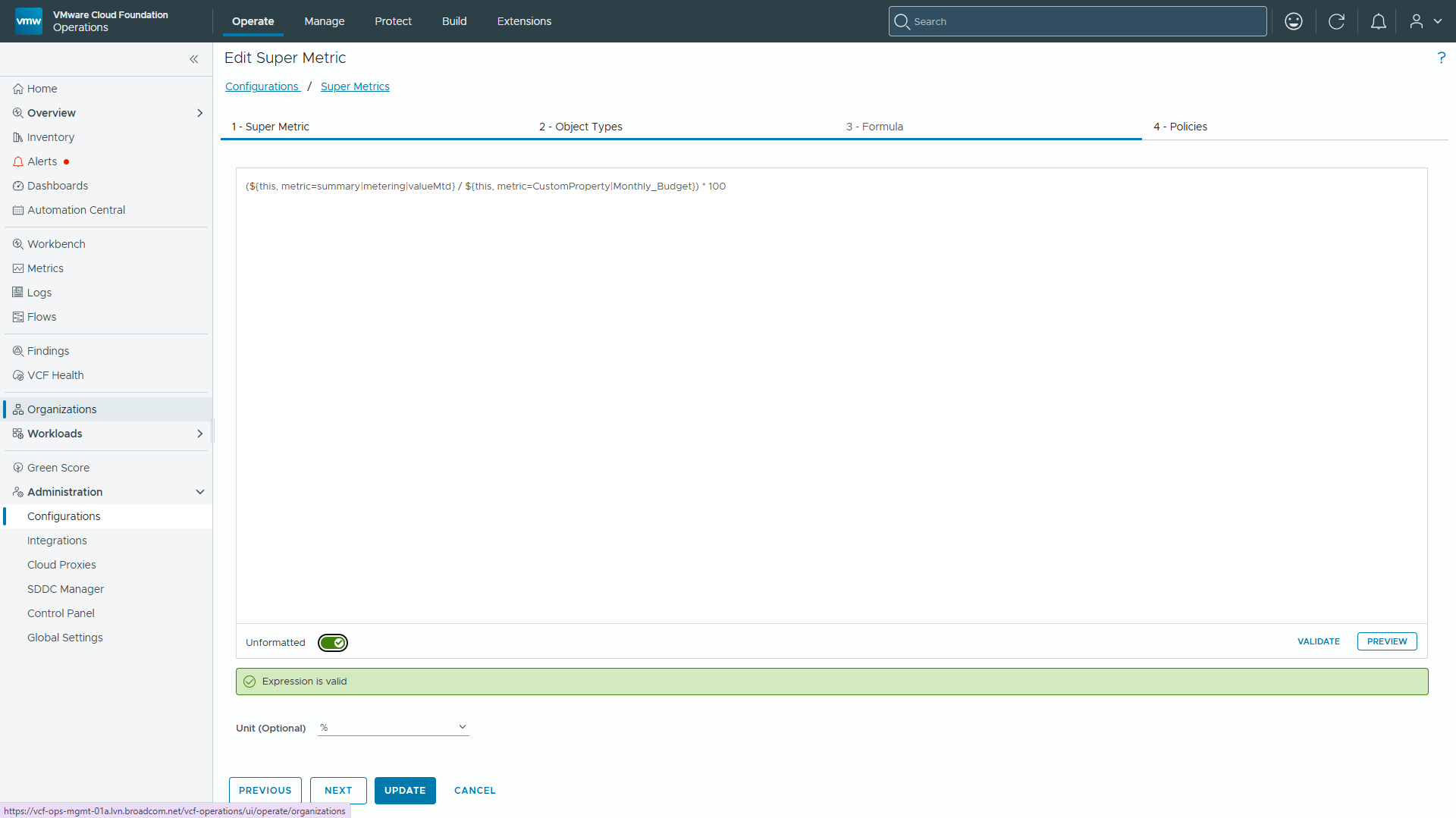
4. Under Step 3 (Formula), construct the expression: (${THIS: Summary|Metering|MTD Total Price} / ${THIS: Custom Properties|Monthly_Budget}) * 100
- Set Unit to Percent (%).
- Click VALIDATE to verify the expression.
5. Under Step 4 (Policies), check both Default Policy and Tenant4 policy. Click SAVE.
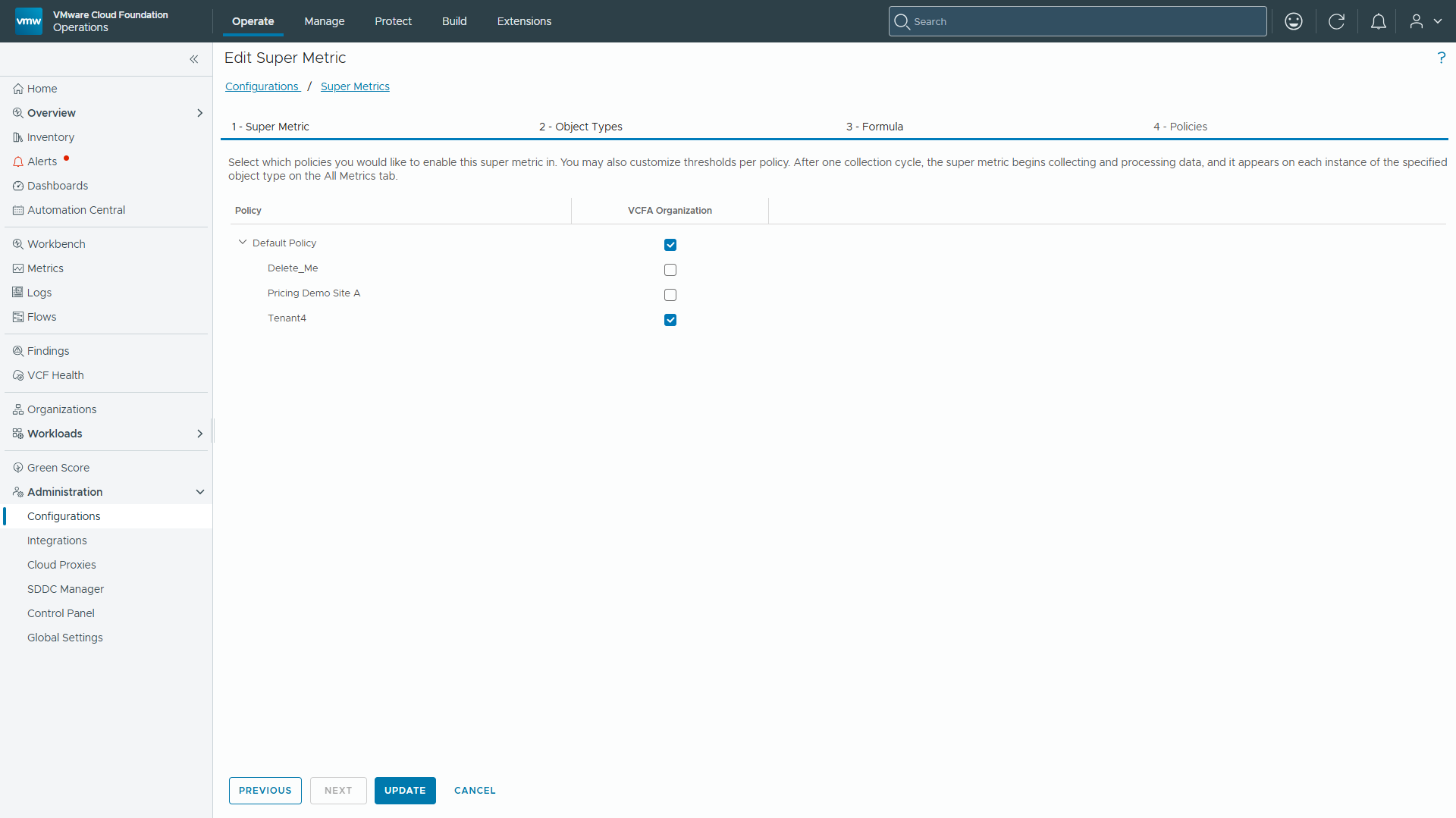
Operational Note: Policy Scoping Requirement: Super Metrics MUST be explicitly enabled within the specific active policy assigned to the target tenant object. In this environment, the Acme Organization is governed by the Tenant4 policy. Unassigned Super Metrics will not calculate or populate in symptom pickers.
Step 3: Define the 80% Threshold Symptom
- Navigate to Administration -> Configurations -> Alerts -> Symptom Definitions
2. Click ADD -> Metric / Property. 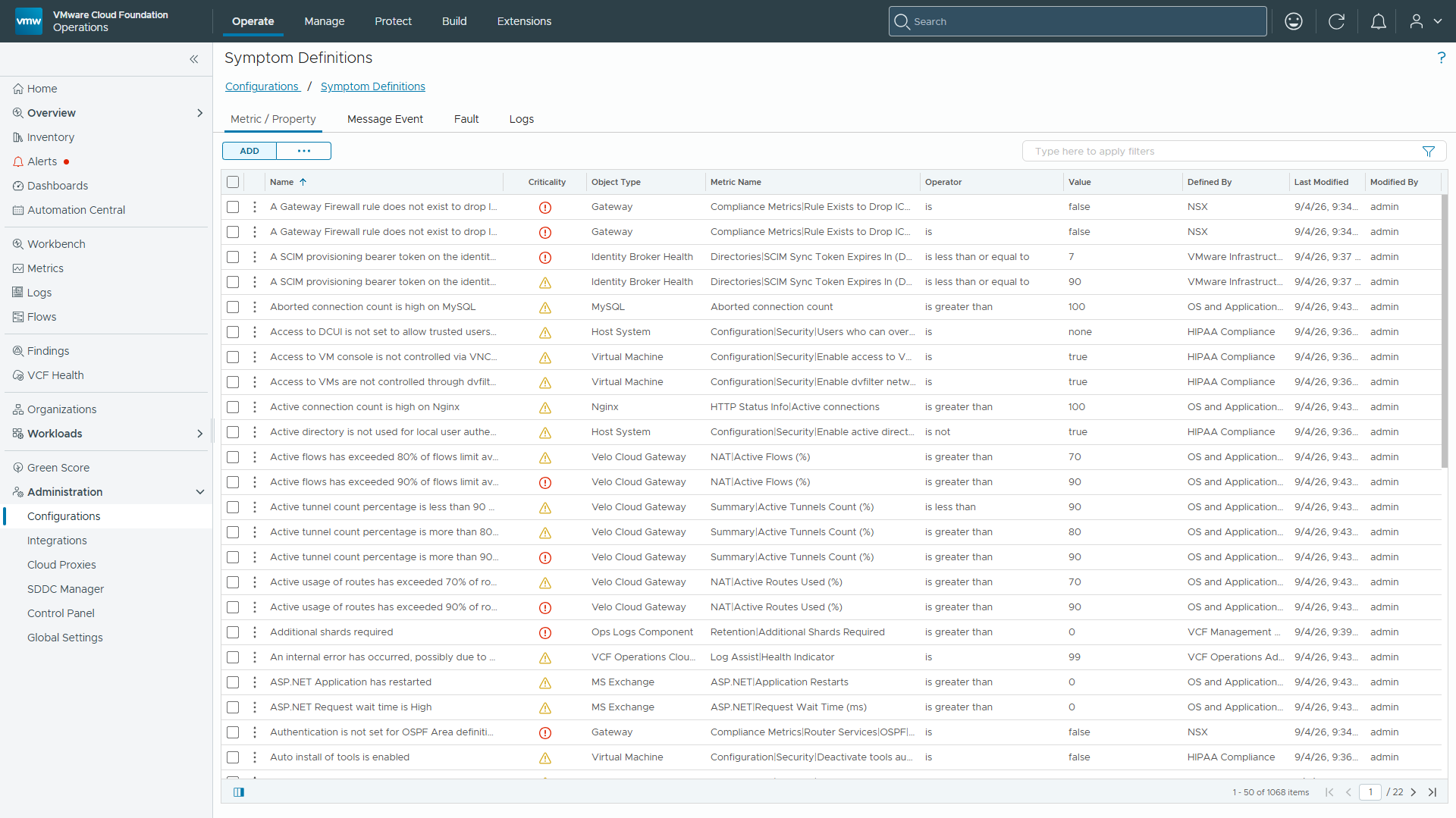
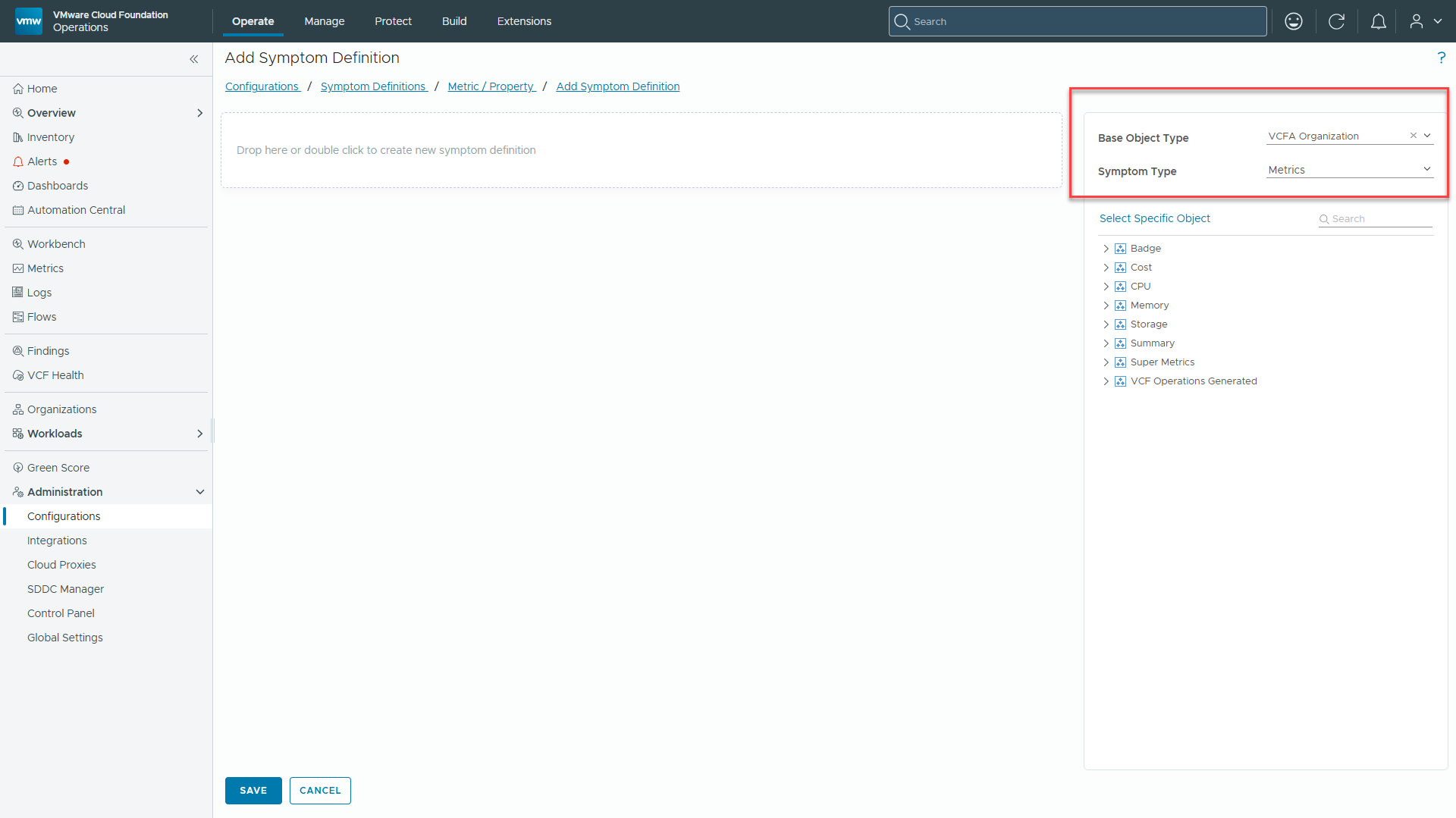
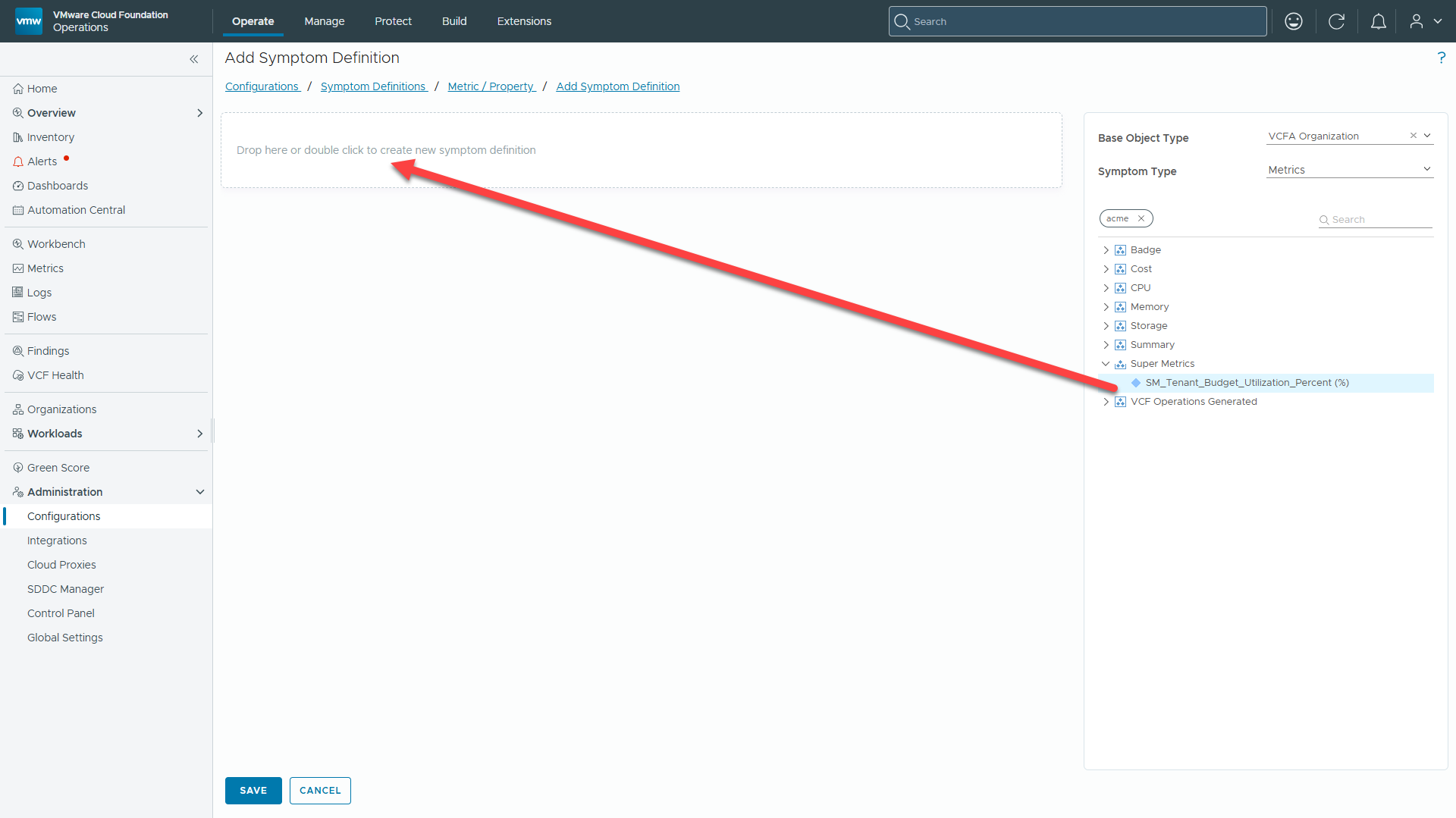
3. Set Base Object Type to VCF Automation for All Apps Organization -> VCFA Organization.
4. Set Symptom Type to Metrics.
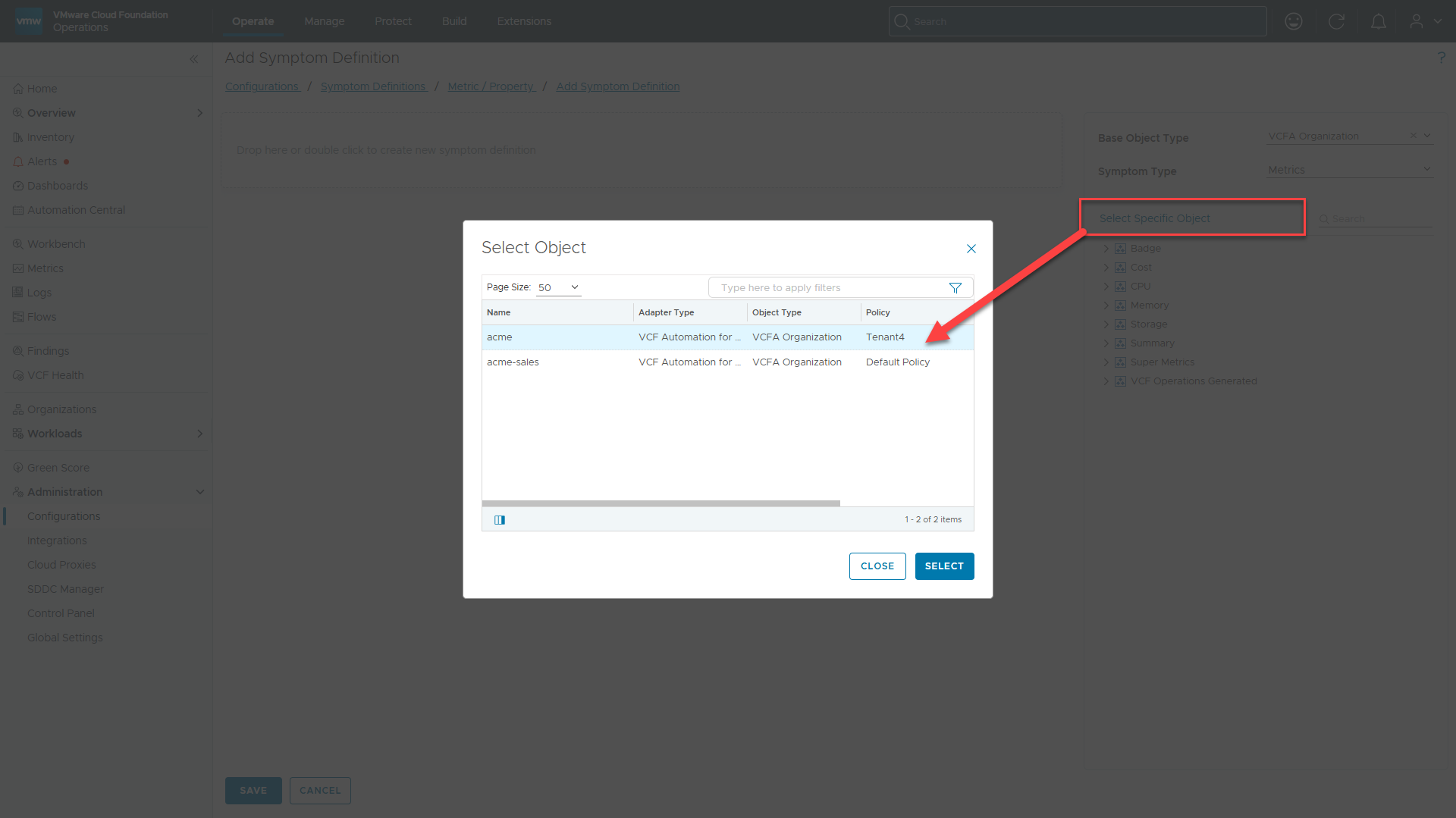
5. Click Select Specific Object. Click acme and then click Select.
6. Expand Super Metrics -> SM_Tenant_Budget_Utilization_Percent (%).
7. Drag and drop SM_Tenant_Budget_Utilization_Percent (%) to drag it into the canvas.
8. Configure Symptom Parameters:
-
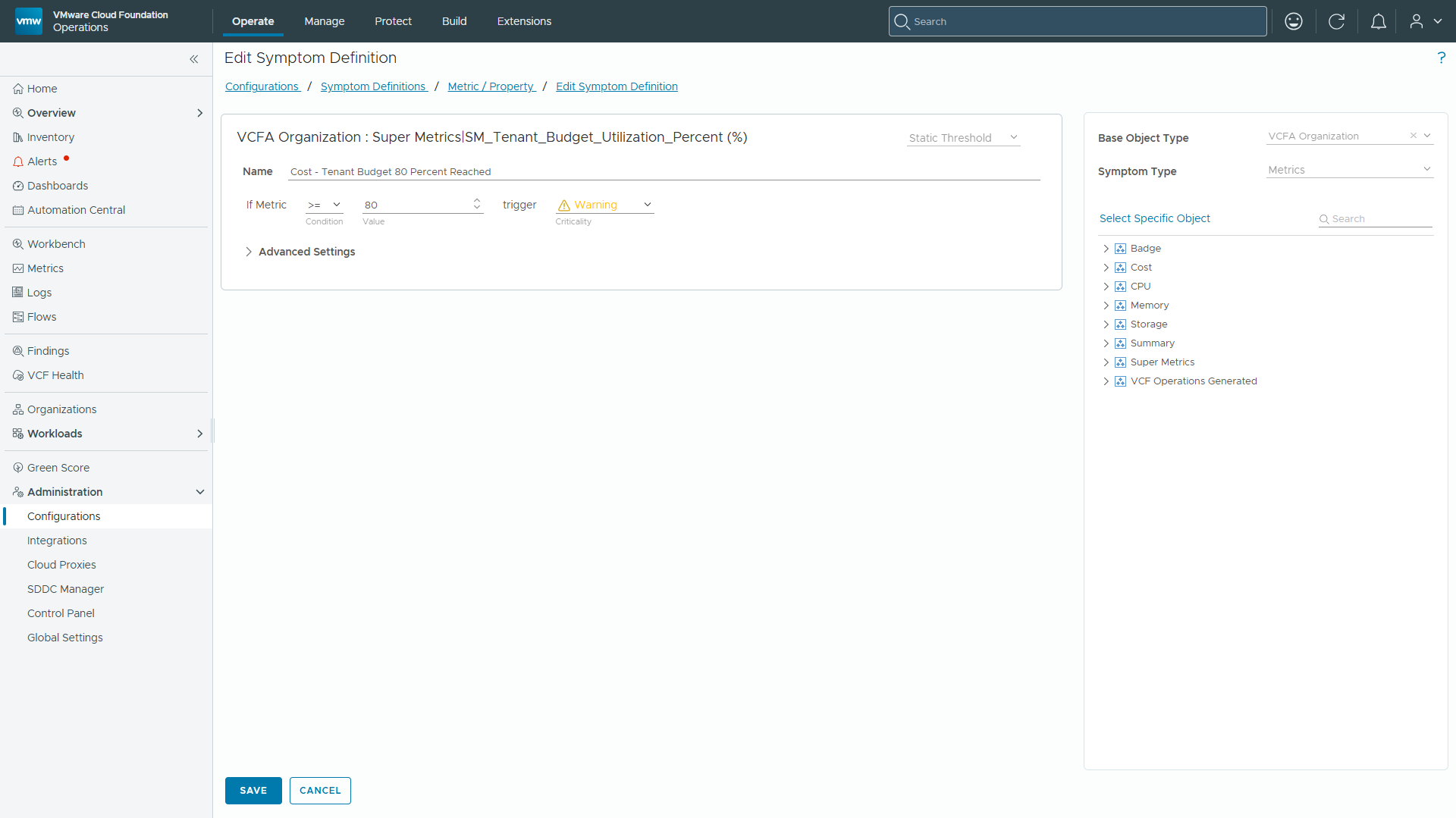
- Symptom Name: Cost – Tenant Budget 80 Percent Reached
- Operator: >=
- Value: 80
- Criticality: Warning
9. Click SAVE.
Step 4: Create Alert Definition and Recommendation
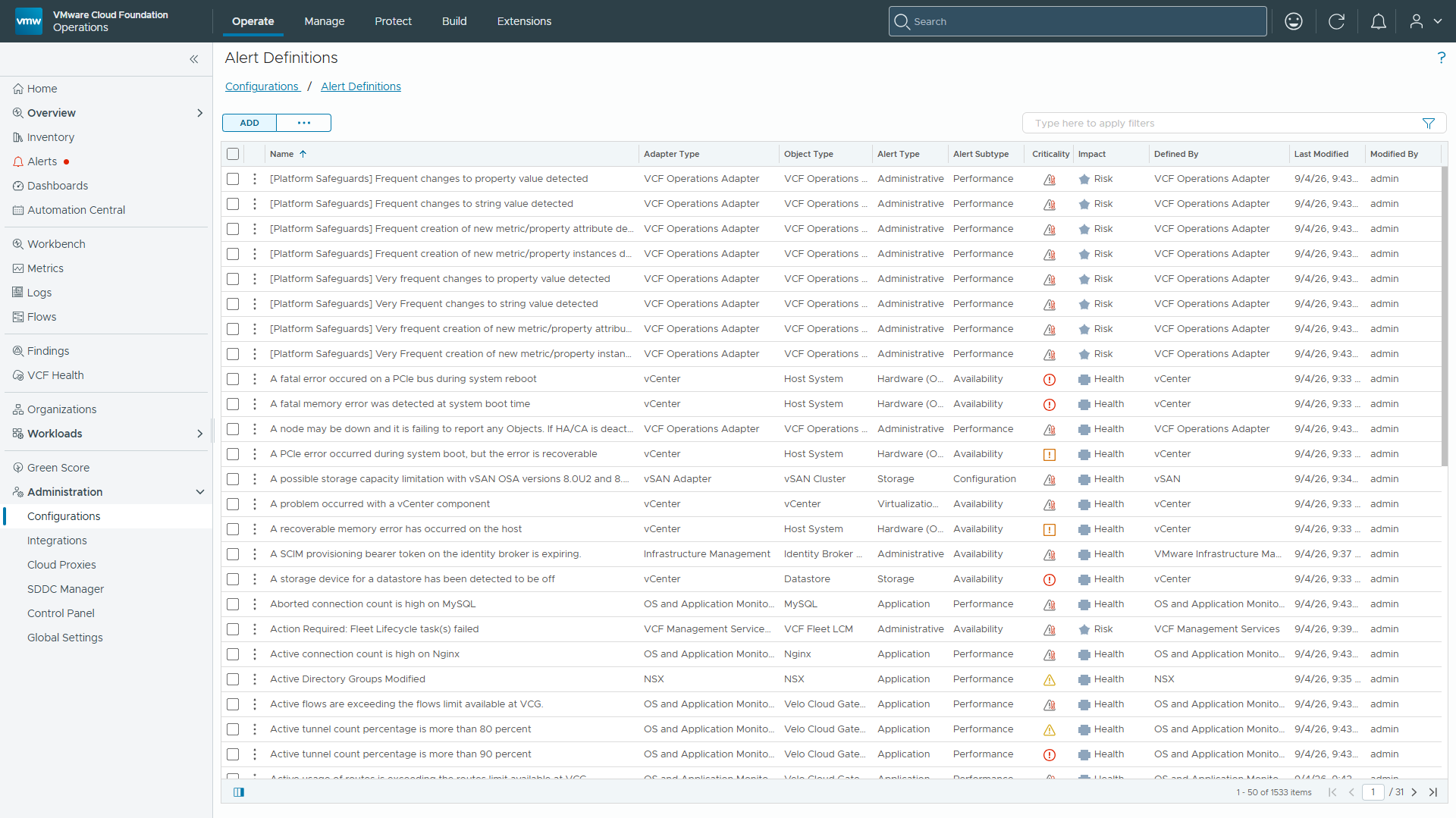
- Navigate to Administration -> Configurations -> Alerts -> Alert Definitions -> ADD.
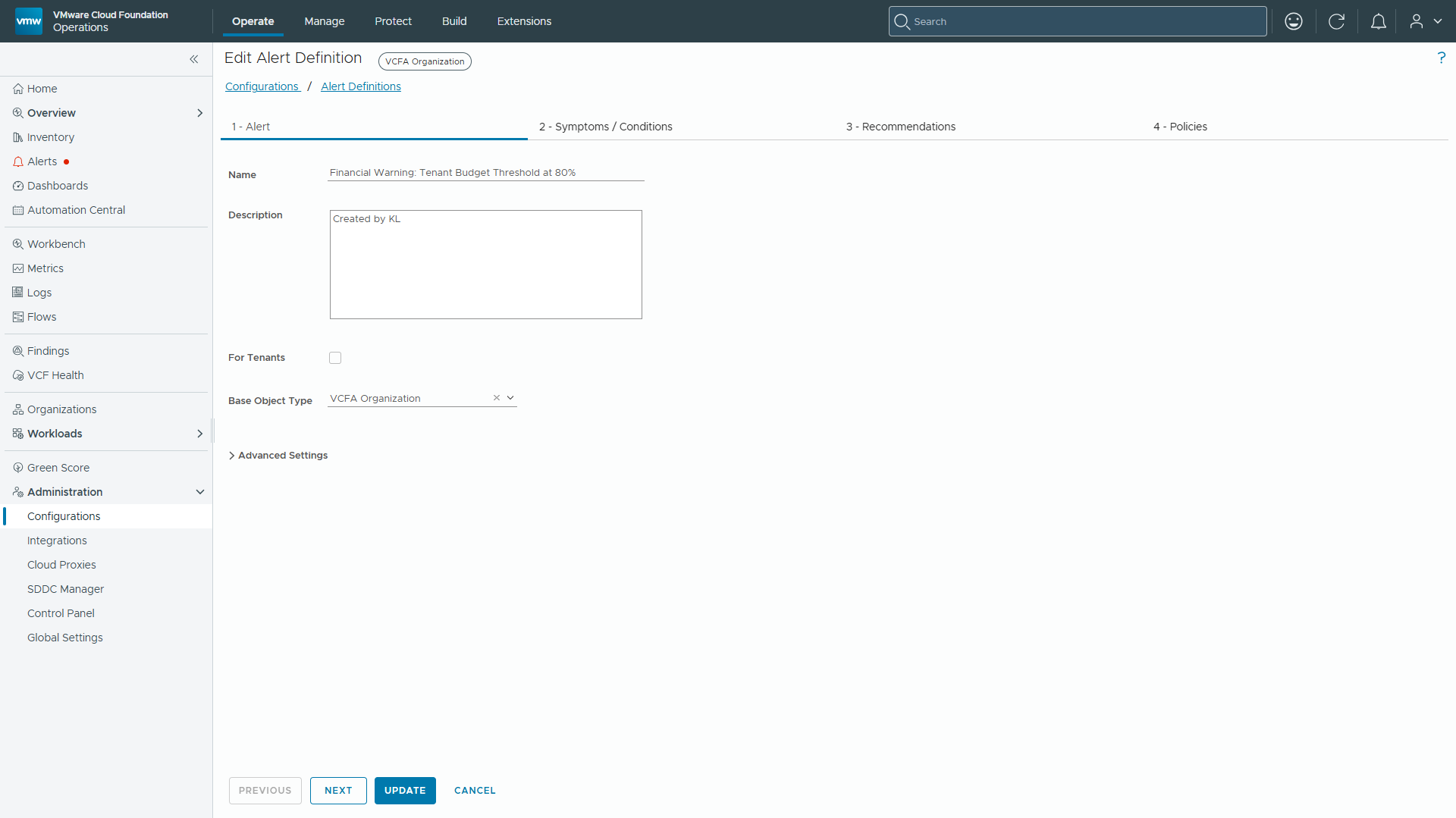
2. Set Name to Financial Warning: Tenant Budget Threshold at 80% and Base Object Type to VCF Automation for All Apps Organization -> VCFA Organization and click Next.
3. On the Symptoms Tab, switch from Conditions to Symptoms, search for Cost – Tenant Budget 80 Percent Reached, under Super Metrics, and drag it into the canvas.
Operational Note — Alert Definition Object Filtering: Leaving the ‘For Tenants’ checkbox UNCHECKED is required when selecting top-level container objects like VCFA Organization as the Base Object Type. Checking ‘For Tenants’ filters the object list to tenant-facing sub-objects, hiding top-level organization containers.
4. Click Next.
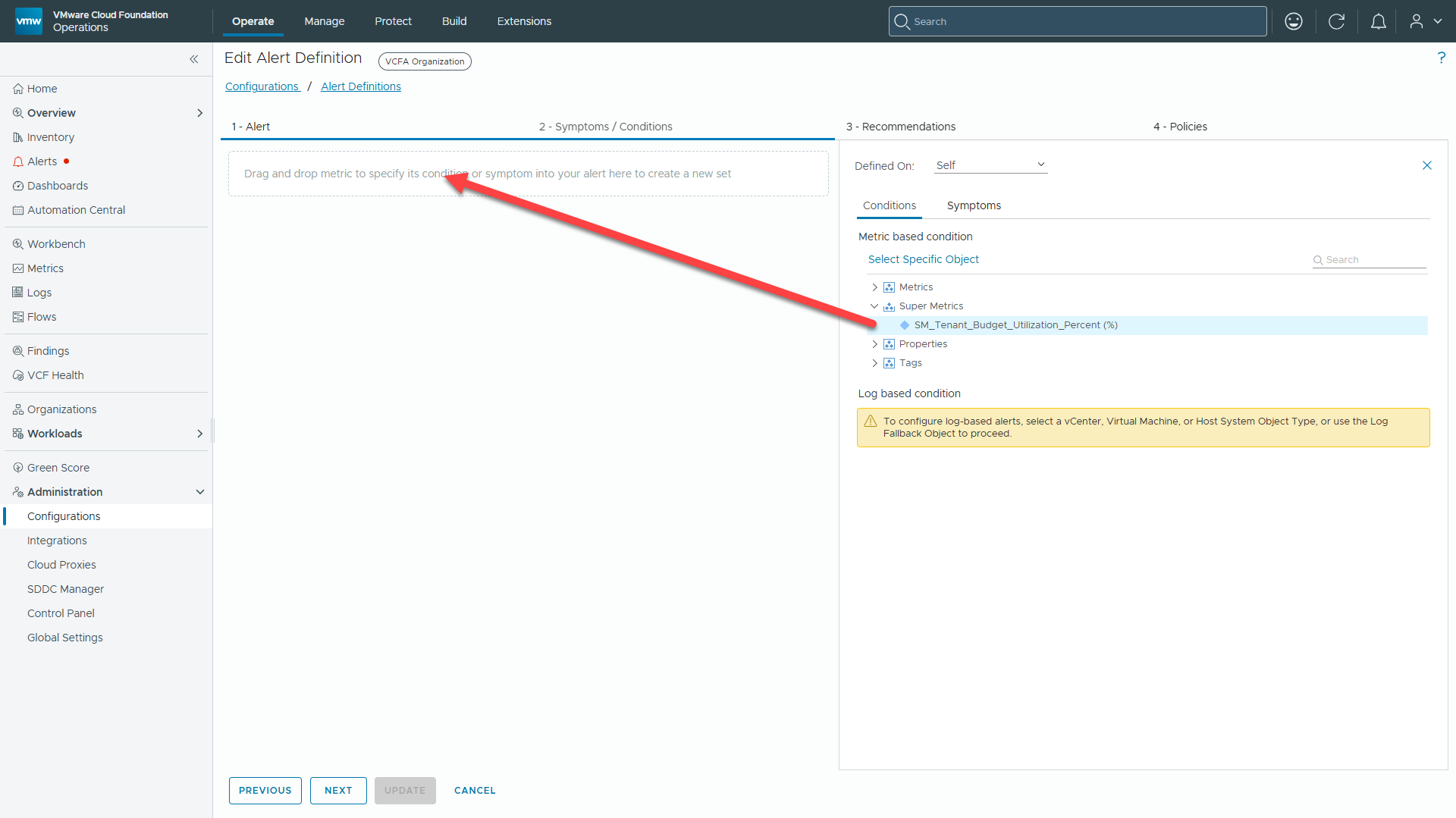
6. Under Add Recommendation, click Create New Recommendation.
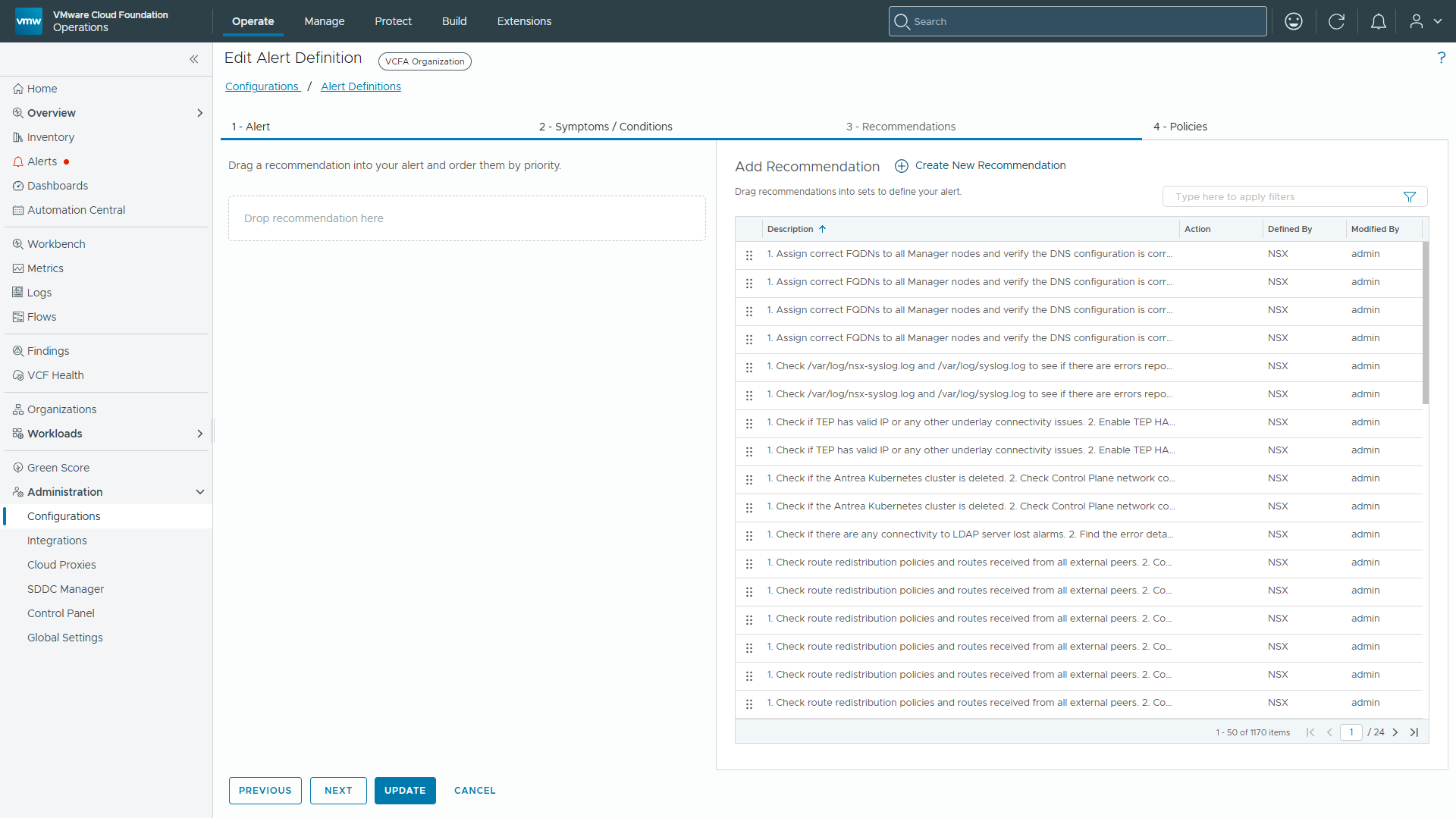
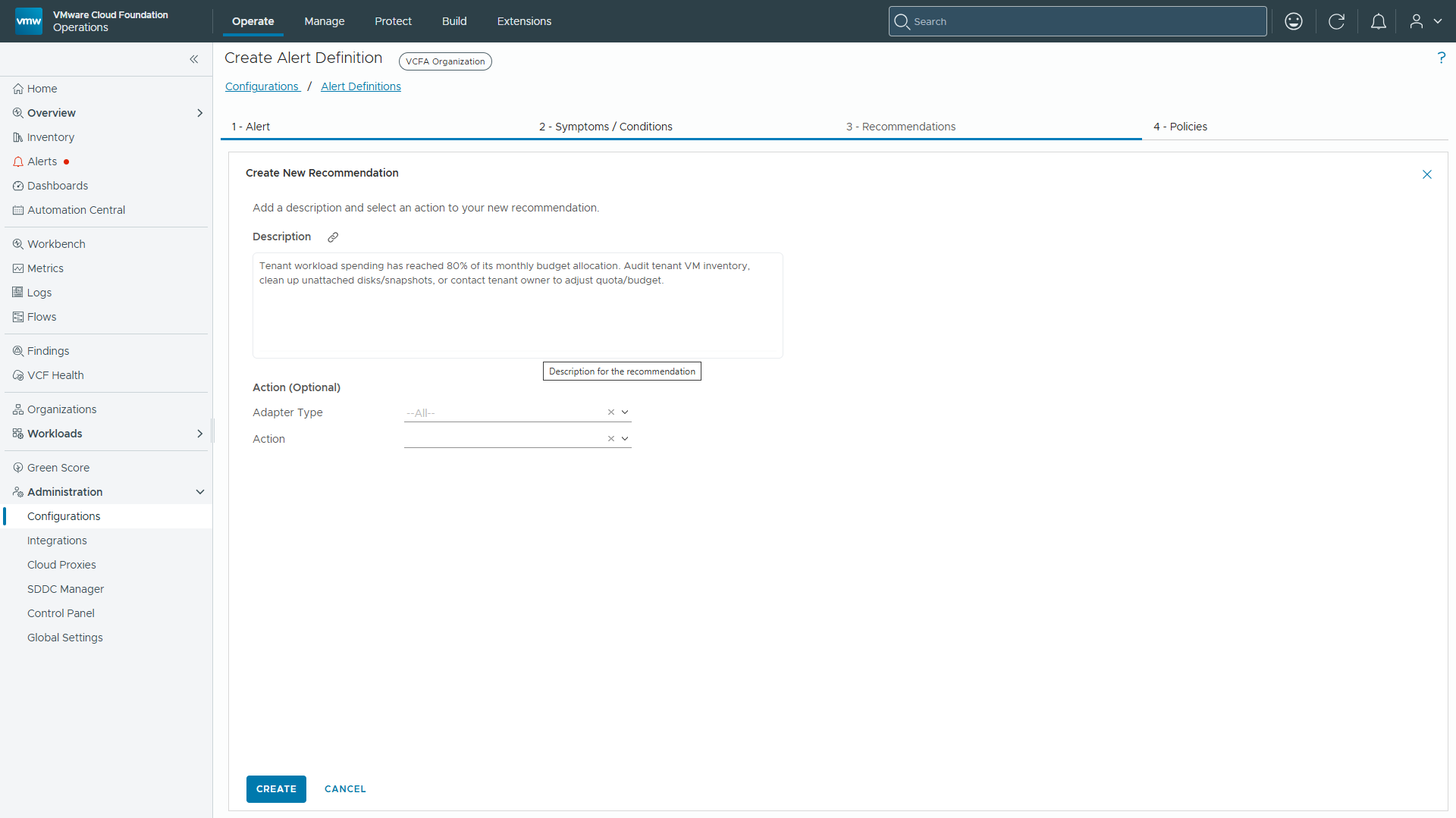
7. In the description field, type “Tenant workload spending has reached 80% of its monthly budget allocation. Audit tenant VM inventory, clean up unattached disks/snapshots, or contact tenant owner to adjust quota/budget.”
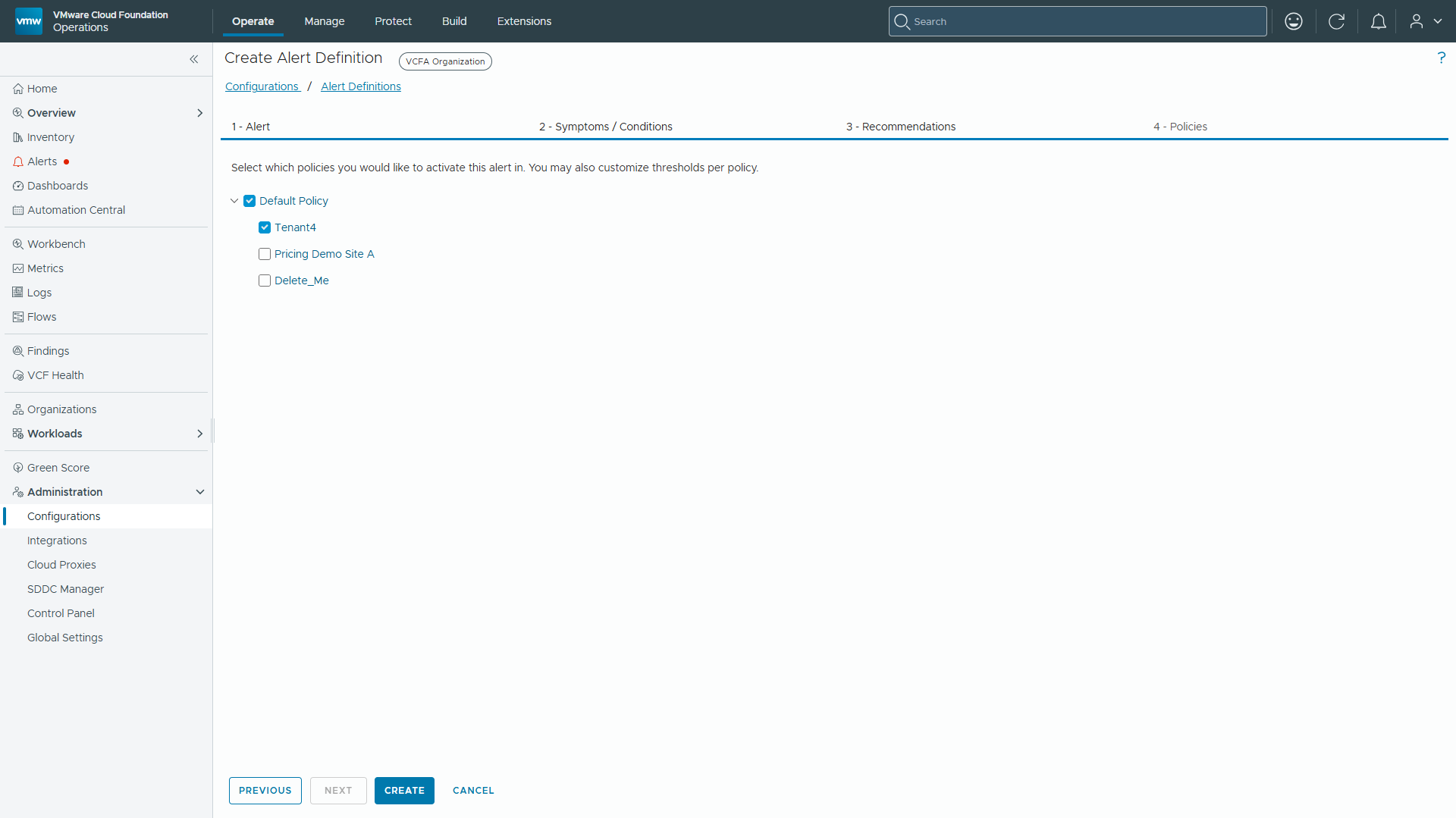
8. Under Policies, check both Default Policy and Tenant4 policy. Click CREATE.
Validation and Verification
Once configured, the analytics engine processes the calculation during its collection cycle:
Formula: ($13,312.84 / $15000.00) * 100 = 92.73%
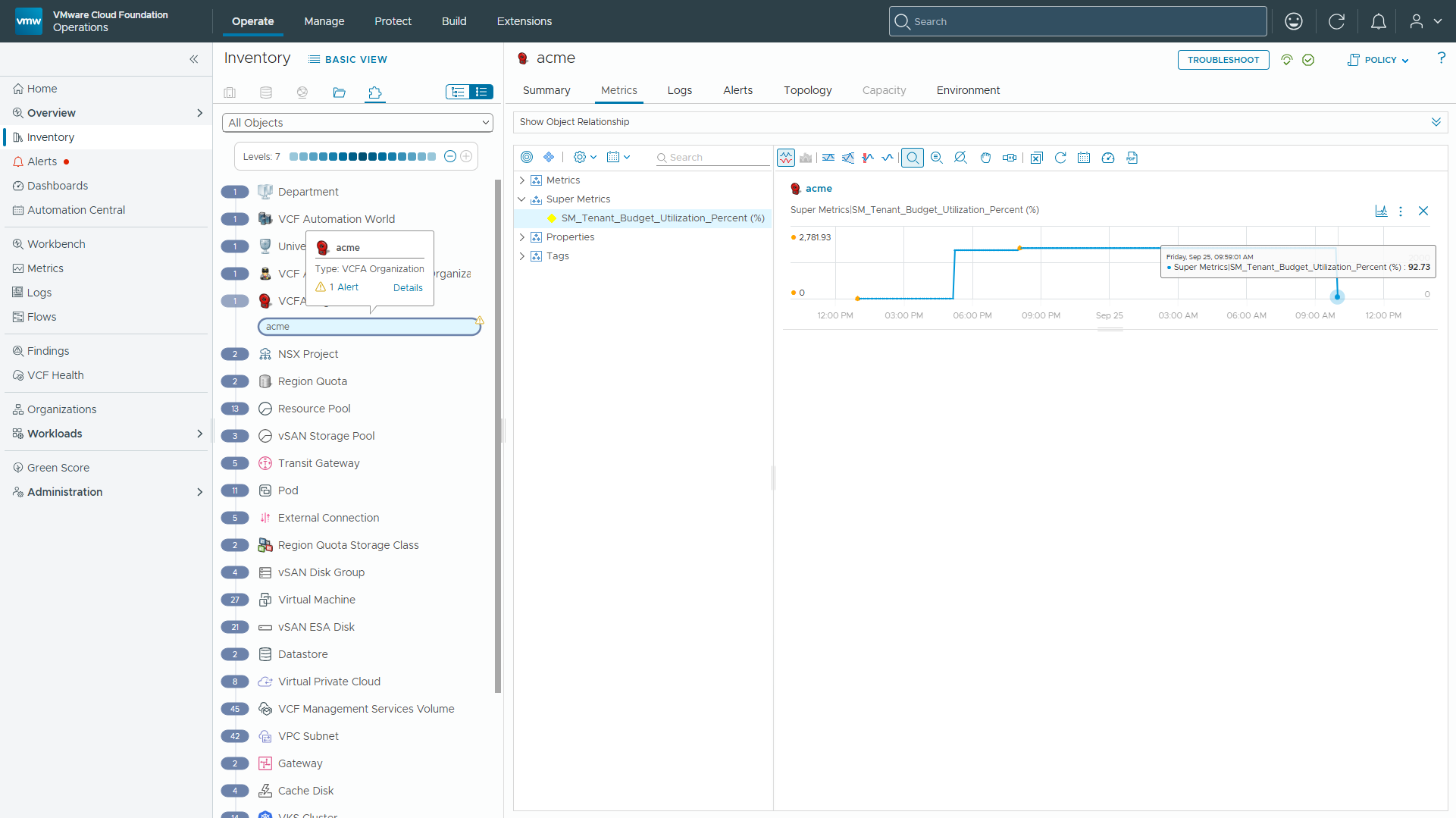
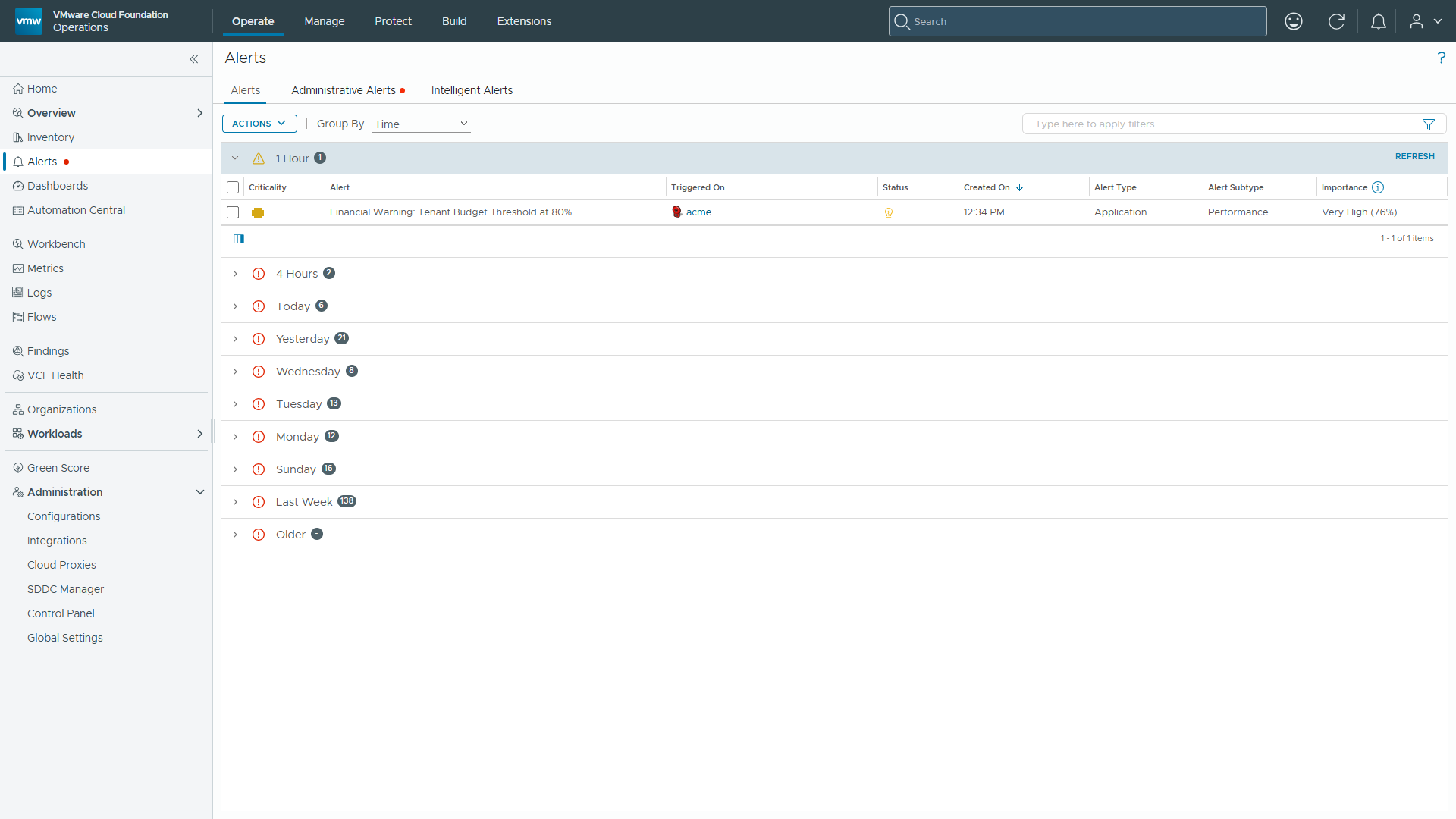
Because 92.73 >= 80%, the symptom evaluates to TRUE, which triggers an active Warning alert.
We can verify this under Operate -> Alerts.
Conclusion and Implementation Summary
For executives, the business case is straightforward: every dollar of unmonitored tenant consumption is a dollar of margin risk. By implementing this architecture, tenant budget tracking transitions from reactive, post-billing analysis to proactive, automated cloud financial governance—closing the gap between when spend happens and when leadership learns about it.
With automated workflow components active, FinOps and operations teams can enforce budget guardrails across VCF multi-tenant environments, giving C-level leaders the same continuous fiscal control over private cloud spend.
|
Component |
Target Object |
Key Configuration & Path Details |
|---|---|---|
| Custom Group Wrapper | VCFA Organization |
|
| Chargeback Spend Metric | VCFA Organization |
|
| Utilization Super Metric | VCFA Organization |
|
| Symptom & Alert Rule | VCFA Organization |
|
Key Executive Outcomes
- Elimination of Month-End Variance Surprises: Transition from post-hoc chargeback reviews to intra-month burn-rate enforcement—so budget overruns are caught and corrected while there is still time to act.
- Delegated Financial Accountability: Empower operations and FinOps teams with actionable, automated remediation workflows that trigger before budget caps are breached—shifting financial governance from a finance-team burden to a shared, system-enforced discipline.
- Scalable Multi-Tenant Control: Enforce uniform fiscal policies across every enterprise business unit without impeding self-service provisioning—making financial governance a feature of the platform, not a manual overhead that grows with every new tenant.
While automated alerts ensure operations teams receive timely warnings, C-level executives and finance leaders require single-pane visibility across the entire tenant fleet.
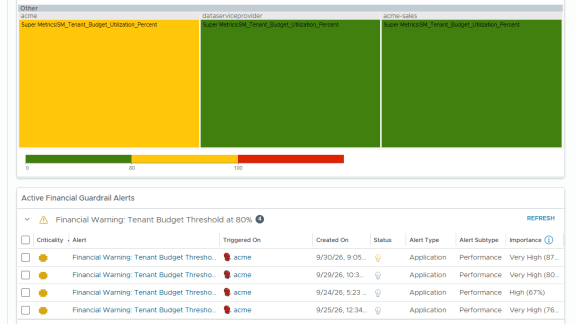
In Part 2 of this series, we take this FinOps engine to the next level by building an executive FinOps Tenant Budget & Spend Governance Dashboard in VCF Operations. This dashboard combines heatmap visualization, custom metric scoping, and integrated alert streams into a single strategic view.
Discover more from VMware Cloud Foundation (VCF) Blog
Subscribe to get the latest posts sent to your email.