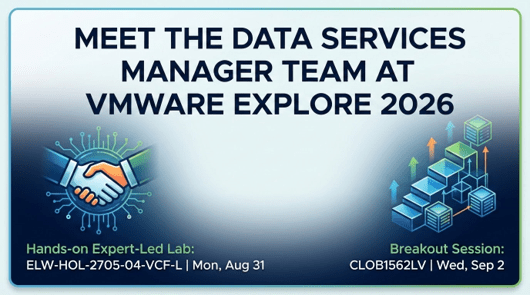

Real conversations. A hands-on lab. Let’s make the most of our time together in Las Vegas!
VMware Explore 2026 is almost here, and the VMware Data Services Manager team has two sessions worth putting on your calendar right now. Whether you’re a platform engineer trying to get your arms around database sprawl, a DBA who wants to modernize without starting from scratch, or an IT leader evaluating what a real private-cloud DBaaS strategy looks like, we have something for you.
We’re running a hands-on expert-led workshop early in the week and a deep-dive breakout session toward the end. Both are built around the same conviction: managing databases at enterprise scale shouldn’t require heroics, and moving them off legacy VMs shouldn’t feel like rip-and-replace.
Session 1: DBaaS Made Easy with Data Services Manager
Expert-Led Hands-on Lab [ELW-HOL-2705-04-VCF-L] Monday, August 31 | 3:15 PM – 4:45 PM PDT
Presenters: Kim Delgado, Field Application Engineer, Broadcom · Ernest Nichols, Field Application Engineer, Broadcom · Brad Bentley, Staff Cloud Infrastructure Architect, Broadcom
Provisioning a database is only the beginning. The real operational challenge, the one that doesn’t show up in the product demo, is what comes after: managing hundreds or thousands of database instances across teams, environments, and geographies while keeping up with patching cycles, backup schedules, and access governance. That’s the problem this session is built around.
Kim, Ernest, and Brad will walk you through how VMware Data Services Manager abstracts the complexity of underlying Kubernetes infrastructure so your team doesn’t have to become container experts just to run databases well. You’ll get hands-on time with the platform in a guided environment, working through provisioning, patching, scaling, and governance workflows from start to finish, with our field engineering team right there alongside you.
You’ll come out of this session with a working understanding of how DSM automates the full database lifecycle across PostgreSQL, MySQL, and SQL Server. On-demand provisioning via VMware Cloud Foundation (VCF) Automation means databases ready in under 15 minutes rather than the weeks a traditional ticket workflow takes. Policy-based governance works exactly as advertised: IT keeps control, developers get self-service access, and the “no Kubernetes expertise required” claim stops being abstract once you’ve done the work yourself.
This is a 90-minute expert-led lab. You won’t be watching a slide deck; you’ll be working through real scenarios with engineers who deploy and support DSM in production environments every day.
Add to your VMware Explore schedule: choose [ELW-HOL-2705-04-VCF-L]
Session 2: The Database Modernization Ladder: VMs to Containers on VMware Cloud Foundation
Breakout Session [CLOB1562LV] Wednesday, September 2 | 3:15 PM – 4:00 PM PDT
Presenters: Kim Delgado, Field Application Engineer, Broadcom · Marian Tudosoiu, CTO, AxelCore
Databases have a way of being the last workload anyone wants to touch. Applications migrate to containers, infrastructure consolidates onto VCF, and yet somehow the databases are still sitting on manually managed VMs, scaled vertically when they get slow, surrounded by tribal knowledge. Nobody’s sure how to move them without something breaking.
This session is for the teams who are ready to finally solve that problem.
Kim and Marian walk through the complete modernization journey: what it actually looks like to take databases from monolithic VM deployments through containerized infrastructure on VMware Cloud Foundation using DSM’s import and automation capabilities, without disrupting production workloads. Marian brings the AxelCore perspective on what the path from commercial databases like Oracle and SQL Server to open-source alternatives looks like in practice. His team has run these migrations. The 7-phase process, the automation tooling, the edge cases: all of it is grounded in what actually happens when organizations modernize at scale.
This is a technical deep-dive, not a marketing overview. You’ll come away with a clear framework for sequencing database modernization and a concrete understanding of how DSM and VCF work together to break the manual VM management cycle. You’ll also get real-world data on what organizations are actually achieving. Licensing cost reductions when migrating from commercial to open-source databases run 70 to 90 percent. That number tends to change the conversation. There’s a broader strategic point here too: DSM keeps databases anchored to your private cloud infrastructure once they move off public cloud services, which means your applications follow.
Add to your VMware Explore schedule: choose [CLOB1562LV]
What Both Sessions Are Actually About
Both sessions reflect the same shift in how we think about database operations on VMware Cloud Foundation.
For years, databases were managed as special snowflakes. Each one had its own backup strategy, its own patching schedule, its own access controls. That approach doesn’t scale. It creates risk, burns DBA cycles on work that should be automated, and makes governance nearly impossible to enforce consistently across a large estate.
DSM 9.1 treats databases as a first-class service rather than a collection of one-off configurations. The lifecycle automation works consistently across PostgreSQL, MySQL, and MS SQL Server: provisioning, patching, backup, scaling. IT gets centralized policy control. Developers get API-driven self-service access. And because DSM is natively integrated with VMware Cloud Foundation as an Advanced Service, your team operates it with the same infrastructure, the same operational model, and the same lifecycle tooling already in place.
The customer outcomes back this up. Teams are seeing a 75% improvement in operational efficiency for Day 2 database management tasks. Developers are getting to production databases 90% faster than through traditional ticket-based workflows. Organizations moving workloads back from public cloud are achieving more than 50% cost reduction compared to services like AWS RDS or Azure SQL. Those aren’t projections; they’re outcomes from production deployments.
One session gets you there through hands-on practice. The other gets you there through architectural depth. Both are worth your time.
Let’s Connect While You’re There
Attending VMware Explore is one thing. Walking away with clarity on how DSM fits your specific environment, your database estate, and your VCF roadmap: that’s something you only get from a real conversation.
Our product management and sales teams will be at the conference. If you’re evaluating DSM for your organization, working through a modernization strategy, or just want to understand what 9.1 enables that earlier versions didn’t, we’d like to spend 30 minutes with you. We can talk through your current database estate, public cloud cost optimization and repatriation scenarios, migration planning with AxelCore, or how DSM positions within your broader VCF investment. Whether you’re early in your evaluation or ready to talk deployment, there’s no better time for that conversation than when our full team is in one place.
To request a meeting with the VMware Data Services Manager team, contact your Sales representative.
Register Before the Calendar Fills Up
VMware Explore happens once a year. Our two sessions on August 31 and September 2 are the most accessible, hands-on opportunity your team has to understand what VMware Data Services Manager 9.1 actually does, from the engineers and architects who work with it every day.
Register for both and come with hard questions. Reach out to your VMware sales representative to book time with the experts before the slots fill up.
We’ll see you in Las Vegas.
| Session | Format | Date & Time | Session ID |
|---|---|---|---|
| DBaaS Made Easy with Data Services Manager | Expert-Led Hands-on Lab | Mon, Aug 31 · 3:15–4:45 PM PDT | ELW-HOL-2705-04-VCF-L |
| The Database Modernization Ladder: VMs to Containers on VCF | Breakout Session | Wed, Sep 2 · 3:15–4:00 PM PDT | CLOB1562LV |
Register for VMware Explore 2026: https://www.vmware.com/explore/us
Request a meeting with the Data Services Manager team: VMware Explore Portal
Also: Check out our recent Third-Party performance white paper to see the impact DSM can make on your organization’s performance!
Discover more from VMware Cloud Foundation (VCF) Blog
Subscribe to get the latest posts sent to your email.