
Related VCF 9.1 Networking Posts:
- Network Services
- Simpler VPC Connectivity Control
- Precision Workload Placement with VPC Network Span
- Transit Gateway Connectivity Options
- Integration with Infoblox
VMware Cloud Foundation (VCF) continues to evolve its self-service networking capabilities (as we explored in our post VCF Networking 9.1: Exploring Network Services for Virtual Private Clouds).
With the release of VCF 9.1, we are seeing a major enhancement in how subnets are presented to your infrastructure: VPC Network Span.
What is VPC Network Span?
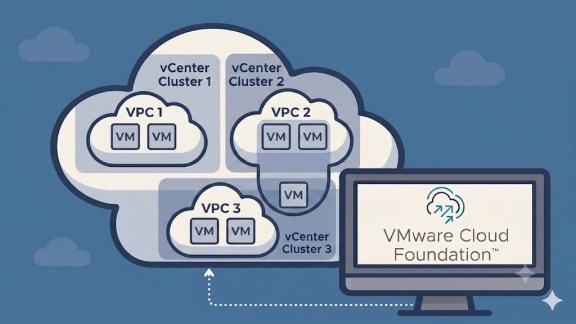
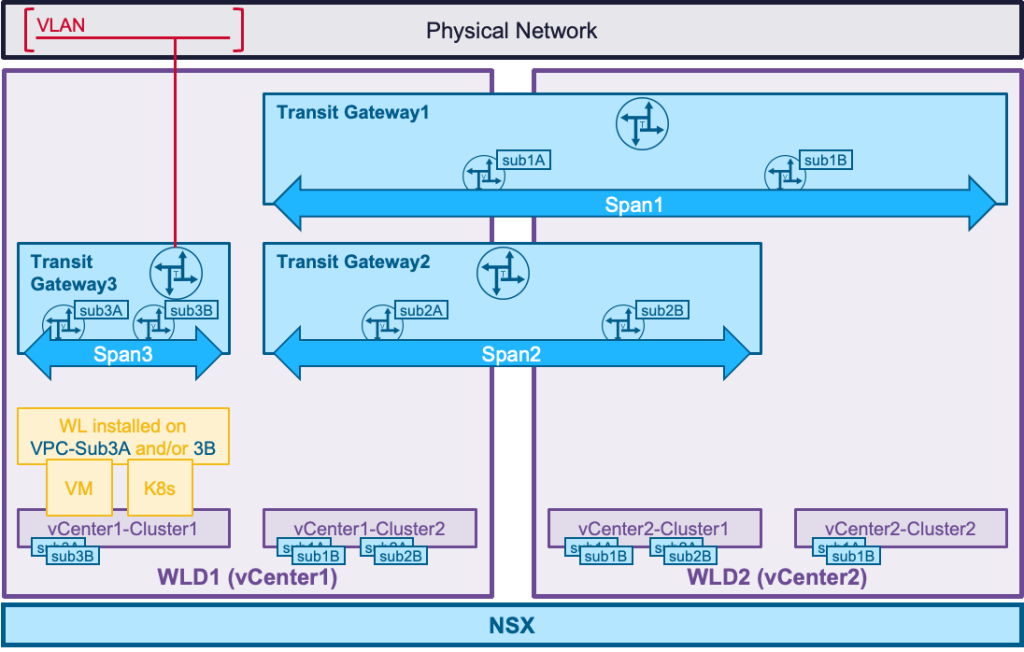
In short, Network Span defines visibility. It allows administrators to specify exactly which vCenter clusters can “see” and host the subnets associated with a specific Virtual Private Cloud (VPC).
Think of it as a way to map your virtual network boundaries directly onto your physical cluster boundaries with total precision.
The Evolution: VCF 9.0 vs. VCF 9.1
To understand why this is a game-changer, we have to look at how VPC subnets were handled previously:
- VCF 9.0 (The Global Model): In version 9.0, VPC subnets were available across all vCenter clusters by default. While this provided maximum flexibility for workload mobility, it didn’t allow for much architectural isolation at the cluster level.
- VCF 9.1 (The Targeted Model): You now have the option to limit VPC subnets to specific vCenter clusters. This control is managed at the Transit Gateway (TGW) level, ensuring that workloads only live exactly where you want them.
Key Benefits of VPC Network Span
Why should you move away from the “global” model? This new granular control offers several strategic advantages:
- Granular Application Placement: You can now ensure that specific applications are only deployed within a designated subset of your vCenter clusters, rather than being spread across the entire environment.
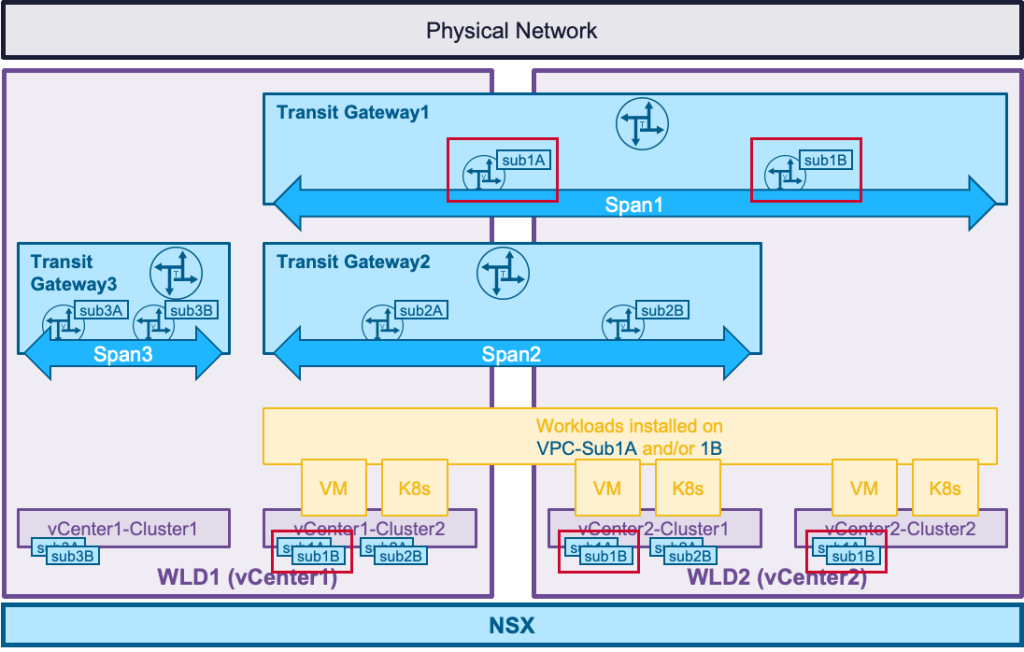
- Dedicated Security Zones (DMZ): This is perfect for architectures requiring isolation. You can create a “DMZ VPC” and restrict its Network Span to a specific, hardened vCenter cluster designed specifically for edge or external-facing apps.
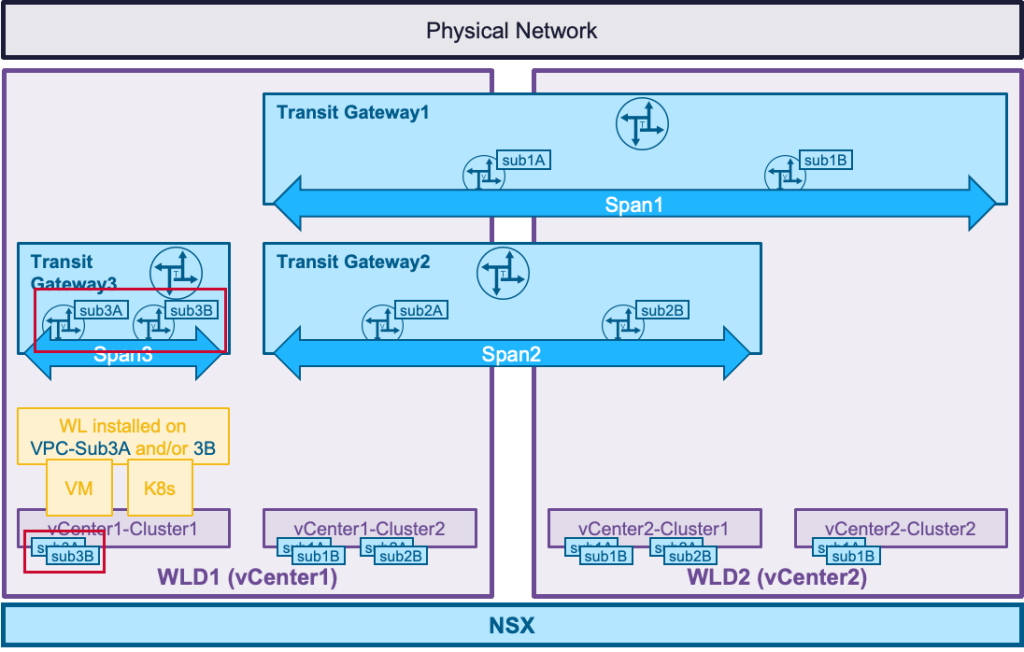
- Networking Efficiency (DTGW Optimization): By using a Distributed Transit Gateway (DTGW) with Network Span, you no longer need to stretch VLANs across every single vCenter cluster. You only provide the network backing where the workloads actually reside, reducing complexity and “broadcast storms” in the physical layer.
Summary
VCF 9.1 VPC Network Span provides the architectural “scissors” needed to cut away unnecessary network overhead. By defining exactly where your subnets live, you gain better security through isolation, simplified physical networking, and much more intentional workload placement.
VCF 9.1 VPC Network Span Demo
Curious how to actually “span” a network across specific clusters?
Check out our demo below. We’ll show you how to configure VPC Spans to target specific clusters, allowing you to build dedicated zones for your most critical applications without stretching your physical network to the breaking point.
Discover more from VMware Cloud Foundation (VCF) Blog
Subscribe to get the latest posts sent to your email.