
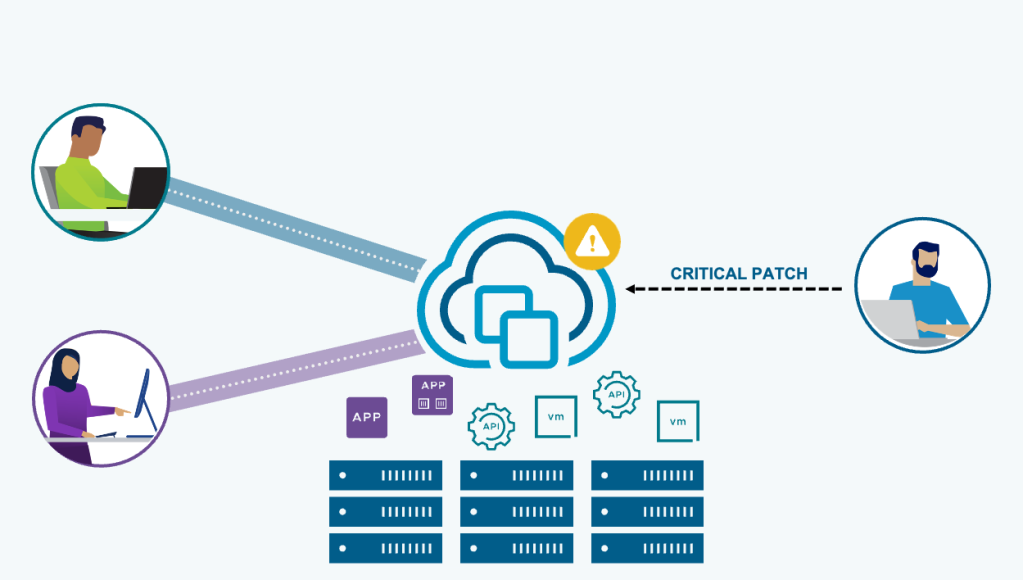
VMware vCenter is a critical component of the VMware Cloud Foundation (VCF) stack, helping administrators juggle service uptime with important maintenance and patching cycles. Traditional in-place vCenter patches can result in downtime of up to an hour or more. VMware Cloud Foundation 9.1 introduces vCenter quick patch, taking vCenter patching to the next level.
vCenter quick patch allows for rapid patching of vCenter with minimal, sometimes zero, downtime. The level of downtime depends on the service(s) being patched. vCenter quick patch targets rapid deployment of important security fixes for vCenter.
Important: Similar to ESX live patch, not every vCenter patch is quick-patch compatible; it depends on the patch payload. vCenter release notes and the patch details in-product will highlight if a patch is quick-patch compatible. The scope for vCenter quick patch is security patches.
Traditional in-place patching updates every RPM on the vCenter, regardless if that service or component has had a code change. vCenter quick patch changes only those specific RPMs or binaries that have a code change in the patch payload. This method dramatically reduces the overall maintenance window and reduces the vCenter downtime to under 1 minute and, in some cases, reduces the downtime to zero.
With vCenter quick patch, important security patches can be applied without interrupting productivity. For example, VM and Kubernetes cluster deployments are not interrupted. Automation and API workflows continue to run, and less time is spent scheduling maintenance windows.
vCenter quick patch is performed from the VMware Appliance Management Interface (VAMI). It uses the exact same workflow as traditional in-place patching. A quick-patch-compatible patch is denoted with a Quick Patch icon. The patch details explain the workload impact, the services affected, and the estimated downtime. vCenter quick patch may also be performed using CLI patching methods. You do not have to opt-in to a vCenter quick patch method, if the patch is quick patch capable, then vCenter will use the quick patch method.
In the below mockup example, the estimated downtime is 0 minutes, the workload impact is none, and the services affected are the vmware-updatemgr and vsphere-ui service.
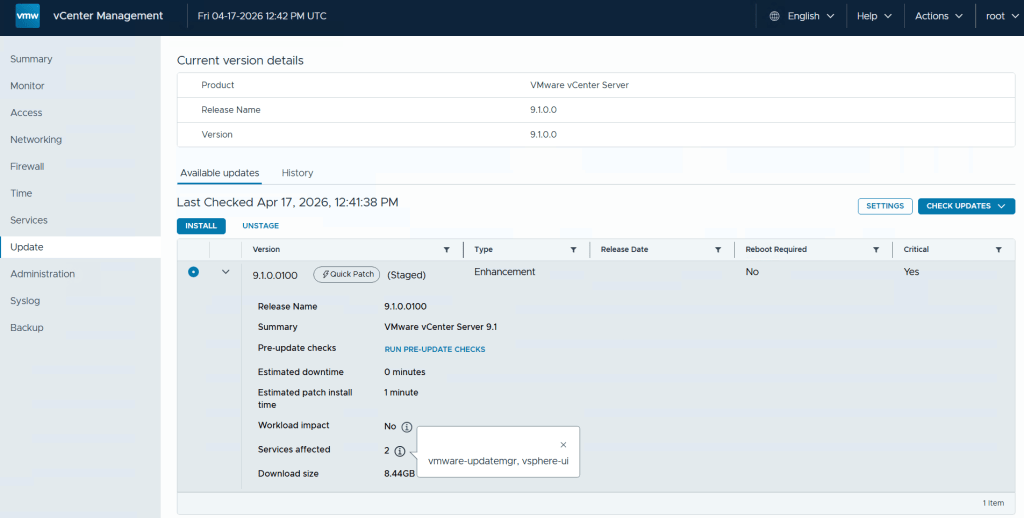
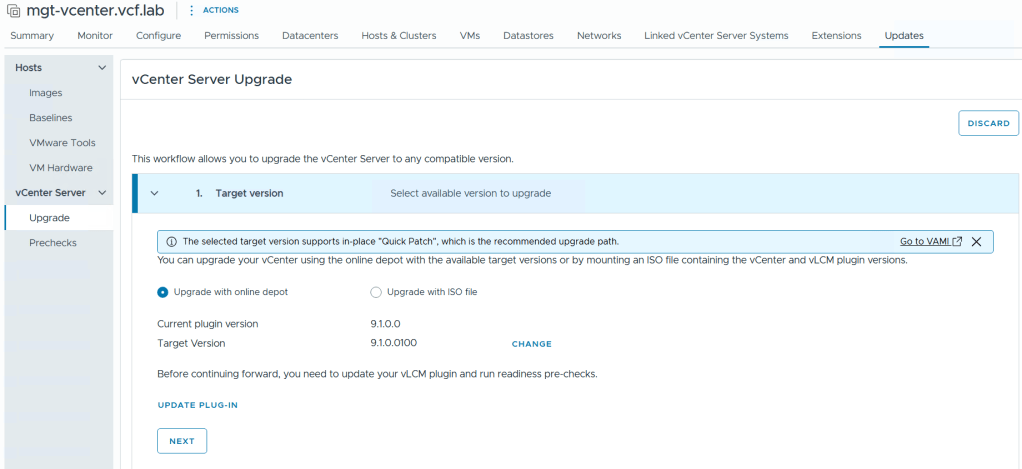
Navigating to the vCenter updates tab in the vSphere Client will inform you that the selected patch is quick-patch compatible and will recommend using the quick patch method. You can still use the reduced downtime upgrade method to apply a quick patch but it would increase the overall maintenance time and overall downtime.
Note: vCenter quick patch is recommended for minor maintenance patches (that are quick-patch compatible); for example, vCenter 9.1.0 to 9.1.1. Reduced Downtime Update is recommended for minor update or major upgrade releases; for example, vCenter 9.0.0 to 9.1.0.
Summary
vCenter quick patch allows for rapid patching of vCenter with minimal, and sometimes zero, downtime. The level of downtime depends on the service(s) being patched. vCenter quick patch targets rapid deployment of important security fixes for vCenter.
For more, see the documentation vCenter Quick Patches and Patching vCenter Using the vCenter Management Interface.
Discover more from VMware Cloud Foundation (VCF) Blog
Subscribe to get the latest posts sent to your email.