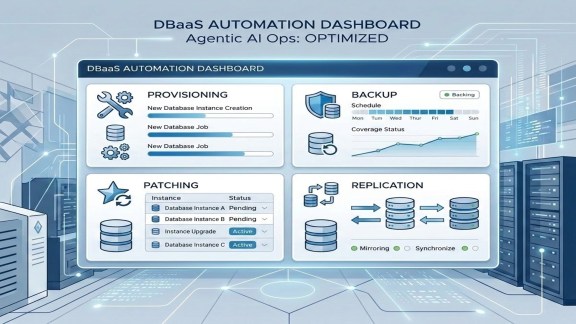

Database teams spend their days on a familiar set of tasks: provisioning, checking backups, staggering schedules so everything doesn’t hit the same S3 bucket at midnight on Saturday, patching aging instances, setting up replication for disaster recovery. None of these tasks is difficult in isolation. The problem is volume, and the way these tasks multiply across PostgreSQL, MySQL, and SQL Server estates running on private infrastructure.
Eric Gray from our VCF Tech Marketing team just published a demo that shows a different way to handle this work. In under twelve minutes, he walks through how an agentic AI CLI can manage operations in a VMware Data Services Manager environment. If you run databases on VCF, it’s worth your time.
What the Demo Covers
The setup is a DSM 9.1 environment with 14 active databases across PostgreSQL, MySQL, and SQL Server. DSM is built on a Kubernetes API, so an AI agent can discover resources, inspect configurations, and take action through the same interface a human administrator would use. Eric starts with a read-only health sweep, then moves into changes.
The demo walks through four operations that database teams will recognize. A full health sweep surfaces version, build, license status, backup coverage, and upgrade availability across the entire fleet. Eric then staggers MySQL backup schedules so databases aren’t all hitting the same backup window, with the agent proposing a plan in plan mode before any change is applied. He configures PostgreSQL replication for disaster recovery, covering the replication slot, credential handoff, and secondary creation. He also upgrades a MySQL instance from an older version to the latest, with the agent confirming a valid backup and binlog archiving before patching.
Eric finishes by updating the data service policies that govern which database versions can be provisioned, tightening MySQL to version 8.4 only across both VCF Automation and native DSM policies.
Operational Insight: Why the Kubernetes API Makes This Work
DSM exposes a consistent Kubernetes API across every database engine it manages, which is what makes the agentic approach practical. An agent doesn’t need a separate integration for PostgreSQL, another for MySQL, and a third for SQL Server. It talks to one API, discovers custom resources, and acts on them.
For ops teams, the plan-mode workflow Eric demonstrates is the part to pay attention to. The agent proposes a change, you review it, and only then does it execute. That pattern keeps a human in the loop on anything that modifies the environment, which is the right default for production database operations. Read-only discovery runs without a checkpoint, while writes require explicit approval.
As teams bring more AI into their data center workflows, DSM’s API-first design means those agents have something structured to talk to. You work with the platform the way it was designed to be consumed, rather than scraping a UI or scripting around it.
Watch the Demo
If you manage databases on VCF, or you’re evaluating how AI fits into Day 2 operations, this demo is a clear, practical look at what’s possible today. Every operation maps to something you probably did manually this week.
Watch: Automate DBaaS Operations on VCF with Agentic AI
Learn More about VMware Data Services Manager
Discover more from VMware Cloud Foundation (VCF) Blog
Subscribe to get the latest posts sent to your email.