If you’ve been setting up VMware Memory Tiering or thinking about it, you’ve probably asked yourself at some point: what happens to Memory Large Pages? It’s a great question, and I’m glad you’ve asked it, because the answer changes how you need to plan your capacity and configure your VMs. Let me walk you through it.
Let’s Set the Stage
Before we get into the tiering-specific behavior, let’s quickly recap what Large Pages are and why they matter. The x86 architecture supports three page sizes: 4 KB (small pages), 2 MB, and 1 GB. The latter two are collectively called “Large Pages”. Think of page size like the denomination of bills in your wallet. Larger denominations are more efficient to carry around, but harder to make change with. Large pages work the same way; they reduce TLB (Translation Lookaside Buffer) pressure and cut the cost of page table walks, which translates to potential performance gains for memory-intensive workloads. ESX uses 2 MB pages to back guest virtual RAM by default, and for good reason: the performance benefit is well established.
So when Memory Tiering enters the picture, you’d naturally assume large pages stay on. Here’s where things get interesting.
Memory Tiering Changes the Equation
When you enable Memory Tiering on a host, VMs are configured with Large Pages disabled from tiering by default. I know, it sounds counterintuitive at first. But let me explain why this actually makes sense.
The tiering algorithm, which lives inside the memory management layer of ESX, works by monitoring every page’s “hotness” and “coldness”. Active pages, your VM’s working set, stay in Tier 0 (DRAM) for maximum performance. Cold pages migrate to Tier 1 (NVMe) when memory pressure builds. This is smart, automatic, and requires no manual intervention. But here’s the catch; it needs fine-grained control to do that job well.
How does that change things for large pages? A 2 MB Large Page is an atomic unit, and you just can’t move half of it to NVMe. The entire 2 MB block moves together, or not at all. That’s like trying to make precise temperature adjustments with a thermostat that only moves in 10-degree increments. It works, but it’s not precise. At 4K granularity, the tiering engine can make surgical decisions about exactly which pages are hot and which are cold. That precision is what makes Memory Tiering perform well, so the default is small pages.
The Three Page Size Scenarios
Let’s compare the three memory page sizes and how they respond to Memory Tiering. Easy enough to understand once you see them laid out. Here’s where each page size lands.
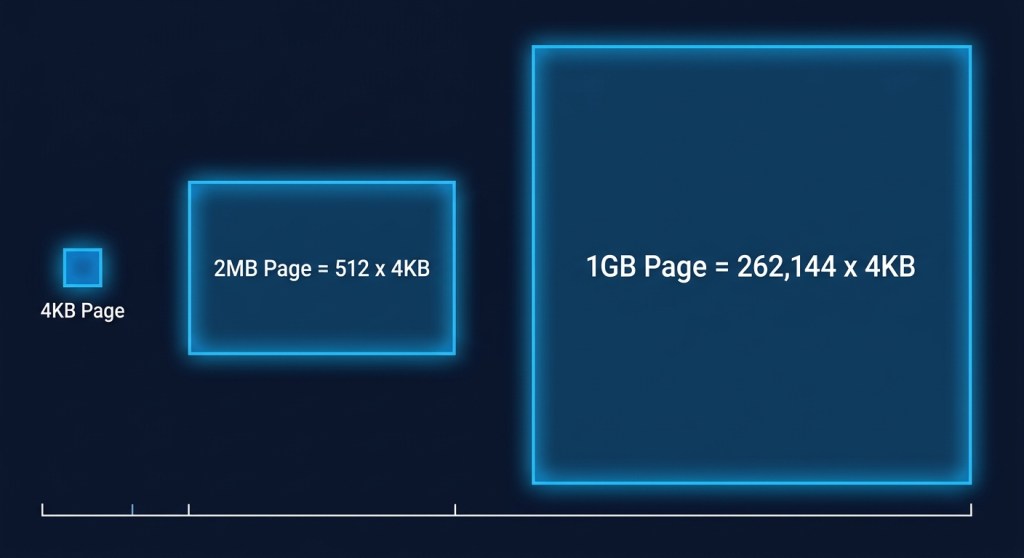
4 KB Small Pages: Fully Optimized
This is your sweet spot. Performance has been specifically optimized for 4K pages when Memory Tiering is active. The tiering algorithm operates at maximum precision, hot pages stay in DRAM, and cold pages gracefully offload to NVMe. ESX intentionally disables host-level large pages when Memory Tiering is configured. To accurately monitor and move memory without incurring massive performance overhead, ESX reverts to backing guest memory with standard 4KB base pages. By working at the 4KB level right out of the gate, ESX’s tiering engine doesn’t have to constantly break down massive pages to figure out what data is actually being used.
2 MB Large Pages: Opt-In, with a Catch
The default configuration in vSphere is to have Large Pages (2MB) enabled (Mem.AllocGuestLargePage set to 1); however, 2 MB large pages are not enabled by default for tiering purposes when Memory Tiering is active.
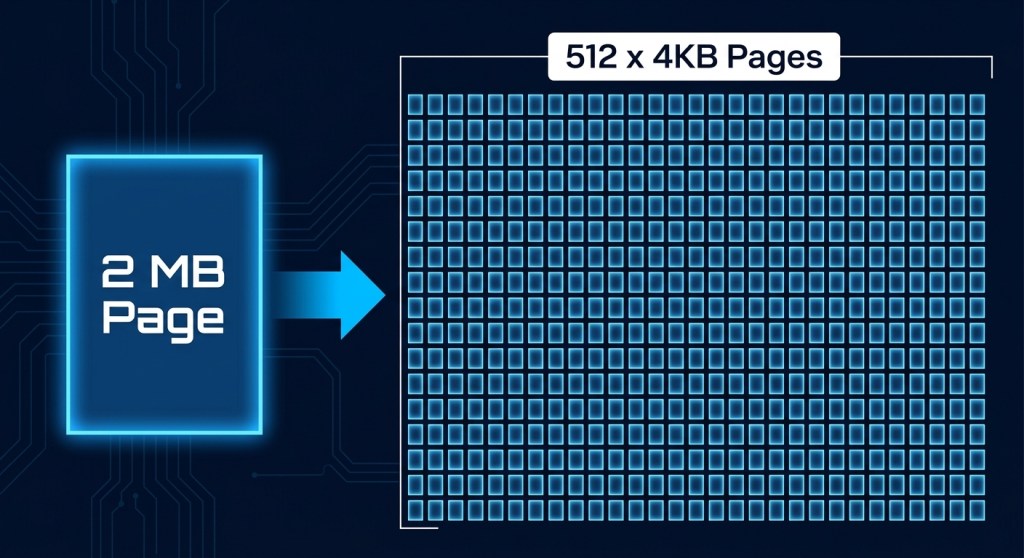
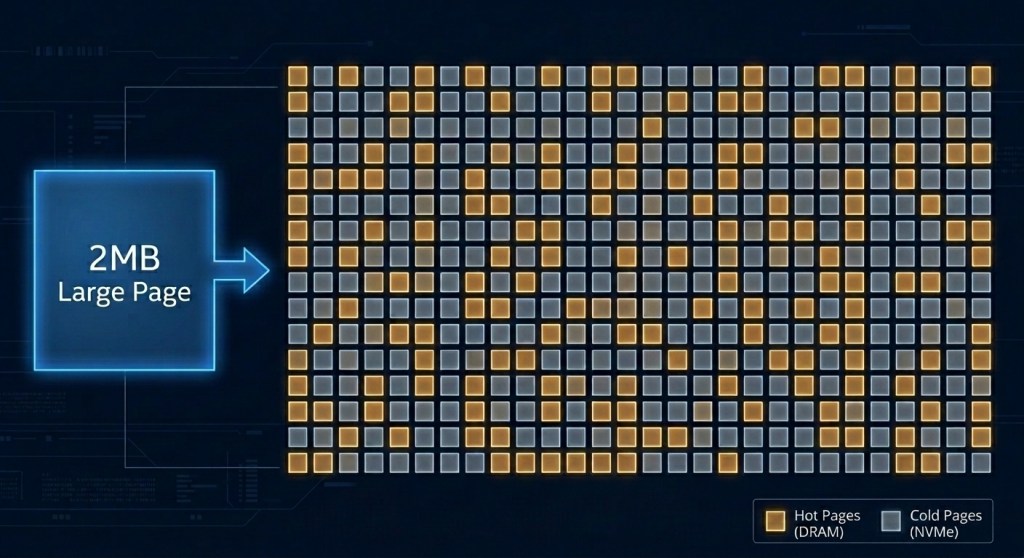
A 2 MB page is made up of 512 individual 4K pages. Let’s say 400 of those are hot and actively being used. Ideally, you want that large page to stay intact in DRAM. But that means the remaining 112 cold pages are also stuck in DRAM, even though they could have been tiered out to NVMe. Those 112 pages represent stranded capacity, and that is just one large page. Multiply that by any number and you will quickly realize that thousands of cold pages could be left in DRAM rather than being tiered out to NVMe. At 4K granularity, the tiering engine would have reclaimed them. At 2 MB granularity, it cannot, because moving half a large page is not an option.
To use 2MB Large Pages with Memory Tiering, you need to explicitly set a VMX option on the VM (monitor_control.disable_mmu_largepages = “FALSE”). Once set, the VM falls into the general tiered memory pool, but here is where it gets interesting. When large pages are enabled, the tiering algorithm proactively breaks a subset of large pages based on certain heuristics and will either tier out the cold pages in the 2M region or convert it back to large.
This is the core tension: large pages and tiering pull in opposite directions. Tiering is most effective when it can reclaim at the finest granularity possible, which is 4K. Large pages deliberately reduce that granularity to improve TLB efficiency. The two are fundamentally at odds, and that tradeoff is worth understanding before you opt in.
1 GB Pages: DRAM Only, No Exceptions
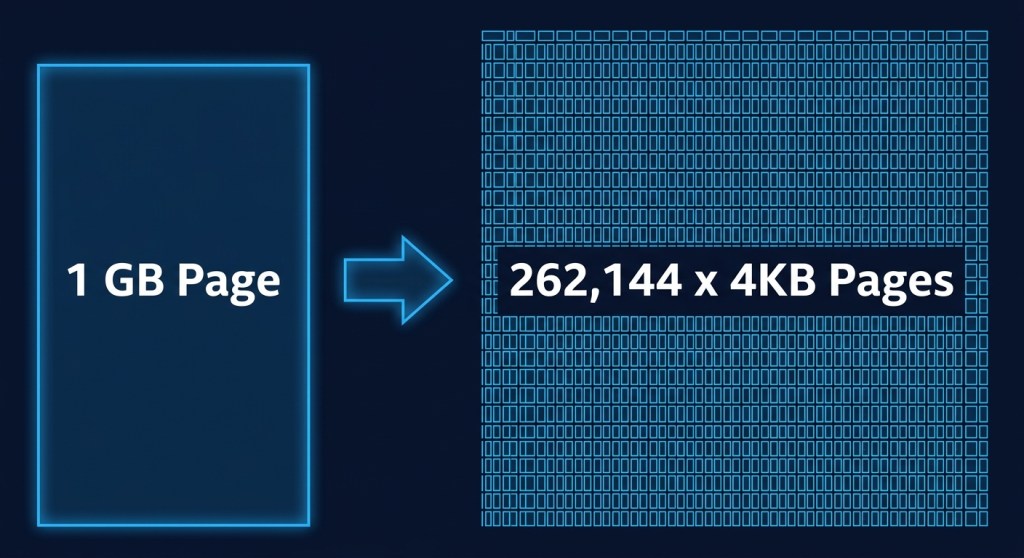
This is the hard line. VMs configured to use 1 GB pages are automatically locked to Tier 0 (DRAM) and will never use NVMe Tier 1 capacity. Memory Tiering enforces this automatically, so you don’t need to configure anything special. But you do need to account for it in your capacity planning. These VMs need to be sized against your available DRAM, not your total tiered memory capacity. Flag them early.
The TPS Angle
Here’s a secondary effect worth understanding, especially if you rely on Transparent Page Sharing (TPS) for memory efficiency. How does enabling large pages in a tiered environment affect TPS? Not well, as it turns out.
TPS doesn’t share large pages directly. On modern hardware with Intel EPT or AMD RVI, which use 2 MB pages, TPS is largely ineffective anyway, because the probability of finding two identical 2 MB regions is very low and comparing them carries significant overhead. Large pages have to be broken down into 4K small pages before TPS can share them, and that only happens under specific memory pressure states.
What this means practically enabling large pages in a tiered environment reduces both the effectiveness of the tiering algorithm and any TPS savings you might have been counting on. The two techniques point in opposite directions when it comes to page size. So, think about some workloads such as VDI or dense VM environments where TPS historically helped you, and consider whether you want to trade that away.
The Bottom Line
Memory Tiering makes a deliberate trade; it gives up the TLB efficiency of large pages in exchange for the operational precision needed to make intelligent tier placement decisions. For most workloads, that’s a worthwhile trade, especially as Tier 1 NVMe latency continues to improve.
Here’s how to think about it when planning your tiered environment:
- Default to 4K pages for VMs you want to benefit from tiering
- Flag your 1 GB page VMs early in capacity planning, as they are DRAM-only consumers
- Evaluate 2 MB large page VMs carefully: test first, and don’t assume the same performance characteristics you’d see in a non-tiered environment
Getting ahead of the large page question before you enable Memory Tiering will save you a lot of head-scratching later. And don’t worry, the system handles most of this automatically once you understand the rules.
Discover more from VMware Cloud Foundation (VCF) Blog
Subscribe to get the latest posts sent to your email.