
Modernizing Infrastructure Economics for the Modern Data Center
Data center modernization looks different today than it did just a few years ago. The pressure has shifted from simply expanding capacity to getting more out of the infrastructure already in place. For most infrastructure teams, the real challenge is balancing modern application demands against tight hardware budgets while keeping up with the maintenance cycles that eat into productive time.
VMware vSphere Foundation 9.1 is built to address that directly. By bringing compute, storage, and management into a tightly integrated stack, this release reduces operational downtime, unlocks superior workload performance, and improves the economics of your environment without requiring a complete operational overhaul.
If this is your first look at vSphere Foundation 9.1, the VMware vSphere Foundation 9.1 Launch Blog is the right place to start. It covers every new capability in detail. This post is the follow-up: a quick orientation across the three core capability areas, paired with a curated set of assets to move your team from initial awareness into evaluation and planning.
What’s New at a Glance
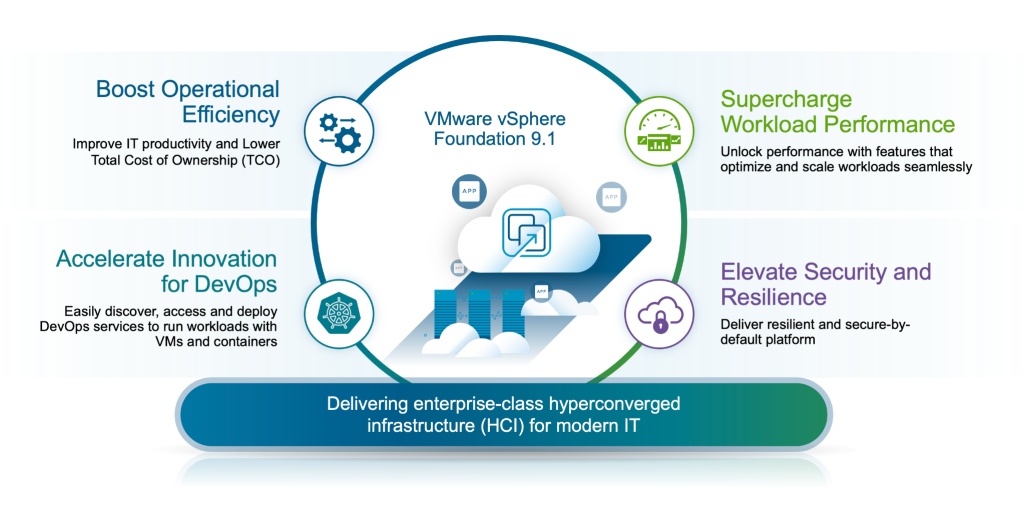
Figure 1: VMware vSphere Foundation 9.1 modernizes infrastructure economics by slashing operational downtime and delivering superior workload performance.
VMware vSphere Foundation 9.1 delivers advances across three strategic areas. The launch blog covers each in depth; what follows is a brief summary to orient you and point you toward the most relevant resources below.
Boost operational efficiency and lower TCO. Native high-fidelity observability and Proactive Diagnostic Insights are now embedded directly in the primary operations console, consolidating what previously required multiple disconnected tools. Enhanced NVMe Memory Tiering introduces a high-performance second tier of memory that intelligently offloads 20 to 25 percent of memory accesses, lowering server TCO and increasing VM density without affecting application responsiveness.
Supercharge workload performance. vSphere Topology-Aware Scheduling applies chip-aware logic to optimize NUMA placement for high-density processors, keeping resource-intensive applications running at peak. Parallel Processing of DRS vMotion removes the sequential bottleneck from cluster balancing, enabling faster and uninterrupted workload mobility. Extended vSAN Data Reduction delivers up to 39 percent lower storage TCO through performance-optimized deduplication and compression.
Elevate security, resilience, and compliance. Live patching for TPM-enabled hosts lets teams apply up to 80 percent of critical security updates with zero downtime, removing security maintenance from the scheduled maintenance window entirely. Expanded VM replication from external arrays directly to a vSAN cluster simplifies recovery architectures and produces real cost savings compared to legacy setups.
VMware vSphere Foundation 9.1 Resources
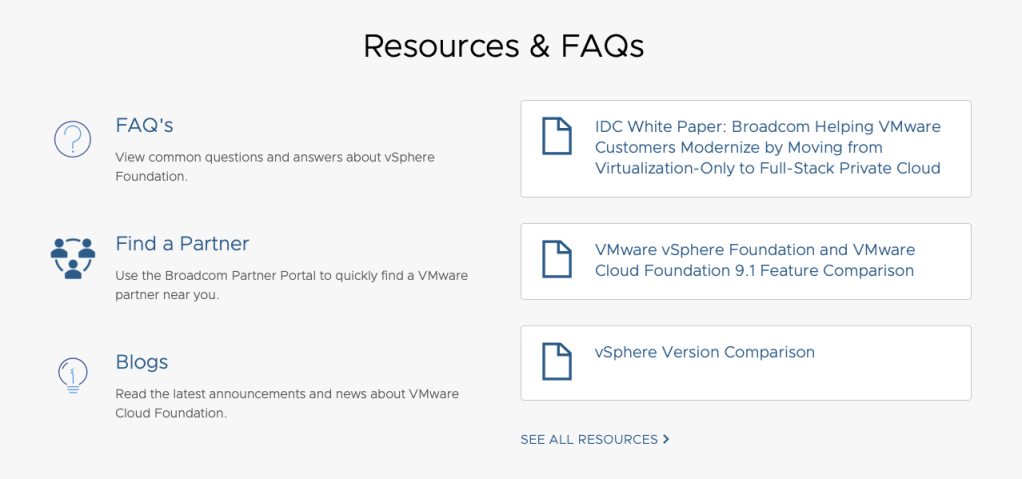
Figure 2: VMware vSphere Foundation 9.1 Resources and FAQ located at the bottom half of the VMware vSphere Foundation Product page
Reading about the release and knowing how to act on it are two different things. The assets below are built for that second step, whether your immediate priority is making an internal business case, comparing platform options, or preparing your team for an upgrade. Use them in order or go straight to whichever fits where you are right now.
- Infographic: VMware vSphere Foundation 9.1 at a Glance Start here for a fast, visual overview. The infographic shows how NVMe Memory Tiering lowers server TCO, how sequential migration bottlenecks are eliminated, and how live patching keeps security maintenance off the production calendar, all in a format that is easy to share with stakeholders.
- Datasheet: Product Features and Benefits The structured reference for IT professionals doing a formal evaluation. It covers platform capabilities, supported hardware innovations, and target use cases, giving you what you need to assess how vSphere Foundation 9.1 fits your data center strategy.
- Solution Brief: Modernizing Infrastructure Economics Written for infrastructure and business leaders keeping an eye on budget predictability and hardware ROI. This brief makes the case for how vSphere Foundation 9.1 addresses DRAM price volatility and the ongoing cost of legacy maintenance cycles. It is a solid asset for building internal alignment around modernization.
- Feature Comparison: VMware Cloud Foundation and VMware vSphere Foundation 9.1 A straightforward breakdown of the two primary VMware platforms. If your team is deciding between modernizing existing infrastructure with vSphere Foundation or moving to a full-stack private cloud with VMware Cloud Foundation, this document lays out the differences clearly.
- FAQ: Answers to Common Customer Questions Covers the questions that typically come up around deployment, hardware compatibility, and the new centralized management capabilities. A practical companion for teams in the planning and preparation phase.
Explore More
Upgrading to VMware vSphere Foundation 9.1 gives infrastructure teams more than new software. It is a practical step toward an environment that handles modern application demands, keeps hardware costs in check, and frees up the operational bandwidth that routine maintenance tends to consume.
Explore the full resource library and start your vSphere Foundation 9.1 journey today:
- VMware vSphere Foundation Product Page
- VMware vSphere Foundation Resource Page
- VMware vSphere Foundation 9.1 Customer FAQ
- VMware Cloud Foundation 9.1 Announcement
Disclaimer: All performance and cost improvement claims based on Broadcom internal engineering estimates and hardware test results, 2026, unless otherwise specified. Results subject to change.
Discover more from VMware Cloud Foundation (VCF) Blog
Subscribe to get the latest posts sent to your email.