
VMware Cloud Foundation (VCF) 9.1 has released tons of great new features! This blog focuses on an exciting feature update to VMware Cloud Foundation Automation 9.1: the ability to capture a vsphere namespace and then redeploy that environment as a catalog item. Generally developers require sandboxes that mirror production complexity, QA teams need clean, isolated environments for high-fidelity regression testing, and operations teams struggle to maintain consistency across global deployments. Traditionally, these needs were met with manual rebuilds—prone to human error—or complex Infrastructure-as-Code (IaC) scripts that require constant maintenance as application architectures evolve.
VCF 9.1 introduces a paradigm shift with AppStack Formation, specifically the ability to capture a namespace as a blueprint. This feature allows administrators to treat a vSphere namespace —including its Kubernetes resources such as VMs, networking, and storage—as a single, immutable, and deployable unit of infrastructure.
Overview
The “capture namespace” capability is far more than a simple backup or a basic template; it is a holistic capture of the state of the namespace. When you initiate a capture, the system effectively captures the logical configuration of the environment, serializes the state of all components, and packages them into a reusable blueprint artifact.
The resulting captured blueprint enables rapid environment cloning, migration, and recovery without the need to manually define or export infrastructure details.
This mechanism helps ensure that every subsequent deployment is a fully independent, identical or re-configured replica of the original source.
This blueprint encapsulates configurations such as namespace class along with:
- Virtual Machines (VMs): This includes not just the power state, but complete hardware configurations (CPU, RAM, vNUMA).
- Guest OS settings, and the underlying disk state.
- Networking: The capture includes the full VPC topology and all associated resources, including subnets, security groups (distributed firewall rules), NAT rules, and load balancer configurations.
- Stateful Storage: Persistent Volume Claims (PVCs) and their associated storage classes are captured, preserving the data requirements of the application.
- Application Metadata: Critical operational logic such as startup/shutdown sequencing and project-level user permissions.
By treating the namespace as a blueprint, organizations move from a “build-and-configure” model to an “instantiate-and-scale” model, effectively treating infrastructure as a versioned software artifact.
Technical Prerequisites
Before leveraging this capability, several architectural components of VCF 9.1 must be orchestrated within the Project scope. These prerequisites ensure that the capture process has the necessary governance and storage landing zones for its generated artifacts.
- Self-Service Namespaces: The target Project must be configured for self-service namespace creation. This serves as the administrative boundary and ensures that when a blueprint is redeployed, it adheres to the resource quotas and security policies defined at the Project level.
- VM Group Configuration: You must define a VM Group within the namespace. This acts as a filter for the capture engine. In complex namespaces, you might have transient workloads or “helper” VMs that aren’t part of the core application. By defining a VM Group, you explicitly tell VCF which virtual machines are essential components of the blueprint.
- Project Content Library: A dedicated, Project-scoped Content Library is mandatory. During the capture, the system performs a specialized export of the VMs. These images are stored locally within the Project’s library to ensure they are immediately available for low-latency deployments without needing to traverse external registries.
A Deeper Dive
The technical process of capturing a namespace is a multi-stage, automated workflow designed to eliminate the “it works on my machine” syndrome by validating the environment before it ever becomes a template.
Discovery, Resource Collection, and Validation
The process begins with a crawl of the namespace. The engine identifies all VM Service VMs and their associated objects and maps their dependencies to the underlying cloud infrastructure.
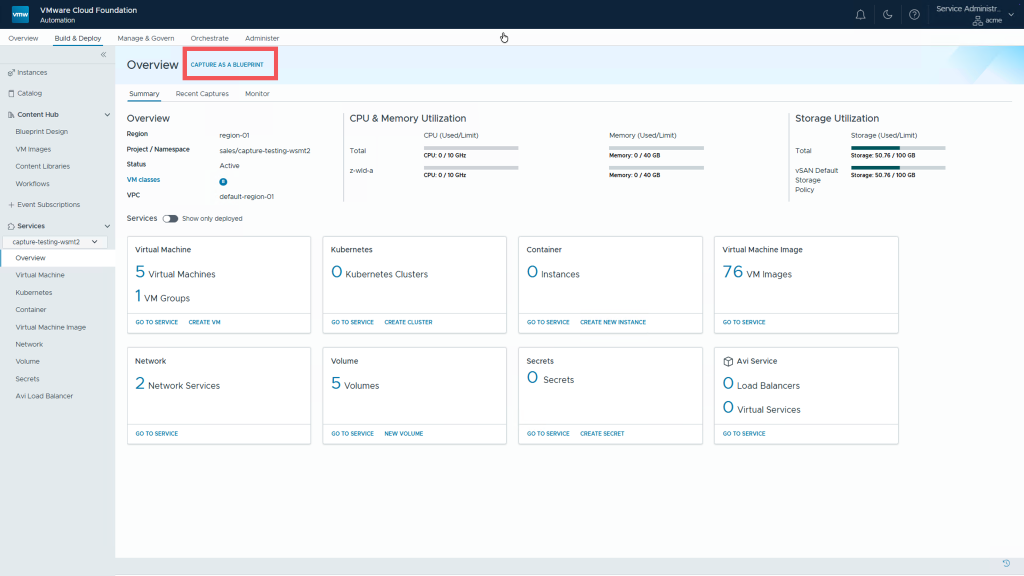
A critical component of this stage is the Pre-flight Check. The system validates that the namespace is in a “capturable” state, checking for hardware compatibility, storage accessibility, and network consistency. It identifies any configuration elements—like hard-coded IP addresses or specific node-affinity rules—that might prevent the creation of an identical copy in a different project.
Note: Namespaces that contain VMware vSphere Kubernetes Service (VKS) clusters or AVI load balancers cannot be captured at this time.
Identical and Customized Captures
Identical copies provide a way to preserve exact settings of the namespace VMs, such as MAC, IP, BIOS, and GuestOS settings. From a networking perspective, NIC properties and subnets (and subnet sets) associated with the VM NIC cards are also captured. From a storage perspective, storage class, volumes, disk capacity, and volume provisioning mode are captured as well.

Note: Identical captures can only be used with namespaces that are associated with a dedicated VPC.
Captures can also be customized to allow catalog users to pick a different VM and Storage Class for each VM.

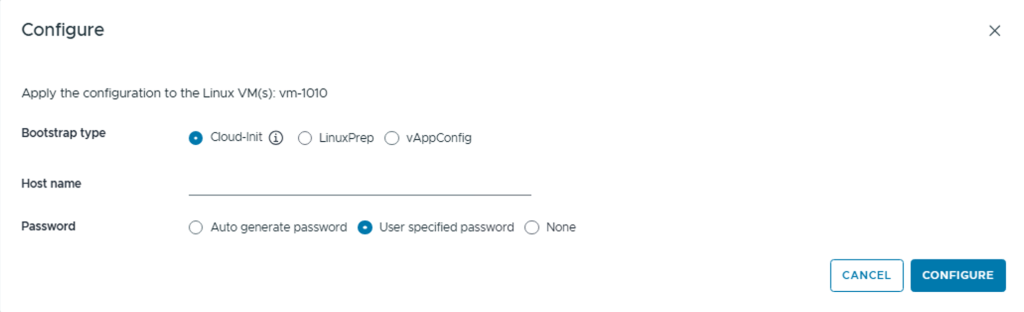
Guest OS settings can also be configured to include bootstrap types for running post-deployment scripts (like LinuxPrep), as well as defining unique passwords and hostnames for each VM at deployment time.
Blueprint Mapping and Customization
Finally, the system generates a Blueprint Definition. This is a declarative YAML file that acts as the orchestration logic and is a representation of the namespace in code.
By selecting the option to capture with customizations, administrators can define how guest operating systems behave upon redeployment. This includes:
- Identity Management: Defining unique hostnames and setting secure passwords for both Windows and Linux hosts.
- Bootstrap Logic: Leveraging various bootstrap types to execute post-deployment scripts.
- Dynamic Configuration: Ensuring that while the infrastructure is an identical copy, the guest OS can adapt to its new environment automatically.
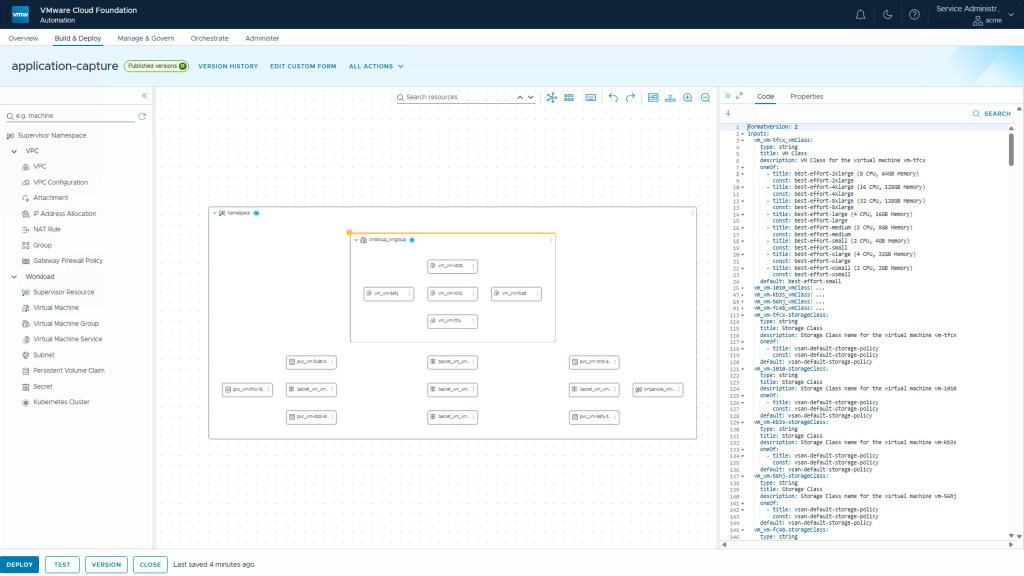
The resulting blueprint can also be exported/imported as OVAs or as YAML. This provides an efficient way of sharing the namespace content across VCF Automation instances or as simply a backup.
Operational Use Cases: Driving Efficiency
Rapid Sandbox Recreation and “Labs-as-a-Service”
Development teams can now treat environments as disposable. Instead of troubleshooting a corrupted environment for hours, a developer can delete the namespace and redeploy a fresh instance from the blueprint in minutes.
Global Catalog and Cross-Project Portability
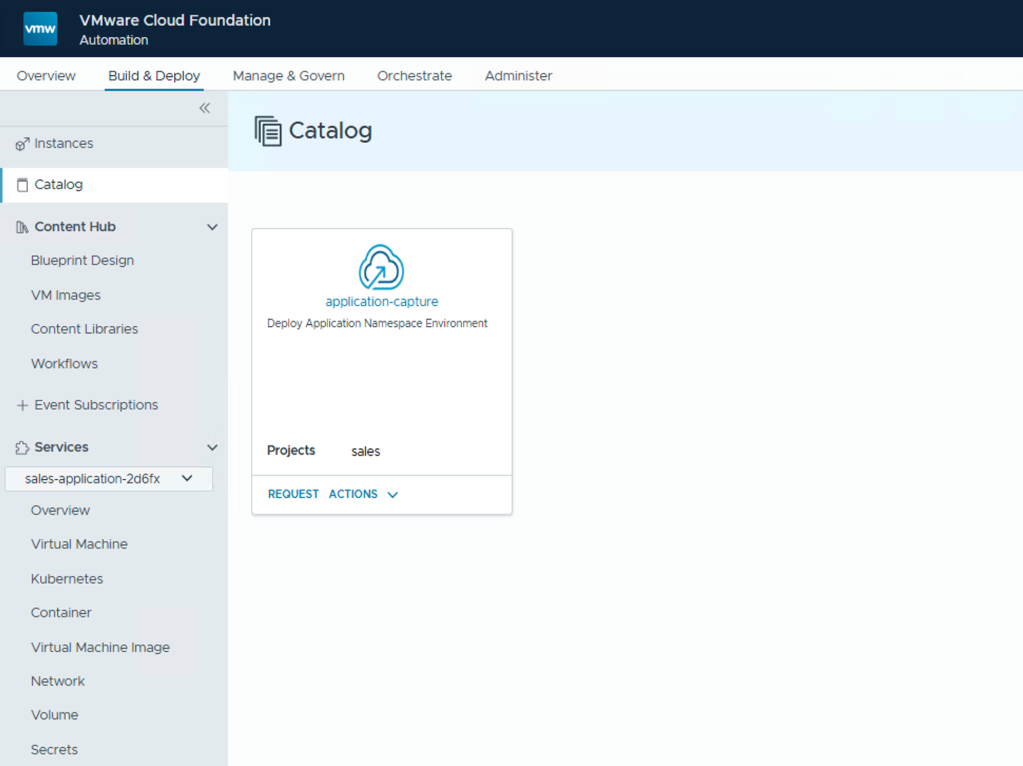
Blueprints can be published to a Global Catalog, making them available to other Projects. This allows a central architecture team to capture a hardened, compliant application stack—including the VPC and all guest customizations—and distribute it enterprise-wide.
Eliminating Configuration Drift
By using blueprints, operations teams ensure that every instance of an application is instantiated from the same metadata. This standardization significantly simplifies compliance auditing and speeds up Root Cause Analysis (RCA), as the “known good state” is always documented and repeatable.
Conclusion: The Path to Cloud-Right Automation
The ability to capture a namespace as a blueprint in VMware Cloud Foundation 9.1 represents a significant leap forward in private cloud maturity. By abstracting the complex interdependencies of VMs, VPCs, and other objects into a single, portable, and version-able artifact, VCF accelerates the deployment of infrastructure for your application teams.
Discover more from VMware Cloud Foundation (VCF) Blog
Subscribe to get the latest posts sent to your email.