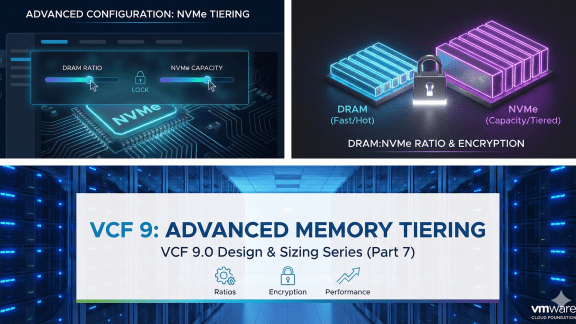

This is the final installment of our series on Memory Tiering. In previous posts, we covered the architecture, design, sizing, and basic setup among other topics. Now, we’re diving into the advanced configuration. These settings are not necessary for this feature to be operational, but rather provides options for data encryption, and memory ratios among others.
While the defaults in vSphere in VMware Cloud Foundation 9.0 are designed to “just work” for most environments, true optimization requires fine-tuning. Whether you are running virtual desktop workloads or databases, you need to know which levers to pull.
Here is how to master the advanced parameters for memory ratios, per host and per VM encryption, as well as disabling per-VM tiering.
Adjusting the DRAM:NVMe Ratio
By default, when you enable Memory Tiering, ESX sets a DRAM to NVMe ratio of 1:1, or 100% more memory coming from NVMe. This means if you have 512GB of DRAM, the host will have an additional 512GB of NVMe capacity as Tier 1 memory, resulting in 1TB of total memory.
However, depending on your workloads, you might want to change this density. For example, in a VDI environment where cost-per-desktop is king, you might want a higher ratio (more NVMe per GB of DRAM). Conversely, for performance-heavy clusters, you might want to limit the NVMe tier size.
You control this via the Host Advanced System Setting: Mem.TierNVMePct.
The Parameter
- Scope: Host Advanced System Setting
- Key: Mem.TierNVMePct
- Value: Percentage of DRAM to use as NVMe tier
- 100 (Default): 100% of DRAM capacity (1:1 ratio).
- 200: 200% of DRAM capacity (1:2 ratio)
- 50: 50% of DRAM capacity – very conservative sizing (2:1 ratio).
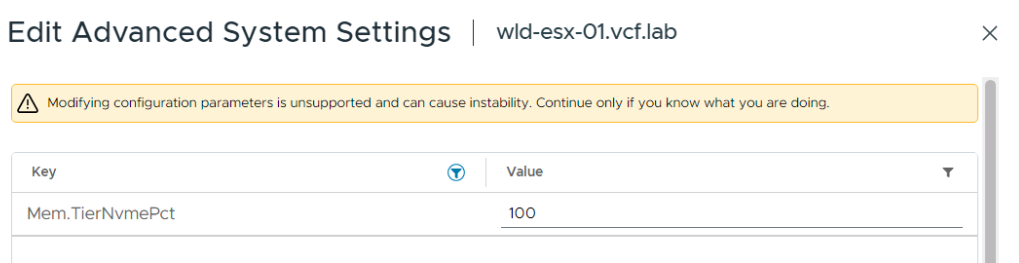
Note: The recommendation and best practice advice is to keep the default ratio of 1:1 as it is applicable to most workloads. If you decide to change the default ratio, you must first thoroughly evaluate your workloads and make sure all active memory can fit in the host’s DRAM capacity. See Part 3 of the series to learn more about Memory Tiering sizing.
Securing the Tier: Encryption
One of the architectural differences between DRAM and NVMe is persistence. While standard RAM loses data (almost) instantly upon power loss, NVMe is non-volatile. Although VMware handles page clearing, security-conscious organizations (especially in regulated sectors) often require Data-at-Rest Encryption for any data written to disk, even if that disk is acting as memory. Refer to Part 2 of the series for a deeper dive on NVMe encryption for Memory Tiering.
You have two layers of control here: protecting the entire host’s NVMe or selecting certain VMs so that only that data is encrypted instead of all VMs within the host.
Option A: Host-Level Encryption
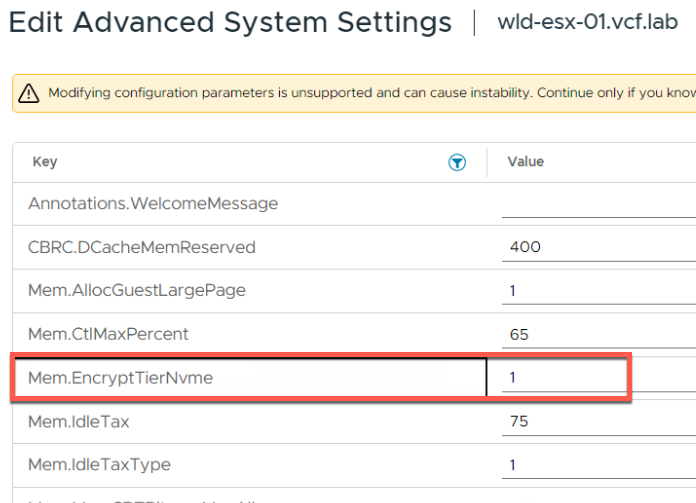
This is the “blanket” approach. It ensures that any page swapped from DRAM to the NVMe tier on this host is encrypted using AES-XTS.
The Parameter
- Scope: Host Advanced Configuration Parameters
- Key: Mem.EncryptTierNvme
- Value: 1 (Enabled) or 0 (Disabled)
Option B: Per-VM Encryption
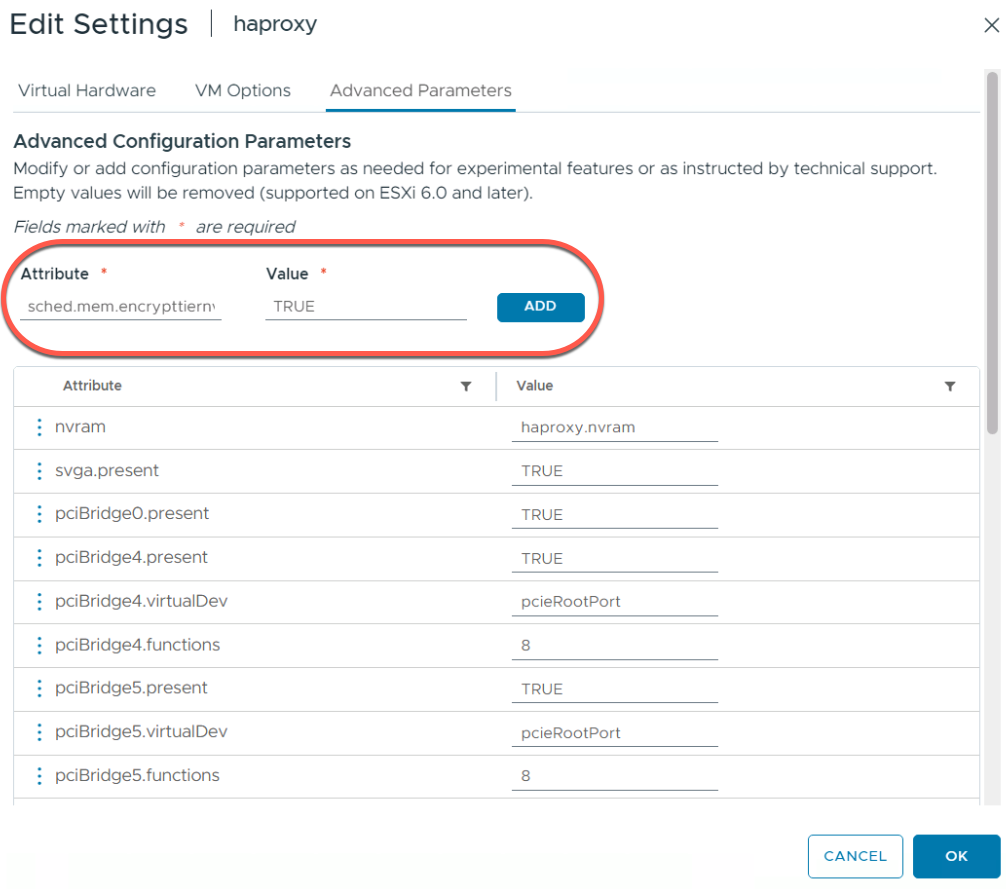
If you want to only specify certain VMs to have encryption for the memory pages that reside on NVMe, you can enable it only for high-value workloads (e.g., Domain Controllers, Finance DBs).
The Parameter
- Scope: VM Advanced Configuration Parameters
- Key: sched.mem.EncryptTierNVMe
- Value: TRUE
Opting Out: Disabling Memory Tiering for Critical VMs
Memory Tiering is excellent for “cold” data, but “hot” data belongs in DRAM. While the ESX scheduler is incredibly smart about memory page placement, some workloads are simply too sensitive to risk any latency spikes associated with tiering.
Typical Use Cases:
- SAP HANA or other In-Memory Databases.
- High-Frequency Trading applications.
- Security VMs.
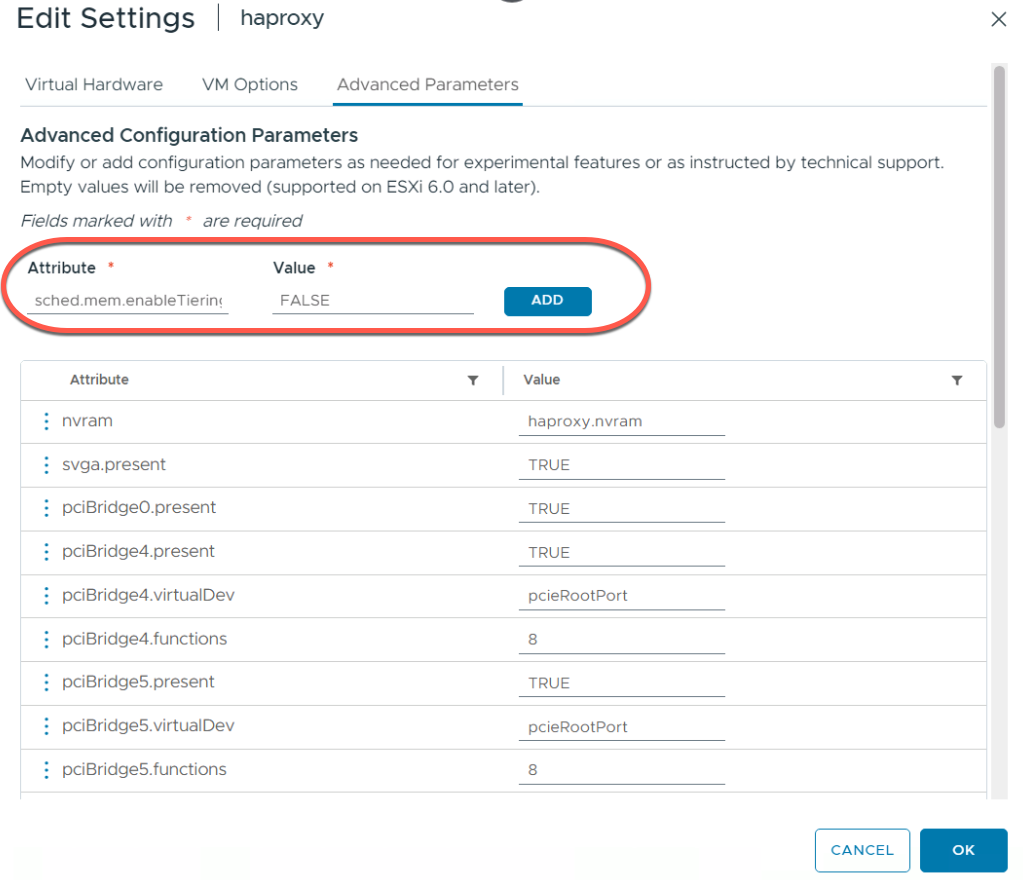
In addition, there are a few VM profiles that are currently not supported for Memory Tiering such as low latency VMs, FT VMs, large memory pages VMs, etc. For such VM profiles, you should disable Memory Tiering at the VM level. This forces the VM’s pages to reside only in Tier 0 (DRAM). For a complete list of VM profiles please refer to this official document.
The Parameter
Scope: VM Advanced Configuration Parameters
Key: sched.mem.enableTiering
Value: FALSE
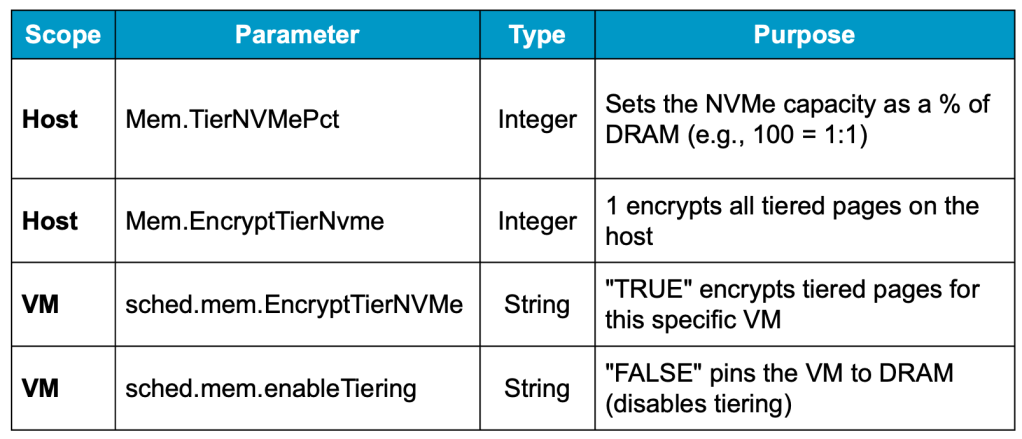
Summary of Advanced Parameters
Final Thoughts
Memory Tiering in VCF 9.0 represents a massive shift in how we think about server density, and smart resource consumption. It moves us away from the rigid “RAM limit” and gives us a flexible, cost-effective buffer. However, like any powerful tool, the defaults are just the starting point. Using the parameters above, you can tailor the behavior to fit both your budget and your SLAs.
Blog series:
PART 1: Prerequisites and Hardware Compatibility
PART 2: Designing for Security, Redundancy, and Scalability
PART 4: vSAN Compatibility and Storage Considerations
PART 6: End-to-End Configuration
Additional information on Memory Tiering
Discover more from VMware Cloud Foundation (VCF) Blog
Subscribe to get the latest posts sent to your email.