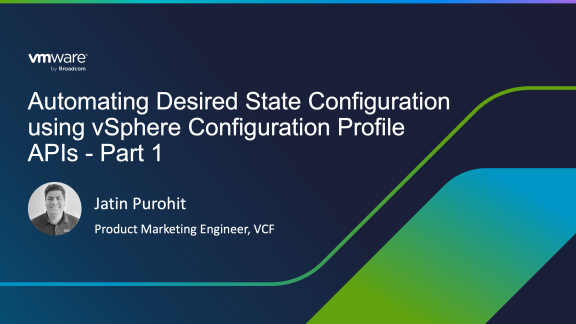

Maintaining consistent ESX host configurations is one of the most critical responsibilities of a VMware Cloud Foundation (VCF) administrator. Even a minor drift in key settings such as firewall rules, password policies, DNS configuration, or something as fundamental as NTP can have far-reaching consequences in a cloud environment.
The concept of Desired State Configuration (DSC) enables administrators to define, document, and version-control the intended configuration of their cloud infrastructure. By doing so, it is possible to continuously enforce consistency and ensure that all environments remain aligned with the desired state configurations.
As a cloud administrator, you want to avoid scenarios that can lead to downtime, performance degradation, or even denial-of-service caused purely by configuration drift. While the sources of drift may vary, what administrators truly need are clear visibility, continuous monitoring, and actionable insights into their environments, enabling them to proactively detect, understand, and remediate deviations from the desired state.
The vSphere Configuration Profile (VCP) feature delivers exactly these capabilities by allowing administrators to enforce desired state configuration across vSphere clusters. If you are new to vSphere Configuration Profiles, I highly recommend reviewing the following resources to familiarize yourself with the fundamentals and the UI-based workflows:
• Configuration Management using vSphere Configuration Profile (VCP)
• Monitor Configuration Drift with Alarms
Automate Desired State Configuration
The goal of this three-part blog series is to dive deep into the vSphere Configuration Profile (VCP) APIs and demonstrate how you can build powerful automation workflows around them. Each part of the series builds on the previous one, so following the entire series will give you a complete, end-to-end understanding of API-driven desired state management. This series will cover the following topics:
Understanding vSphere Configuration Profile APIs
In this first post, we will look at the available APIs, what they do, and how to start using them. A solid understanding of these APIs is essential before attempting any automation.
Consuming Configuration Profile APIs using PowerCLI and Unified VCF SDKs
The second blog post focuses on invoking these APIs using PowerCLI, as well as the Unified VCF SDKs for Python and Java, thus making it easier to integrate configuration profiles into your existing automation workflows.
Automating Desired State Configuration using GitOps
In the final blog post, we demonstrate how to apply GitOps principles to desired state configuration using ArgoCD, enabling CI/CD-style workflows for managing and enforcing configuration profiles at scale.
Getting Started with vSphere Configuration APIs
The VCP APIs are part of the vSphere Automation APIs, which are REST-based and easily consumable from your preferred automation tools and scripts.
The best way to explore these APIs is by importing the openapi.yaml specification into your API explorer or client. If you are new to OpenAPI, I highly recommend reviewing an introductory blog and demo to become familiar with the specification and tooling.
At a high level, the Configuration Profile APIs can be grouped into two categories:
- Configuration APIs allow you to create configuration drafts, update settings, validate new configurations and remediate drift across the cluster. The APIs can be found at: vSphere Automation API > esx > settings > clusters > {cluster} > configuration
- Enablement APIs can be used to enable vSphere Configuration Profile (VCP) on a vSphere Cluster. The APIs can be found at: vSphere Automation API > esx > settings > clusters > {cluster} > enablement > configuration
Enable VCP
There are two ways to enable VCP on a vSphere cluster:
- Import a configuration profile from a reference host
- Import a configuration profile from a file
For initial enablement, I highly recommend you to import a configuration from a reference host. Similar to Host Profiles, you first configure a host with the desired settings. This host must be part of the cluster you intend to manage using VCP.
Below is the recommended API sequence to enable VCP.
1. Authenticate with vCenter Server
| API | POST https://{api_host}/api/session |
| API Documentation | Cis Session Create |
| Description | Creates a session with the API. This is the equivalent of login. This operation exchanges user credentials supplied in the security context for a session token that is to be used for authenticating subsequent calls. To authenticate subsequent calls, clients are expected to include the session token. For REST API calls, the HTTP vmware-api-session-id header field should be used for this. |
2. Validate VCP Enablement
| API | GET https://{api_host}/api/esx/settings/clusters/{cluster}/enablement/configuration |
| API Documentation | Esx Settings Clusters Enablement Configuration get |
| Description | Returns whether the given cluster is managed using a desired configuration platform. |
3. Check the cluster eligibility for VCP transition
| API | POST https://{api_host}/api/esx/settings/clusters/{cluster}/enablement/configuration/transition?action=checkEligibility&vmw-task=true |
| API Documentation | Esx Settings Clusters Enablement Configuration Transition checkEligibility$Task |
| Description | The API performs eligibility checks on the cluster to see if it can be transitioned to the desired configuration management platform. |
4. Import config profile from a reference host
| API | POST https://{api_host}/api/esx/settings/clusters/{cluster}/enablement/configuration/transition?action=importFromHost&vmw-task=true |
| API Documentation | Esx Settings Clusters Enablement Configuration Transition importFromHost$Task |
| Description | The API imports the desired configuration from a reference host in the cluster. The API also adds host-specific and host-overrides from the other hosts in the cluster. Import API does not validate the configuration against the schema. The result will specify if the configuration was imported successfully. The result will provide a localized error message if the import operation fails. |
5. Validate Imported Configuration
| API | POST https://{api_host}/api/esx/settings/clusters/{cluster}/enablement/configuration/transition?action=validateConfig&vmw-task=true |
| API Documentation | Esx Settings Clusters Enablement Configuration Transition validateConfig$Task |
| Description | The API validates the imported desired configuration against the schema and on the hosts with validation plugins. If the document is valid, the API will check all the hosts for compliance with the desired configuration. The API returns validation errors if the configuration is not valid on any of the hosts. If the configuration is valid, the API returns compliance information. |
6. Enable VCP
| API | POST https://{api_host}/api/esx/settings/clusters/{cluster}/enablement/configuration/transition?action=enable&vmw-task=true |
| API Documentation | Esx Settings Clusters Enablement Configuration Transition enable$Task |
| Description | The API enables ConfigManager on the cluster. Before setting the desired configuration state, the API verifies the eligibility of the cluster to transition to the desired configuration platform. The API then validates and sets the configuration draft as the desired configuration of the cluster, thus enabling ConfigManager. The API finally initiates remediation by invoking Apply. Apply is not invoked if the cluster is empty. |
Manage Cluster Configuration
Use configuration APIs to manage the desired state configuration. The management aspect involves monitoring the configuration, drift analysis, and updating the configuration settings on a vSphere cluster. The APIs to manage the configurations are at: vSphere Automation API > esx > settings > clusters > {cluster} > configuration
Let us explore APIs that you can use for some of these operations. In this scenario, we have a VCP-enabled cluster and we are going to update desired state configurations with new settings. Execute below APIs in the specified order.
1. Authenticate with vCenter Server
| API | POST https://{api_host}/api/session |
| API Documentation | Cis Session Create |
| Description | Creates a session with the API. This is the equivalent of login. This operation exchanges user credentials supplied in the security context for a session token that is to be used for authenticating subsequent calls. To authenticate subsequent calls clients are expected to include the session token. |
2. Create a new configuration draft
| API | POST https://{api_host}/api/esx/settings/clusters/{cluster}/configuration/drafts |
| API Documentation | Esx Settings Clusters Configuration Drafts create |
| Description | Create a new configuration draft. You can specify a config spec that you want to apply. If not specified, then the current configuration will be referenced as is. |
3. Update configuration draft
| API | POST https://{api_host}/api/esx/settings/clusters/{cluster}/configuration/drafts/{draft}?action=update |
| API Documentation | Esx Settings Clusters Configuration Drafts update |
| Description | Update the current configuration settings. In the body you can pass the updated configuration specification. |
4. List configuration changes
| API | GET https://{api_host}/api/esx/settings/clusters/{cluster}/configuration/drafts/{draft}?action=showChanges |
| API Documentation | Esx Settings Clusters Configuration Drafts showChanges |
| Description | List configuration changes once the configuration draft is updated. |
5. Run pre-check
| API | POST https://{api_host}/api/esx/settings/clusters/{cluster}/configuration/drafts/{draft}?action=precheck&vmw-task=true |
| API Documentation | Esx Settings Clusters Configuration Drafts precheck$Task |
| Description | Run the pre-check against the configuration draft. |
6. Apply Configuration Draft
| API | POST https://{api_host}/api/esx/settings/clusters/{cluster}/configuration/drafts/{draft}?action=apply |
| API Documentation | Esx Settings Clusters Configuration Drafts apply |
| Description | Apply the configuration draft as desired state configuration. This will run the compliance check and initiate the cluster remediation process. Upon successful completion of this operation, the draft will be deleted. |
Conclusion
In this first part of the series, we laid the foundation for automating Desired State Configuration using the vSphere Configuration Profile APIs.
We explored:
- The importance of DSC in VMware Cloud Foundation environments
- The two primary API categories: Enablement APIs and Configuration APIs
- The complete API workflow for enabling VCP on a cluster
- The lifecycle of managing desired state using configuration drafts
A solid understanding of these APIs is critical for moving beyond UI-driven operations and building scalable, repeatable automation.
In the next blog post I will showcase how to invoke these APIs programmatically using your preferred programming language such as PowerCLI, Python, or Java. This will help you to consume vSphere Configuration Profile with your existing set of automation toolings and integrations. Until then, stay tuned!
Read Next
Automating vSphere Configuration Profile APIs – Part 2 – PowerCLI and Python Sample Code
Discover more from VMware Cloud Foundation (VCF) Blog
Subscribe to get the latest posts sent to your email.