
We are excited to announce the VCF Inspector fling, a new standalone diagnostic, health inspection, and troubleshooting tool built specifically for VMware Cloud Foundation (VCF) 9.1 and VCF management services.
The VCF Inspector fling gives infrastructure administrators, support engineers, and solution architects instant, structured visibility into VCF 9.1 environments without requiring manual command-line troubleshooting, custom SSH scripting, or deploying heavy virtual appliances.
The VCF Inspector fling is available today as a free download on the Broadcom Support Portal under VMware Flings here.
Why We Built VCF Inspector
Introduced in VCF 9.1, VCF management services provides a unified architecture for centralized lifecycle and operational management across the entire VCF fleet. It hosts key fleet and instance-level services including lifecycle management services, VCF SSO, Log Management, Salt configuration management, and more.
While this unified model delivers streamlined lifecycle operations and global visibility, managing and troubleshooting through VCF Operations, these interconnected services require inspecting component health, platform certificates, interconnects, and lifecycle workflows as an integrated platform.
To empower administrators and accelerate operational confidence, the VCF Inspector fling addresses three key use cases:
- Proactive Pre-Upgrade Readiness: Giving admins an automated, single-click method to verify password policy compliance, host readiness, network reachability, and certificate validity before initiating a VCF 9.1 upgrade
- Streamlined Deployment and Upgrade Visibility: Delivering real-time, consolidated timeline progress for VCF installations and upgrades, giving teams clear visibility into subtask execution and automatic root-cause guidance without manual log searching across control plane nodes
- Instant Day-2 Runtime Diagnostics: Providing structured, instant health inspection across all platform services, making it easy to monitor service states, restart trends, and relevant Knowledge Base recommendations from a unified interface
The VCF Inspector fling delivers all three capabilities in a single executable designed to run on your admin workstation or a jumpbox.
Key Capabilities and Use Cases
The VCF Inspector fling supports three core use cases out of the box:
1. VCF 9.1 Pre-Upgrade Readiness Assessment
Now you don’t need to be an expert on the VCF documentation or understand every Knowledge Base (KB) article. Run multiple automated pre-flight checks against SDDC Manager and vCenter before initiating a VCF upgrade. The tool validates:
- Password policy compliance and account expiration dates
- Host health and vSphere cluster readiness
- Required network port reachability (SSH 22, HTTPS 443, Platform API 5480, Cluster API 6443)
- Active lifecycle management task status and certificate expiration thresholds
- Surfacing actionable remediation guidance for failed checks
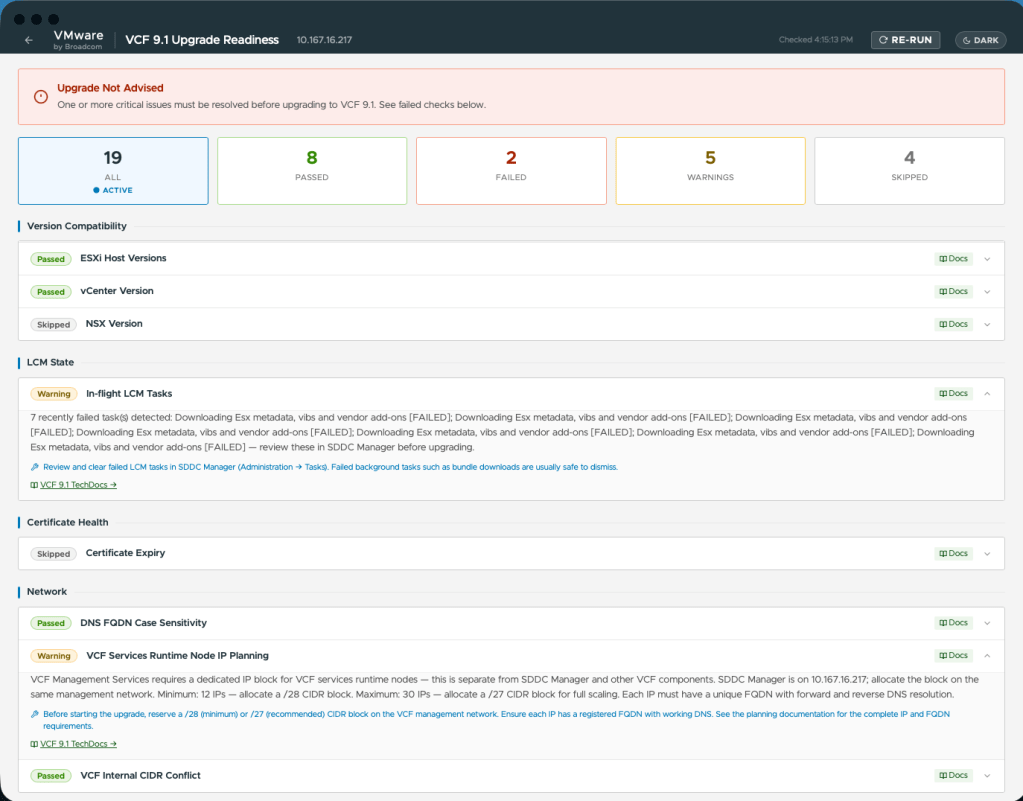
Pre-checks
2. Live Deployment and Upgrade Timeline Monitor
Track ongoing VCF installation or upgrade progress in real-time. Features include:
- Real-time timeline view of SDDC Manager subtasks and Bootstrap stages
- Automatic stuck-task detection and root-cause error extractions
- Direct deep-links to Broadcom KB articles for known deployment issues
- Stage duration calculation and stage filtering
- Enhanced monitoring of deployment tasks for VCF management services
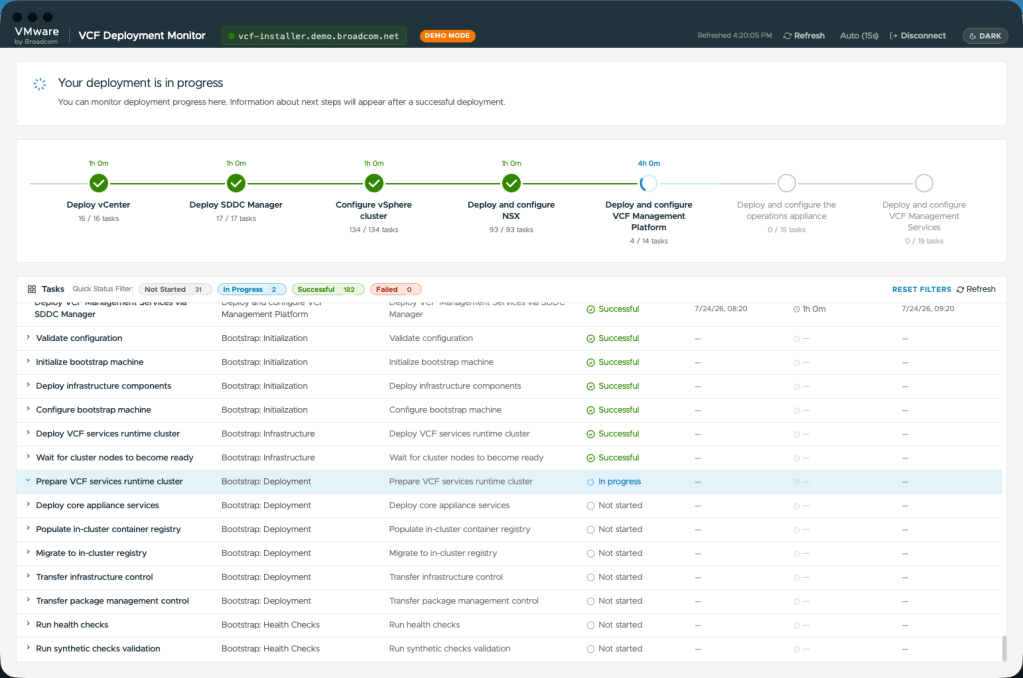
Detailed VCF Management Services tasks
3. Day-2 VCF Management Services Health and Diagnostics
Inspect the health of all running platform services with zero configuration:
- Instant Service Health: Grouped view of VCF management services (log management , fleet lifecycle, VCF Automation, identity broker, VMware Salt for VCF components, telemetry) with health badges
- Platform IP and FQDN Pool Discovery: Comprehensive datagrid mapping Control Plane VIPs, Worker Node IPs, canonical FQDNs, and LoadBalancer services
- Node Topology Grid: Visual matrix of Control Plane and Worker nodes displaying component placement and status
- Log Analyzer and Component Diagnostics: Mine recent error and warning log patterns across platform services, with instant component diagnostics and execution logs in a detail modal
- Administrative Remediation Actions: One-click cert-manager certificate renewal, DNS rolling restart, system database compaction, and network reachability testing—protected by an interactive safety acknowledgment lock
- Safe Terminal Console: Advanced user console with strict read-only command validation, allowing safe status queries while blocking destructive operations
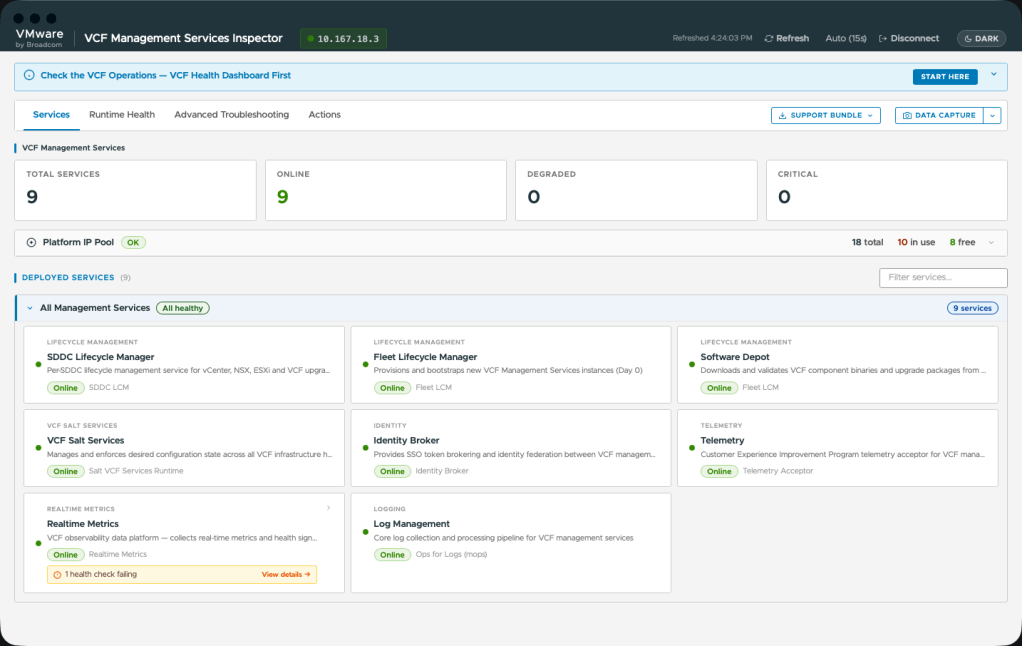
VCF Management Services overview
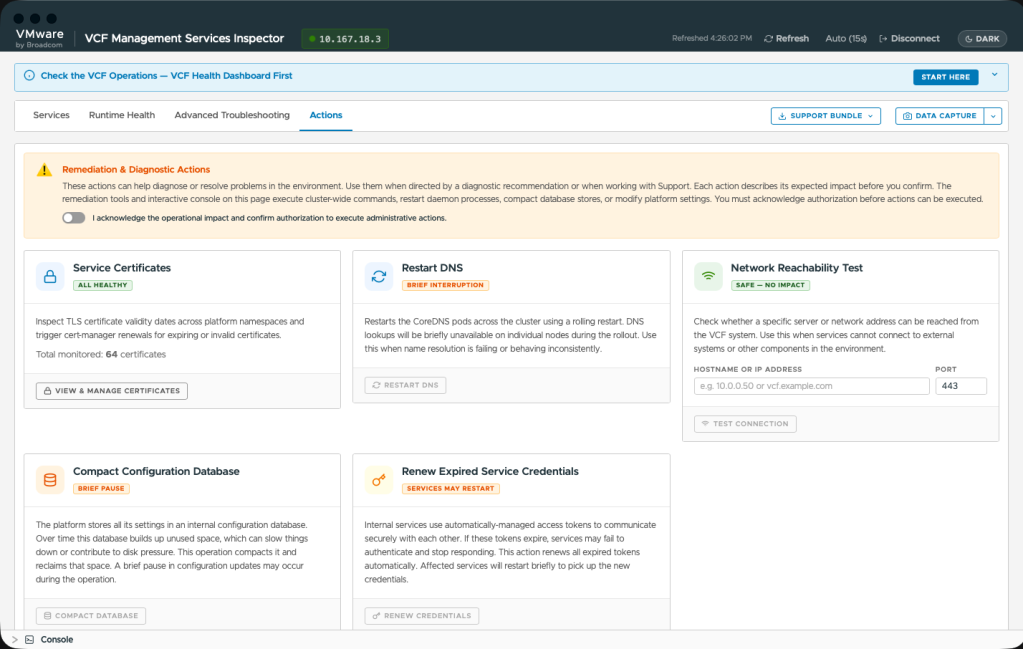
Remediation actions and controlled console
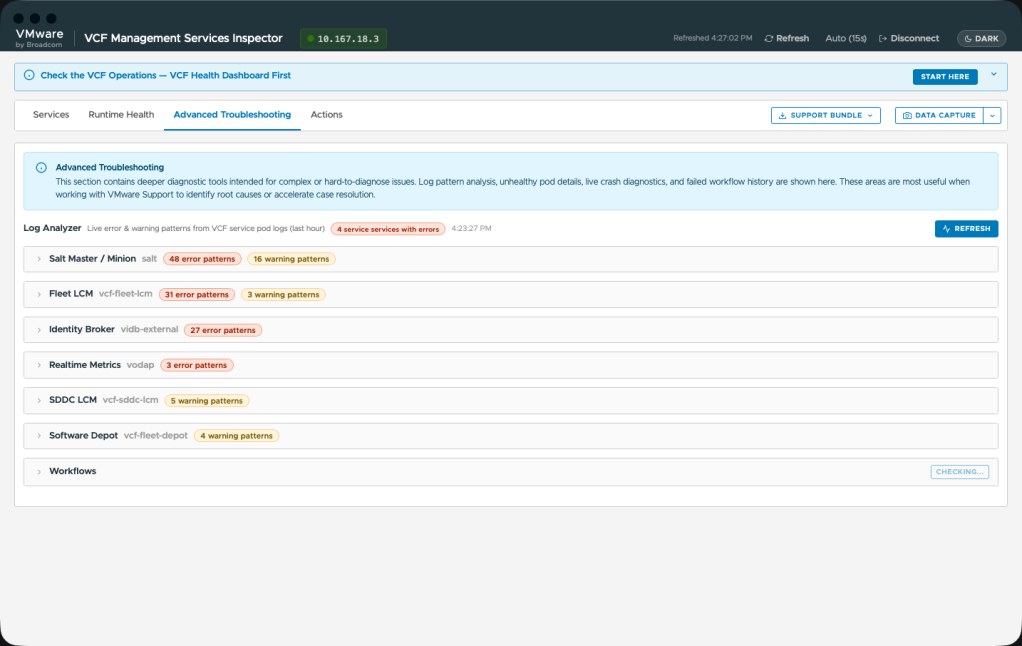
Advanced troubleshooting
How to Get Started
Getting started with the VCF Inspector fling takes minutes:
- Download the Binary: Visit the Broadcom Support Portal – Free Downloads / VMware Flings and download the single binary for your operating system (vcf-inspector-darwin-arm64-native, vcf-inspector-windows-amd64-native.exe, or vcf-inspector-linux-amd64).
- Make Executable and Launch:
- macOS/Linux: Open Terminal, run chmod +x ./vcf-inspector-darwin-arm64-native, and run ./vcf-inspector-darwin-arm64-native.
- Windows: Double-click vcf-inspector-windows-amd64-native.exe.
- Connect to Your Environment:
- Enter the IP or FQDN of any VCF control plane node (or SDDC Manager).
- Provide the vmware-system-user credentials (or SDDC Manager admin credentials).
- The VCF Inspector fling establishes a secure session and populates all health dashboards automatically.
Summary and Feedback
The VCF Inspector fling streamlines VCF 9.1 troubleshooting into a single, elegant tool that requires zero installation or infrastructure footprint. Whether you are prepping for a VCF 9.1 upgrade, monitoring an active deployment, or performing day-2 health checks, The VCF Inspector fling gives you the insights you need instantly.
Try out the VCF Inspector fling today, and share your feedback, bug reports, and feature requests with us via the VMware Flings community channels!
Discover more from VMware Cloud Foundation (VCF) Blog
Subscribe to get the latest posts sent to your email.