
You’ve met VMware Cloud Foundation (VCF). You’ve met modern Microsoft workloads. Now you need prescriptive guidance that reflects how people are actually building private clouds today – especially when the applications in question are the ones your business can’t afford to get wrong.
We’ve just published a collection of refreshed versions of technical guides that bring our guidance forward for VCF-era architectures, and for newer Microsoft application capabilities, including SQL Server 2025 and Windows Server 2025.
If you’re planning a VCF rollout, upgrading your existing ones, standardizing a platform, refreshing your SQL Server estate, or modernizing identity infrastructure, we recommend reviewing these documents before your next design workshop, procurement cycle, or migration runbook gets locked.
Guide 1: Architecting Microsoft SQL Server on VMware Cloud Foundation
For many teams, the decision to virtualize SQL Server is already settled. As the guide puts it: “the focus is no longer on whether to virtualize SQL Server, but on how to…” That “how” has changed materially in a VCF world. The platform is more opinionated, the operational model is more standardized, and the supporting capabilities (storage, networking, lifecycle, security) have evolved to account for advancements in hardware capabilities and operational methodologies.
This updated guide is for readers who already understand both VCF and SQL Server.It serves multiple roles: architects, engineers/admins, and DBAs.
A few highlights worth calling out:
- Modern CPU and NUMA guidance, now including new VCF-era topology behaviors. The guide walks through the “new vNUMA topology configuration options in VMware Cloud Foundation (VCF)” and why those behaviors matter for large SQL Server VMs.
- A clear, updated stance on CPU hot plug in the SQL Server 2025 era. The guide is explicit: CPU Hot-Add is no longer supported in SQL Server 2025 and you shouldn’t enable it on those VMs.
- Storage guidance aligned to where VCF is going. If you’re evaluating vSAN architecture choices, the guide calls out why vSAN Express Storage Architecture (ESA) is attractive for customers moving to newer hardware, and it highlights ESA efficiency capabilities like global deduplication and compression benefits for database workloads.
- Clarity on deprecations that impact long-lived designs. If your current design language leans heavily on vVols, note that Virtual Volumes are deprecated starting with VCF 9.0 and VMware vSphere Foundation 9.0 (with removal planned in a future release).
- Operational realism for mobility and maintenance. The guide discusses multi-NIC vMotion to reduce stun risk on large, memory-heavy SQL VMs and points out that VCF introduces vMotion Notifications to help latency-sensitive and clustering-aware applications handle migrations more safely.
If you’re a decision maker: this is the kind of document that reduces surprise-driven rework. If you’re technical: it’s the kind of document that prevents you from inheriting an “it depends” design that later turns into an outage.
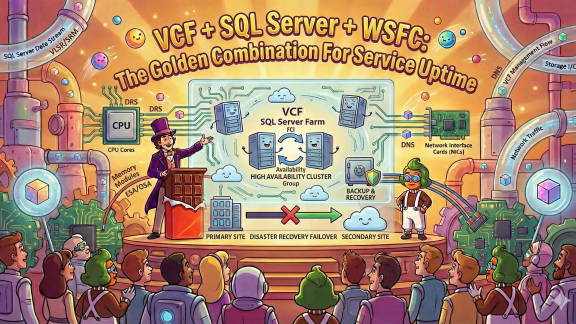
Guide 2: Architecting Microsoft SQL Server for High Availability on VMware Cloud Foundation
The second guide is focused where the stakes are highest: designing SQL Server availability correctly on VCF without mixing outdated assumptions, unsupported configurations, or “we’ll fix it later” clustering shortcuts.
It’s written for a mixed audience, explicitly including DBAs, VMware admins, architects, and IT decision makers. And it’s very clear that “availability” isn’t a feature you sprinkle on at the end; your business requirements must drive the protection model you choose.
A few especially practical updates:
- SQL Server 2025 availability realities, mapped cleanly. The guide maps protection levels to modern SQL Server availability features, calling out areas where SQL Server 2025 enhances AG-based architectures, and it notes that Database Mirroring is removed in SQL Server 2025.
- Lifecycle alignment guidance that IT leadership actually cares about. As of SQL Server 2025, the guide notes older Windows Server versions have moved out of mainstream support and recommends Windows Server 2025 or Windows Server 2022 where compatibility permits – a direct push toward supported, defensible platforms.
- Modern shared-disk clustering options, without forcing legacy designs. The guide calls out that in VCF 9-era environments, shared-disk semantics for FCIs can be delivered using modern approaches—highlighting Clustered VMDKs and explicitly framing the direction away from legacy dependencies.
- DRS anti-affinity guidance that prevents self-inflicted failovers. If you run clustered SQL nodes on the same ESXi host “because DRS did it,” you don’t have HA, you have an incident queued up. Configure appropriate DRS rules so clustered nodes remain physically separated.
- vMotion Application Notification requirements, spelled out. The guide documents how to use application notification, including requirements like up-to-date VMware Tools and recommended timeout configuration – exactly the kind of detail teams otherwise rediscover under pressure.
- vSAN ESA guidance that reflects current capabilities. It calls out ESA policy direction and notes global deduplication (first introduced in VCF 9.0 P01) as recommended for certain SQL Server availability group scenarios on the same vSAN cluster.
This is the guide you hand to the team when the business says “we need higher availability,” and you want the response to be an engineered outcome.
Guide 3: Virtualizing Active Directory Domain Services on VMware Cloud Foundation
Active Directory (AD) Domain Services (DS) is one of those services that people don’t think about until everything is broken. The updated AD DS guide takes that head-on, stating that many organizations correctly treat AD DS as a true business-critical application because authentication, access to resources, and countless workflows depend on it.
It also addresses the lingering “physical DC” reflex directly. With Windows Server advancements and mature VCF practices, the guide states these improvements now enable organizations to “safely virtualize one hundred percent of their AD DS infrastructure.”
What’s meaningfully updated here isn’t generic “virtualize it” advice – it’s the modern set of features and safeguards that change how you design and secure virtual domain controllers:
- The guide calls out that only a few enhancements materially alter earlier recommendations, specifically including Virtualization-Based Security (VBS), Secure Boot, VM-level encryption, and improved guest VM timekeeping – and it incorporates those changes where relevant.
- It’s explicitly written for multiple audiences (architects, engineers/admins, and management/process owners), which is important for AD DS because design and operations are inseparable.
- It reinforces operational protections around failure recovery. For example, it highlights using vSphere HA VM restart priority so key infrastructure services come up early after a recovery event.
- It goes deep on the virtualization-era integrity protections (like VM-Generation ID behavior) that exist precisely to address historical snapshot and rollback concerns.
If you’re modernizing identity, consolidating data centers, or building a VCF-based private cloud with strong security posture, this is not optional reading. AD DS isn’t just another workload. It’s the dependency that makes your entire stack believable.
Guide 4: Running Microsoft SQL Server Failover Cluster Instance on VMware vSAN with VMware Cloud Foundation 9
If your availability pattern is still shared-disk clustering – whether because of application constraints, operational preference, or the need to keep the SQL Server FCI model intact – this guide is the practical “here’s how it actually works on VCF 9” companion to the broader HA guidance. It’s a reference architecture for running Microsoft SQL Server Failover Cluster Instance (FCI) using shared disks backed by vSAN, validated for both a standard vSAN cluster and a vSAN stretched cluster scenario.
A few highlights worth calling out:
- Native WSFC and shared-disk support on vSAN (with the mechanics spelled out). In VCF 9, “vSAN provides native support for virtualized Windows Server Failover Clusters (WSFC)” and “supports SCSI-3 Persistent Reservations (SCSI3PR) on a virtual disk level” – the core requirement for shared-disk arbitration in WSFC.
- The two configuration settings that make or break shared disks. It calls out that shared disks must be on a controller with SCSI Bus Sharing set to Physical, and that “the Disk Mode for all disks within the cluster must be set to Independent – Persistent” to avoid unsupported snapshot semantics on shared disks.
- Stretched cluster operational realities: latency, placement, and quorum are part of the design. It recommends: “Less than four milliseconds inter-site (round trip) latency” for tier-1 SQL databases on vSAN stretched clusters, and it reinforces DRS VM/Host rules to separate WSFC nodes across hosts. It also recommends using a quorum disk witness so the stretched cluster can maintain witness disk accessibility during a site failure without tearing down the FCI cluster service.
- A practical migration path from SAN pRDMs to vSAN shared VMDKs. It states up front: “before migration, backup is highly recommended” and notes the migration is offline. It walks through stopping the cluster role, shutting down nodes, and using storage migration to convert pRDMs to VMDKs on vSAN with a PowerCLI workaround (including sample code) when the Migrate wizard disk format selection is greyed out.
This is the guide you hand to the team when the requirement is “we need FCI semantics,” and you want the result to be a deliberate, supported design.
What to do next
If you’re actively designing, upgrading, or migrating, treat these guides as short-cycle, high-impact downloads:
- Platform teams: read the SQL Server guide first to align compute/storage/network defaults with SQL behavior.
- DBAs and infrastructure engineers: read the HA guide before you commit to a clustering pattern, datastore strategy, or maintenance model.
- Identity and security teams: read the AD DS guide to align hardening, recovery, and operational workflows with modern virtualization safeguards.
- Teams running (or standardizing on) SQL Server FCIs: read the FCI on vSAN guide to lock in the shared-disk requirements, storage policy stance, and stretched-cluster constraints before implementation.
Below are the direct download links.
- Architecting Microsoft SQL Server on VMware Cloud Foundation:
https://www.vmware.com/docs/architecting-mssql-vcf - Virtualizing Active Directory Domain Services on VMware Cloud Foundation:
https://www.vmware.com/docs/active-directory-domain-services-vcf - Architecting Microsoft SQL Server for High Availability on VMware Cloud Foundation:
https://www.vmware.com/docs/architecting-mssql-ha-vcf - Running Microsoft SQL Server Failover Cluster Instance on VMware vSAN with VMware Cloud Foundation 9:
https://www.vmware.com/docs/mssql-fci-vcf-9
Discover more from VMware Cloud Foundation (VCF) Blog
Subscribe to get the latest posts sent to your email.