Throughout this blog series, we’ve explored important aspects to consider before configuring Memory Tiering such as design, sizing, interoperability, redundancy, security, and much more. Now, it is time to apply what you’ve learned and optimize this feature for your environment, budget, and strategy.
Since many existing documents and blogs cover the configuration steps in detail, this blog post will focus on a high-level approach and reference previous blog posts for specific sections. Always rely on the official Broadcom documentation for exact configuration steps, you can find the official guide here. I’ve also highlighted the steps in this blog post.
Configuration Steps
Technically there are only two steps needed to configure Memory Tiering in your environment, but I’ve added pre- and post-configuration tasks to ensure due diligence and to verify the implementation.
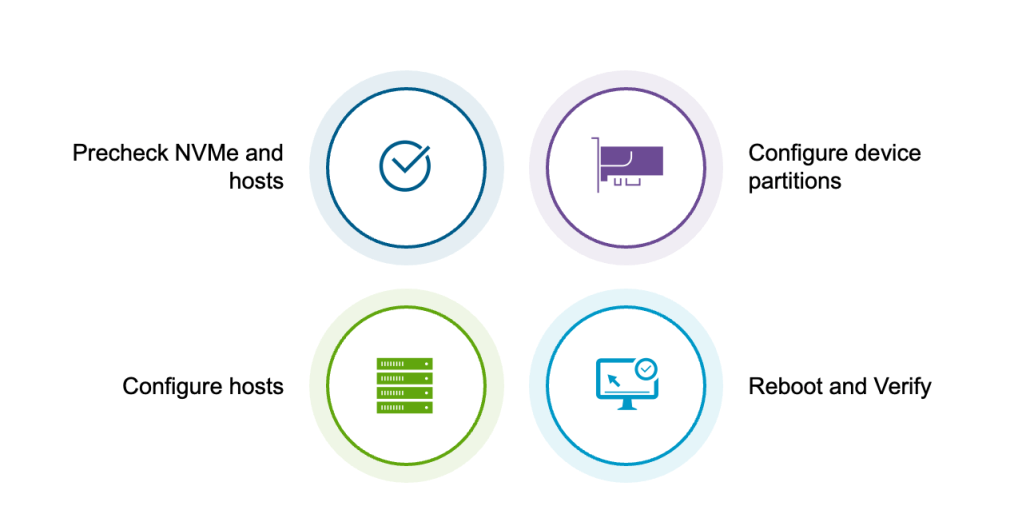
Pre-Checks
Many carpenters live by the rule “measure twice, cut once”, because you can’t add material back after the cut. To avoid critical errors during configuration, we must first verify that we have made the correct architectural decisions for our environment.
Please ensure you have reviewed the following:
- PART 1: NVMe endurance and performance classes
- PART 2: Redundancy and RAID controllers
- PART 3: NVMe device sizing
- PART 4: Interoperability with vSAN
Once you’ve made all these important decisions, the pre-check step involves verifying that the devices show up properly on all ESX hosts. You will need the UID of each device to create the partition to be used by Memory Tiering.
Partition Creation
The first step is creating a partition for each NVMe device. Whether you are deploying a single device per host or leveraging hardware-based RAID, a partition is required on each logical NVMe device.
Methods:
- ESXCLI: Run the standard esxcli command (details in this blog).
- PowerShell: Create a script to automate the process. A sample script is available in Part 5 which can be modified for your cluster environment.
Common Questions
Q: Can I configure partitions on two non-RAID devices on the same host for redundancy?
A: No. While VCF 9.0 allows you to create Memory Tiering partitions on multiple devices per host without error, the system does not aggregate them or mirror data.
Result: Memory Tiering will mount only one drive, selected non-deterministically during the boot process. The second drive will be ignored, offering no redundancy or capacity increase. (See upcoming VCF 9.1 posts for updates).
Enabling Memory Tiering
This step activates the Memory Tiering feature. You can perform this configuration via ESXCLI, PowerShell or the vCenter UI, applying it to individual hosts or the entire cluster simultaneously.
Q: Are you required to configure Memory Tiering on all hosts in a VCF 9.0 cluster?
A: No. You have flexibility to select specific hosts for Memory Tiering.
While it is ideal for all hosts to share the same configuration, we understand that certain VM limitations may require exceptions (see Part 1 of this blog series).
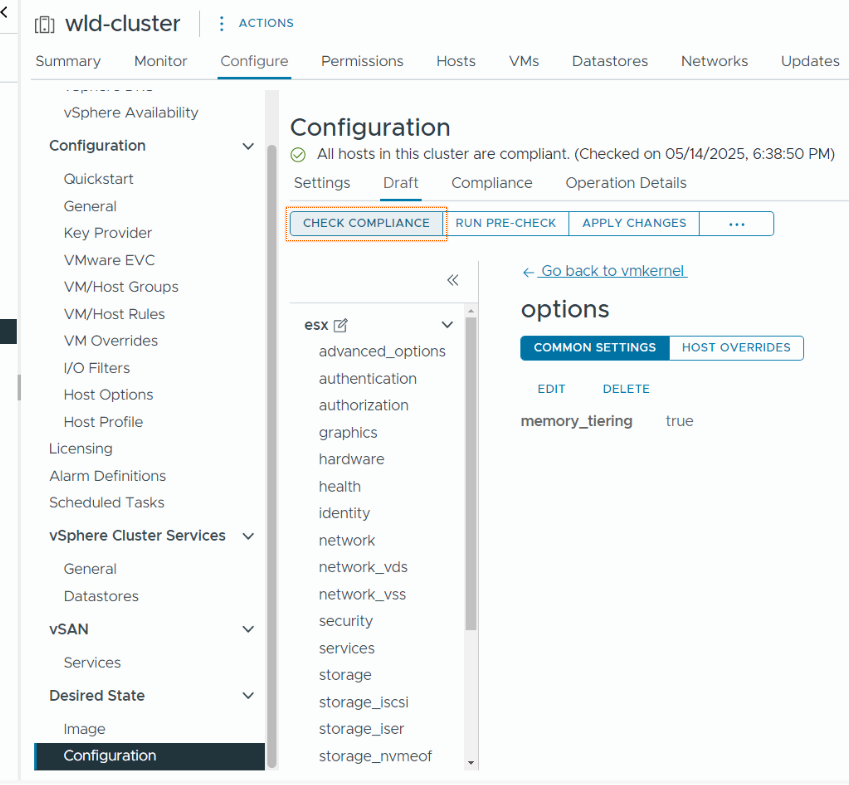
The most efficient method to configure Memory Tiering is to use vSphere Configuration Profiles. This allows you to enable the feature on all your hosts at once, while leveraging host overrides for any hosts where you do not wish to enable it. See this blog post for more info.
Final Step
The final step is simple: reboot all hosts and verify. In VCF/VVF 9.0, a reboot is mandatory for this feature to take effect.
If you use Configuration Profiles, the system will automate rolling reboots (one by one) while migrating VMs to ensure they remain online. And in case you are wondering if this method ensures data availability with vSAN as well—the answer is yes.
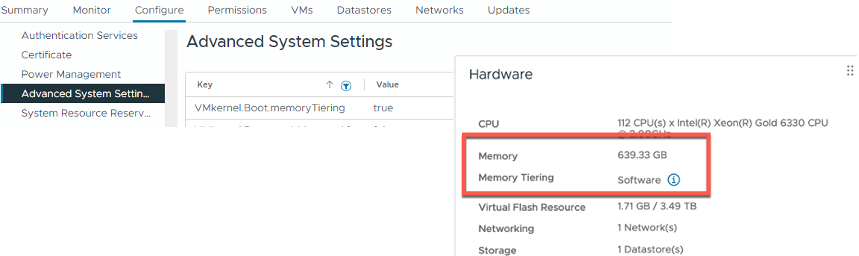
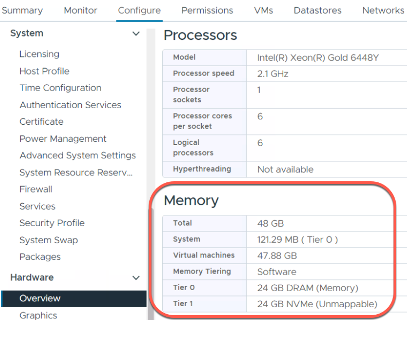
Once all hosts are back online, you will see new items within the UI located under Advanced System Settings, the Monitor tab, and Configure > Hardware > Overview > Memory.
You should also see that your memory capacity has increased by 2x at both the host and cluster levels by default. Talk about an easy and inexpensive way to double your memory footprint!
In conclusion, enabling Memory Tiering is very easy and straightforward. As a bonus, I am including the link for the newest Hands-on-Lab dedicated to Memory Tiering. There, you can perform an end-to-end configuration, including advanced settings which will be covered in the next and final blog post of this series.
Blog series:
PART 1: Prerequisites and Hardware Compatibility
PART 2: Designing for Security, Redundancy, and Scalability
PART 4: vSAN Compatibility and Storage Considerations
Additional information on Memory Tiering
Discover more from VMware Cloud Foundation (VCF) Blog
Subscribe to get the latest posts sent to your email.